

Notion AI is the set of AI features built into Notion, the popular all-in-one workspace for notes, docs, wikis and projects. It can write and summarize pages, fill in database tables, take meeting notes, and answer questions using everything in your workspace.
Here’s what Notion AI can do, how much it costs after Notion’s pricing change, and whether it’s worth it.
Quick Verdict
- Best for: Teams and individuals who already organize their work in Notion.
- Skip it if: You don’t use Notion. A standalone assistant like ChatGPT or Claude is cheaper and simpler.
- Is it free? Only as a limited trial. Full Notion AI requires the Business plan.
What Is Notion AI?
Notion AI lives inside your Notion pages. Instead of copying text into a separate chatbot, you ask the AI right where your notes, projects and documents already are. It can use several leading AI models behind the scenes.
What Notion AI Can Do
- Write and edit: Draft docs, improve writing, change tone and translate.
- Summarize: Turn long pages into key points and action items.
- Database autofill: Automatically fill table columns, like summaries, tags or next steps.
- AI Meeting Notes: Record and summarize meetings directly in Notion.
- Notion Agent: Ask it to complete multi-step tasks across your workspace.
- Search across tools: Find answers in Notion and connected apps like Slack and Google Drive (on eligible plans).
How to Use Notion AI (Step by Step)
- Sign in at notion.com or open the Notion app.
- Open any page and press the space bar on an empty line, or click the AI icon.
- Choose an action, like “Summarize this page” or “Draft an outline,” or type your own request.
- Review the result, then click Insert or Replace.
- In a database, add an AI autofill property to summarize or tag every row automatically.
Prompts to Try
- “Summarize this project page and list open action items with owners.”
- “Turn these meeting notes into a clear update email for the team.”
- “Create a weekly content calendar table for a small bakery’s Instagram.”
- “What did we decide about the launch date across all pages?”
Notion AI Pricing (2026)
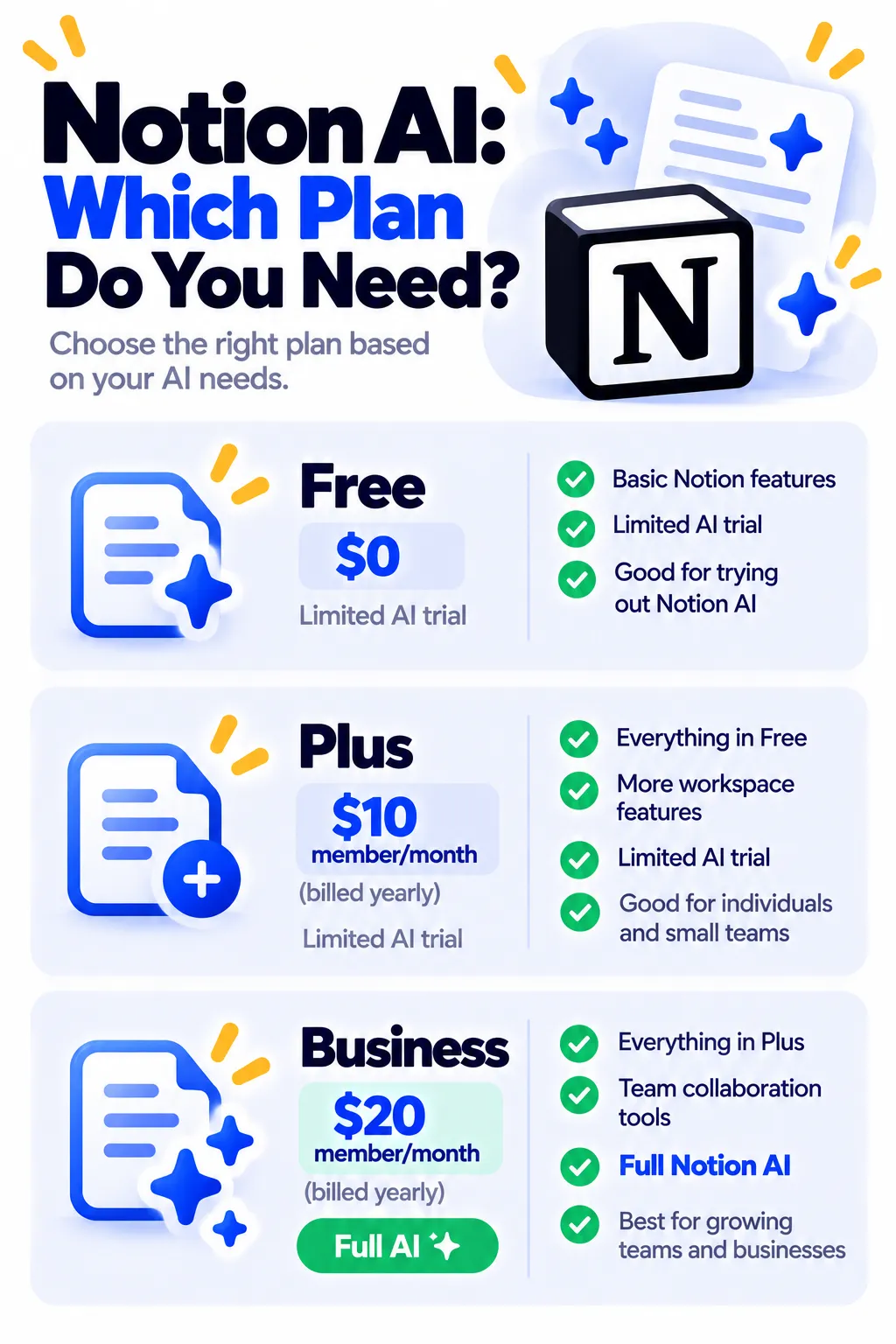
Notion no longer sells AI as a separate add-on. US prices as of October 2026:
| Plan | Price | Notion AI |
|---|---|---|
| Free | $0 | Limited AI trial |
| Plus | $10/member/month yearly ($12 monthly) | Limited AI trial |
| Business | $20/member/month yearly ($24 monthly) | Full Notion AI, Agent, Meeting Notes and search |
| Enterprise | Custom | Full AI with advanced security |
Students and teachers: Notion offers the Plus plan free for individual students and educators with an eligible school email, though full AI still requires Business. Check notion.com/pricing for current details.
Privacy Tips
- Review Notion’s AI security and privacy page before using AI on sensitive work documents.
- Enterprise plans offer stronger data protections for companies.
- Follow your company’s rules for using AI with client or confidential information.
Is Notion AI Worth It?
If your team already lives in Notion, having AI inside your pages saves real time. If you only want writing help, a free assistant like ChatGPT or Claude costs less. For research notebooks based on your own files, NotebookLM is free. See more ideas in AI tools for small business, and for note apps in general, see the best note-taking apps that sync everywhere.
Frequently Asked Questions
Is Notion AI free?
Only as a limited trial on the Free and Plus plans. Full Notion AI requires the Business plan.
Can I buy Notion AI as an add-on?
Not for new customers. Notion replaced the add-on with AI included in the Business plan.
Which AI models does Notion use?
Notion AI uses several leading models from providers like OpenAI and Anthropic, depending on the task and plan.
Can Notion AI take meeting notes?
Yes. AI Meeting Notes can record and summarize meetings, with full access on Business and Enterprise.
Why can’t I use AI anymore?
You may have used up the trial responses on the Free or Plus plan. Upgrade to Business to keep using it.
The Bottom Line
Notion AI is powerful if your work already lives in Notion, but full access now requires the Business plan. Try the free trial on your real pages first, then decide if it’s worth $20 per member each month. Explore more tools in our AI tools directory.
Related Guides
- What Is Otter.ai? How to Get AI Meeting Notes (2026 Guide)
- Gamma AI: How to Make a Presentation in Minutes With AI (2026)
- How to Use AI to Summarize Long Documents (Without Missing Key Details)
- What Is Zapier? How to Automate Your Work Without Code (2026 Guide)
Explore more in our AI Productivity Tools hub.
Disclaimer: This article is for general information only and is based on details available at the time of writing. Prices, plans, features, release dates, policies and availability can change at any time and may vary by country. Please verify the latest information on the official website of the company or product mentioned before making any decision or purchase. Next DigiTech is an independent website and is not affiliated with or endorsed by the companies mentioned; all trademarks belong to their respective owners. We are not responsible for any loss or decisions made based on this content.

