
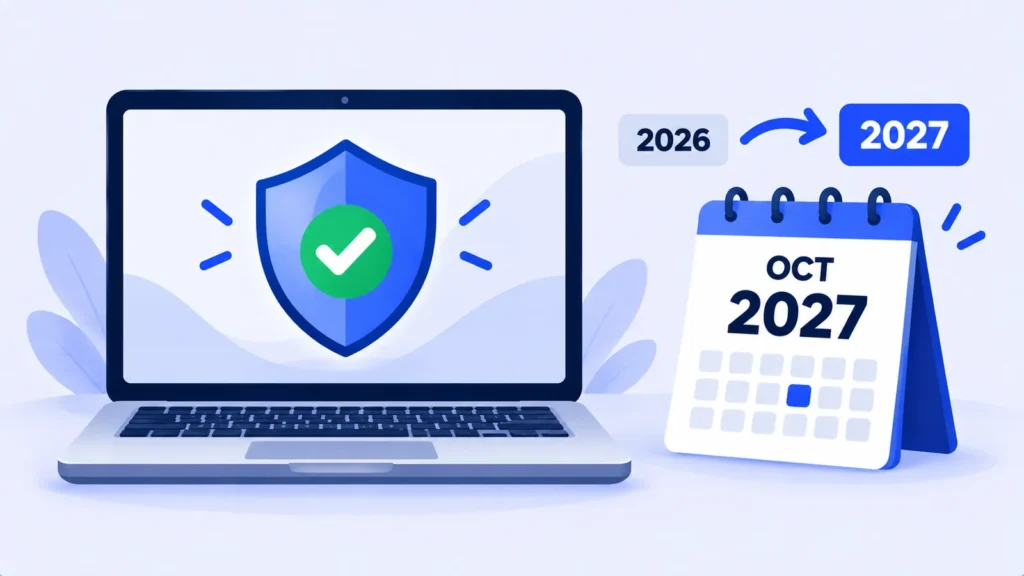
If you’re still using a Windows 10 PC, you may have read that security updates stop in October 2026. That was true for a while. It isn’t anymore.
In June 2026, Microsoft quietly extended its free Extended Security Updates (ESU) program for home users by another full year. Here’s what changed, who it applies to, and what you should do now.
The Quick Answer
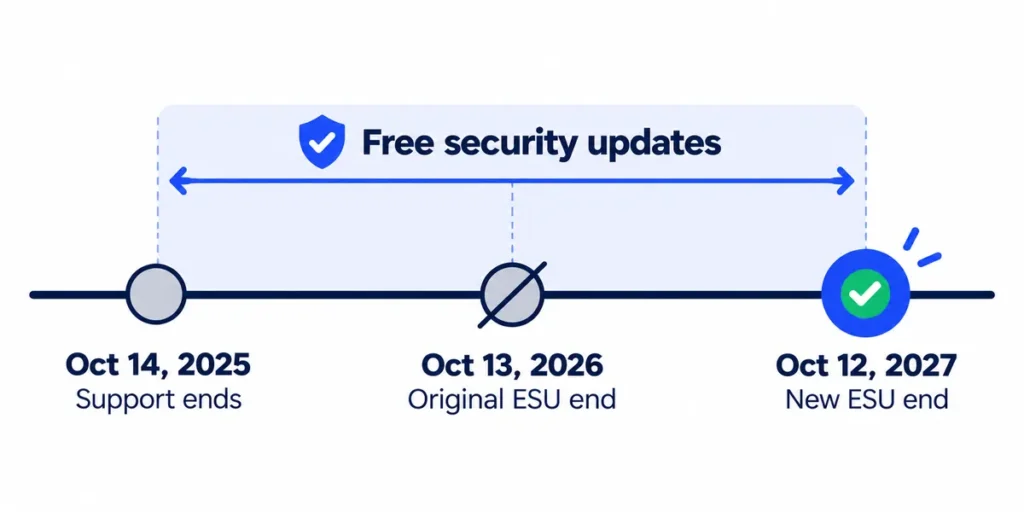
- Windows 10 support officially ended on October 14, 2025.
- The consumer ESU program now delivers security updates until October 12, 2027, one year later than originally planned (BleepingComputer).
- If you’re already enrolled, you don’t need to do anything. Your coverage continues automatically.
- If you aren’t enrolled, you can still sign up.
You may still see articles saying updates end on October 13, 2026. Those were written before the extension.
Note: Release dates and rollout timing can change. Please confirm the latest details on the official website or help center.
What ESU Actually Gives You
ESU provides critical and important security fixes only. You won’t get new features, design changes or Microsoft technical support. Think of it as a safety net that keeps your PC protected while you plan your next step.
Who Can Enroll
- Personal Windows 10 PCs running version 22H2 with the latest updates installed.
- You’ll need to sign in with a Microsoft account.
- Work PCs managed by a company network or IT tools aren’t eligible for the consumer program. Businesses have a separate paid option.
One license covers up to 10 devices linked to the same Microsoft account (BleepingComputer).
How to Enroll (3 Ways)
On your Windows 10 PC, go to Settings > Update & Security > Windows Update and look for the option to enroll in Extended Security Updates. You’ll then pick one of these methods:
- Free: back up your Windows settings to your Microsoft account.
- Free with points: redeem 1,000 Microsoft Rewards points.
- Paid: a one-time $30 payment.
In the European Economic Area, home users can get ESU for free just by signing in to Windows 10 with a Microsoft account (BleepingComputer).
Note: Prices are based on official announcements at the time of writing and may vary by country, retailer, taxes and promotions. Always check the latest pricing on the official website before buying.
Don’t see the enroll option? Install all pending updates first, restart, and check again. Make sure you’re on version 22H2 by going to Settings > System > About.
Should You Still Upgrade to Windows 11?
Probably, eventually. ESU buys time, not forever. Here’s a simple way to decide:
- Your PC can run Windows 11: upgrading for free is usually the best long-term move. Check under Windows Update for an upgrade offer.
- Your PC can’t run Windows 11 and works fine: enroll in ESU and use the extra year to plan a replacement without rushing.
- Your PC is old and slow anyway: this may be the right moment to replace it.
Frequently Asked Questions
Will my Windows 10 PC stop working after support ends?
No. It keeps working. The risk is that new security holes won’t get fixed once ESU coverage ends.
I already enrolled last year. Do I need to re-enroll?
No. Microsoft says existing enrollments continue automatically through October 12, 2027.
Will ESU be extended again after 2027?
Microsoft hasn’t announced any further extension for home users. Plan as if October 2027 is the final date.
The Bottom Line
Still on Windows 10? You have until October 12, 2027 to stay protected for free or nearly free. Enroll today if you haven’t, then use the extra year to move to Windows 11 or a new PC on your own schedule.
Related Guides
- Should You Update to iOS 27 Yet? What to Check First
- Should You Update Right Away? A Simple Guide to New Software Releases
- How to Speed Up a Slow Laptop in 10 Minutes (Windows and Mac)
- Black Friday 2026 Laptop Buying Guide: Specs That Matter and Deals to Avoid
Explore more in our Software Updates Explained hub.
Disclaimer: This article is for general information only and is based on details available at the time of writing. Prices, plans, features, release dates, policies and availability can change at any time and may vary by country. Please verify the latest information on the official website of the company or product mentioned before making any decision or purchase. This is not medical, financial, legal or security advice; consult a qualified professional for your situation. Next DigiTech is an independent website and is not affiliated with or endorsed by the companies mentioned; all trademarks belong to their respective owners. We are not responsible for any loss or decisions made based on this content.

