
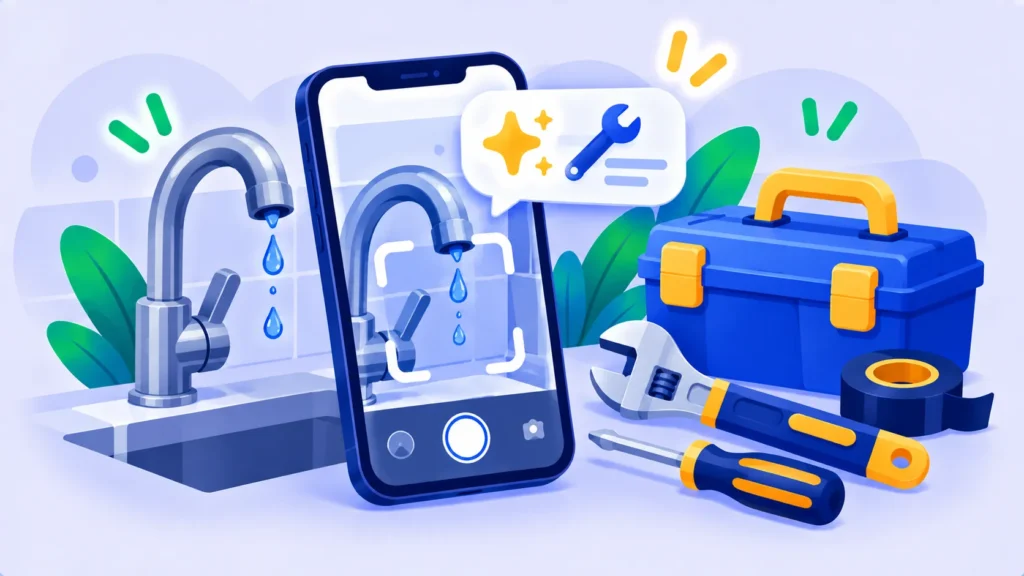
Something’s dripping, squeaking or wobbling, and you’re not sure if it’s a 10-minute fix or a call to a professional. AI can help you figure it out. Snap a photo, describe the problem, and get step-by-step help in plain English.
Here’s how to use AI for DIY and home repairs, safely.
Safety First: Know What Not to DIY
AI can explain almost anything, but some jobs need a licensed professional. Call a pro for:
- Electrical wiring, fuse boxes or anything beyond changing a bulb or plug.
- Gas appliances or any smell of gas (leave and call your gas emergency line).
- Structural problems, large leaks, mold or roof work.
- Anything where a mistake could cause injury, fire or flooding.
Always turn off power or water before working, and stop if you’re unsure.
Step 1: Snap a Photo and Describe the Problem
Open ChatGPT, Gemini or Claude, upload a clear photo, and add context:
“This bathroom tap drips constantly even when fully closed. It’s a single-lever mixer, about 8 years old. What’s the likely cause, and is it a beginner-friendly fix?”
On Android, you can also use Gemini Live with your camera, and on iPhone, Visual Intelligence, to ask questions while pointing at the problem. See built-in AI features on your phone.
Note: Features and policies may vary by plan, region and app version, and can change at any time. Check the official help center for the latest information.
Step 2: Identify Parts and Tools
“What is this part called? What tools and replacement parts will I need, and what should I ask for at the hardware store?”
Take the old part with you to the store to be sure you buy the right one.

Step 3: Get Step-by-Step Instructions
“Give me step-by-step instructions to replace the cartridge in this tap. Number the steps, include safety steps, and tell me what to check at the end.”
Ask follow-up questions as you go, like “The screw won’t turn. What should I try?” Send a new photo if something looks different from what AI described.
Step 4: Double-Check With the Manual or a Video
AI can confuse similar models. Ask it for the right search terms, then check the manufacturer’s manual or a video for your exact model before taking things apart.
Common Fixes AI Can Help With
- Dripping taps and running toilets.
- Squeaky doors, sticking drawers and loose handles.
- Filling small holes and cracks in walls.
- Resetting appliances and decoding error codes (“My washing machine shows E21”).
- Wi-Fi and router problems (see Wi-Fi connected but no internet).
- Choosing the right screws, wall plugs or paint for a job.
More Helpful DIY Prompts
- Shopping list: “Make a shopping list for painting a 3 x 4 meter bedroom, with quantities.”
- Cost check: “Roughly what should a plumber charge to replace a toilet fill valve? What questions should I ask?”
- Maintenance plan: “Create a seasonal home maintenance checklist for an apartment.”
- Explain a quote: “Explain this repair quote in simple words and tell me what to question.” More on this in how to use AI to understand confusing documents.
Frequently Asked Questions
Can AI diagnose a problem from a photo?
Often, yes, especially for common issues. It can be wrong, so treat its answer as a starting point and confirm before buying parts.
Which AI is best for home repairs?
Any free assistant that accepts photos works: ChatGPT, Gemini or Claude. Voice and camera modes are handy when your hands are busy.
Is it safe to follow AI repair instructions?
For simple jobs, usually. For electricity, gas or structure, always use a licensed professional.
The Bottom Line
AI is like having a handy friend on call. Snap a photo, ask what’s wrong, follow the steps carefully, and know when to call a pro. Your next dripping tap might take ten minutes instead of a service call. For more ideas, see the best built-in AI features on your phone.
Related Guides
- Best Built-In AI Features on Your iPhone and Android Phone (2027)
- How to Use AI Voice Mode for Hands-Free Help (ChatGPT, Gemini and More)
- Wi-Fi Connected But No Internet? 10 Fixes That Actually Work
- 25 Everyday Tasks AI Can Do for You (With Copy-and-Paste Prompts)
Explore more in our AI Tools Directory hub.
Disclaimer: This article is for general information only and is based on details available at the time of writing. Prices, plans, features, release dates, policies and availability can change at any time and may vary by country. Please verify the latest information on the official website of the company or product mentioned before making any decision or purchase. Next DigiTech is an independent website and is not affiliated with or endorsed by the companies mentioned; all trademarks belong to their respective owners. We are not responsible for any loss or decisions made based on this content.

