

New apps appear every week, and most of them disappear just as quickly. So which ones from 2026 are actually worth a look? To keep this list honest, we only included apps that we could confirm through reputable app roundups and coverage, and we describe what each does rather than inventing ratings or download numbers.
This is not a ranking. It is a short guide to eight apps that either launched or made notable news in 2026, who each suits, and what to think about before you install. Availability, features and pricing can differ by country and device.
Quick Summary
| App | What it is | Platform |
|---|---|---|
| NYT Crossplay | Scrabble-style word game | iPhone |
| XChat | Standalone encrypted chat app from X | iPhone (iOS 26+) |
| Lovable | Build apps by chatting with AI | iPhone and iPad |
| Instants | Instagram app for unedited moments | iPhone |
| DualShot Recorder | Record portrait and landscape at once | iPhone |
| Sunbird | iMessage-style features on Android | Android |
| Notability | Note-taking and study app, now stable on Android | Android (also iOS) |
| Stuff | To-do list that feels like Notes | iPhone (iOS 26+) |
Note: Release dates and rollout timing can change. Please confirm the latest details on the official website or help center.
1. NYT Crossplay (iPhone)
A Scrabble-style word game from The New York Times where you can play the computer, friends or other app users. Coverage from BGR says it went viral in late January 2026 and reached number one in the App Store’s Casual games ranking. It is listed as free with in-app purchases.
Good for: Casual word-game fans who want quick matches with friends.
Think about: In-app purchases are optional but present, so check the store listing before you subscribe.
2. XChat (iPhone)
XChat is a standalone chat app from X Corp. that, according to the App Store details reported by BGR, offers end-to-end encryption, group chats, file sharing, disappearing messages, voice calling and screenshot blocking. It launched in mid-April 2026 and needs iOS 26 or later.
Good for: People who already use X and want a separate messaging app.
Think about: A chat app is only useful if your contacts use it too, and the listing’s privacy claims are the company’s own. Read the privacy label yourself.
3. Lovable: Build Apps With AI (iPhone and iPad)
Lovable brings “vibe coding” to mobile: you describe an app by typing or speaking, and the AI builds it. BGR reports it launched on iPhone and iPad in late April 2026, and projects can move between devices. It is free to download, but advanced AI work may need credits or a subscription.
Good for: Curious beginners and founders who want to prototype an idea.
Think about: Serious projects may still need a computer, and AI usage costs can add up.
4. Instants (iPhone)
Instants is a standalone app from Instagram for sharing unedited, live moments with followers without leaving a permanent public post. BGR lists it among the standout apps of the first half of 2026 and notes it is free.
Good for: Sharing casual, in-the-moment photos without polishing.
Think about: Check who can see your moments and review the privacy settings before your first post.
Note: These details come from the company’s own announcements and have not been independently verified by Next DigiTech.
5. DualShot Recorder (iPhone)
This camera app records portrait and landscape video at the same time, so creators can publish to different platforms without re-shooting. BGR says it supports 4K and Full HD and works with front and rear cameras. It is a paid app with optional subscriptions, so check current pricing on the App Store.
Good for: Creators posting to both vertical and horizontal platforms.
Think about: Dual recording uses more storage, so keep an eye on free space.
Note: Prices are based on official announcements at the time of writing and may vary by country, retailer, taxes and promotions. Always check the latest pricing on the official website before buying.
6. Sunbird (Android)
Sunbird brings iMessage-style features, such as reactions, video and group chat management, to Android. Android Authority notes it first launched in 2022, was removed from Google Play over security concerns, and is now back.
Good for: Android users who chat with iPhone friends and miss richer features.
Think about: Given its history, this is exactly the kind of app where you should read the permissions and privacy policy carefully. A messaging app can see very sensitive data.
7. Notability (Android)
Notability, long an iPhone and iPad favourite from Ginger Labs, has been in beta on Android and has now reached its stable release, according to Android Authority. It is a digital notebook for handwritten or typed notes, with flashcard and quiz tools and transcription. An account is required, and some features need a subscription.
Good for: Students and meeting note-takers who already use it on another device. Compare options in our guide to note-taking apps that sync.
Think about: Subscriptions may be needed to keep full access.
8. Stuff (iPhone)
Stuff is a to-do app designed to feel like Apple’s Notes app. WhistleOut’s October 2026 roundup says you can add tasks by dictation through Siri or scan them from paper with the camera, and lists sync across devices and can be shared. It needs iOS 26 or later.
Good for: People who find full task managers too heavy.
Think about: Extra features are paid, so test the free version first.
Also Worth Knowing: Apple TV Remote on iOS 27
At WWDC 2026, Apple announced that the Apple TV Remote returns as a pre-installed Home Screen app on iOS 27 and iPadOS 27, according to a WWDC summary from Squaredtech. You will not need to download it, but it is a handy change if you use an Apple TV.
Note: Release dates and rollout timing can change. Please confirm the latest details on the official website or help center.
How to Download New Apps Safely
New and trending apps attract copycats. Before you tap Get or Install:
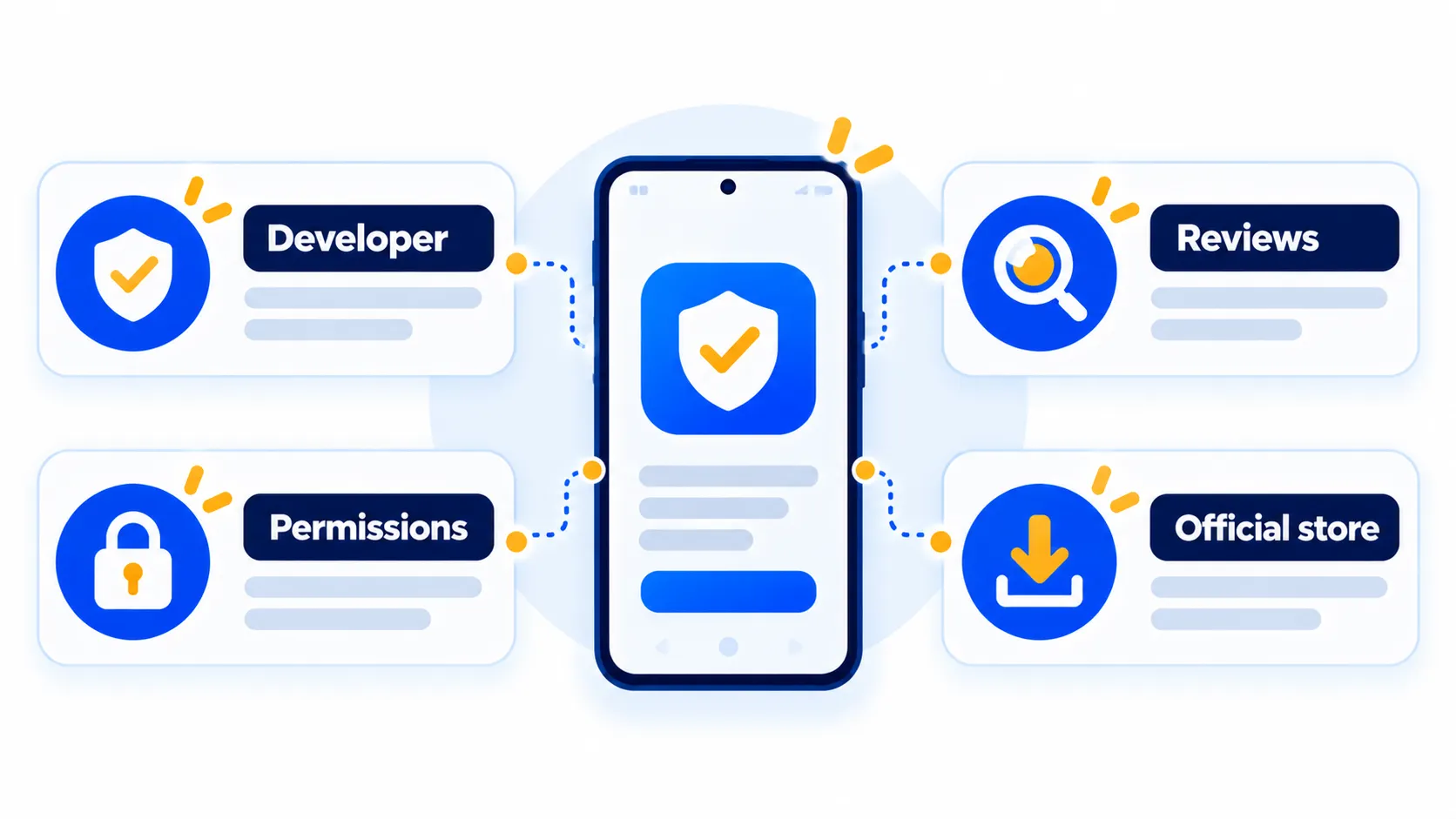
- Use the official store only. Open the App Store or Google Play and search for the app by name, or follow the link from the company’s own website.
- Check the developer name. It should match the company you expect. Fake apps often use near-identical names.
- Read recent reviews, not just the average. Look for repeated complaints about ads, charges or data.
- Review permissions. A word game does not need your contacts or microphone.
- Read the privacy details on the store page, especially for messaging and AI apps.
- Beware of subscriptions. Check trial terms and how to cancel before you start.
For a deeper checklist, read how to spot a fake app before you download it and 8 checks to do before you download any new app. On Android, also see how to check for fake apps and adware on Google Play.
Note: Features and policies may vary by plan, region and app version, and can change at any time. Check the official help center for the latest information.
Frequently Asked Questions
Are these apps free?
Some are free with optional purchases, and some are paid or subscription-based. Store listings show the current terms and they vary by country.
Why are some apps iPhone-only?
Developers often launch on one platform first. Check the store page, because Android or iPad versions may arrive later.
Is a new app automatically safe?
No. Being new or popular does not guarantee safety. Check the developer, permissions and reviews every time.
Do apps need the latest iOS or Android?
Some do. For example, XChat and Stuff require iOS 26 or later. The store page lists the minimum version.
How do I cancel a subscription I started by mistake?
Use your App Store or Google Play subscription settings, and cancel before the trial ends. Menu names may differ slightly by phone brand and version.
The Bottom Line
2026 has brought a mix of fun, useful and experimental apps. Try the ones that fit your needs, keep an eye on permissions and subscriptions, and download only from official stores.
Related Guides
- How to Spot a Fake App Before You Download It (7 Warning Signs)
- Is This App Safe? 8 Checks to Do Before You Download Any New App
- Fake Apps and Adware on Google Play: How to Check and Remove Them
- Best Note-Taking Apps That Sync Across All Your Devices
Explore more in our Tech Tips hub.
Disclaimer: This article is for general information only and is based on details available at the time of writing. Prices, plans, features, release dates, policies and availability can change at any time and may vary by country. Please verify the latest information on the official website of the company or product mentioned before making any decision or purchase. Next DigiTech is an independent website and is not affiliated with or endorsed by the companies mentioned; all trademarks belong to their respective owners. We are not responsible for any loss or decisions made based on this content.

