
You do not need to be a developer to build a chatbot anymore. Today you can paste a website link or upload a few documents, and a no-code tool will create an assistant that answers questions from that content. The catch is that “free” plans are usually small. They are good for learning and testing, not for running a busy business.
This guide compares a few free no-code options, based on official pages and help centers where we could reach them, then walks you through building a simple chatbot step by step. It also covers the accuracy and privacy cautions most tutorials skip.
Quick Summary
- Best for a website chatbot trained on your content: Chatbase (free plan is small).
- Best if you also want live chat: Tidio (its free AI quota is small and one-time).
- Best for a personal helper, no website: A saved assistant in Gemini (Skills) or Claude Projects.
- Not an option for new bots: ChatGPT Custom GPTs, which are being retired.
- Always: Test with tricky questions, and never feed the bot private data you cannot afford to leak.
Pick Your Type of Chatbot First
| Goal | Type | Good starting point |
|---|---|---|
| Answer visitor questions on your site | Website chatbot trained on your pages and FAQs | Chatbase or Tidio |
| Help yourself with repeated tasks | Saved instructions assistant | Gemini Skills, Claude Projects |
| Handle customer messages with a human team | Live chat plus AI | Tidio and similar |
If you are not sure, start with your goal. A bot that answers your 20 most common questions is easier to get right than one that does everything.
Free No-Code Options Compared
Chatbase
Chatbase builds an AI agent trained on your website pages, files and Q&A text, which you embed on your site. Third-party price trackers and our own Chatbase review describe the free plan as 50 message credits a month and one AI agent, with a very small training limit and no AI Actions. One tracker also says free agents are deleted after 14 days of inactivity. We could not open Chatbase’s own pricing page while preparing this article, so confirm every number there.
Note: Prices are based on official announcements at the time of writing and may vary by country, retailer, taxes and promotions. Always check the latest pricing on the official website before buying.
Tidio
Tidio combines live chat with an AI agent called Lyro. Tidio’s help center says the free plan includes “a non-renewable quota of 50 Lyro conversations”. When that runs out, Lyro stops working, and the quota does not reset. A conversation counts when Lyro first responds, and threads close after 15 minutes of inactivity, so a new message after that counts again. If Lyro hands off straight to a live agent, nothing is deducted. For a renewable quota, Tidio says you can upgrade to a Lyro package ranging from 50 to 1,000 conversations a month. See our Tidio review for more.
Gemini Skills (formerly Gems)
If you want a personal assistant rather than a website widget, Google is replacing Gemini Gems with Skills: reusable instructions you run by typing a forward slash in any chat. According to our guide, Skills are available on free and paid personal accounts and can include reference files such as PDFs and images. These are for your own use in Gemini, not for embedding on a website. See Gemini Gems are becoming Skills for dates and details.
ChatGPT Custom GPTs (being retired)
Do not start a new project here. OpenAI is retiring Custom GPTs and moving users to plugins. Read what the Custom GPT retirement means before investing time.
Note: Release dates and rollout timing can change. Please confirm the latest details on the official website or help center.
Step-by-Step: Build a Website Chatbot With Chatbase
These steps follow the typical workflow of content-trained chatbot builders. Button names may differ slightly as the product changes.
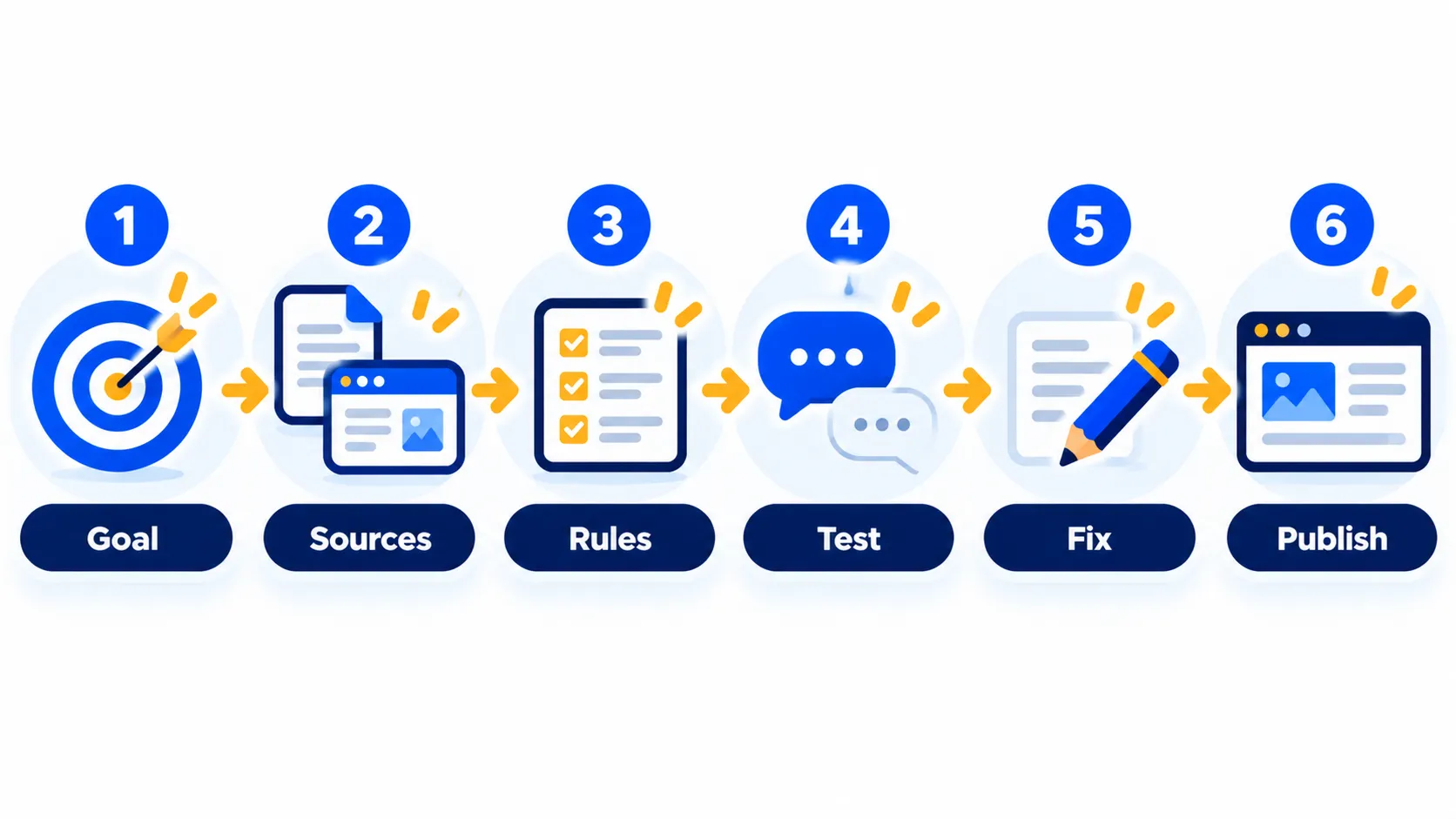
Step 1: Write down the goal and 20 questions
Before you open any tool, list the 20 questions visitors ask most. Examples: opening hours, prices, delivery, refunds, how to book. This list becomes both your source material and your test script.
Step 2: Prepare clean sources
- Update your FAQ page and key service pages.
- Remove outdated prices and old policies.
- Put answers in plain sentences, not just images or scanned PDFs.
- Do not include private data such as customer lists or internal passwords.
Step 3: Create an account and a new agent
Sign up on the tool’s official site, create a new AI agent (chatbot), and choose the free plan. Remember, free plans are for testing. Do not build something critical on a plan that may delete inactive agents.
Step 4: Add your sources
Add your website URL, upload documents or paste Q&A pairs. Free plans cap how much you can train on, so start with the most important pages.
Step 5: Write instructions
Instructions control tone and boundaries. A good starting point:
You are the friendly assistant for [business name]. Answer only using the provided content. If you are not sure, say you are not sure and offer the contact email. Keep answers under 80 words. Never give medical, legal or financial advice.
Step 6: Test with your 20 questions
Ask every question from your list. Then try tricky ones: questions with typos, questions the bot should not answer, requests for discounts, and attempts to make it ignore its rules. Note every wrong or invented answer.
Step 7: Fix the weak spots
If an answer is wrong, fix the source content or add a clear Q&A pair. Do not just tweak the instructions and hope.
Step 8: Publish and watch
Embed the chat bubble using the tool’s snippet or plugin, then read the real conversations weekly. Add a visible way to reach a human. For a fuller walkthrough, read our guide to adding an AI chatbot to your website.
Step-by-Step: A Personal Chatbot in Gemini (No Website)
- Decide the job, for example “reply to customer emails in a friendly tone”.
- Write the instructions you would give a new assistant, including your tone, rules and examples.
- Save them as a Skill in Gemini, and attach a reference file such as a price list if you need one.
- Run it by typing / in a chat and choosing the skill.
- Test it on real examples and refine the instructions.
Note: Features and policies may vary by plan, region and app version, and can change at any time. Check the official help center for the latest information.
Accuracy Cautions
- Chatbots can sound sure and be wrong. They can invent prices, policies or opening hours that do not exist in your content.
- Old content makes old answers. Update the source whenever policies change.
- Do not use a bot for advice that carries risk, such as health, legal, tax or investment guidance, unless a qualified person reviews the answers.
- Add a human route. Show an email or phone number and tell the bot when to use it.
- Be honest. Tell visitors they are talking to an AI.
Privacy Cautions
- Anything you upload leaves your computer. Read the provider’s privacy policy and data settings first. Our guide on stopping AI tools training on your chats shows where to look.
- Do not upload customer lists, contracts, health information, passwords or anything covered by confidentiality.
- Visitors may type personal details into your bot. Add a note asking them not to share sensitive information, and check whether your region has rules (such as GDPR in the UK and EU) that apply to your business.
- Review who can see chat logs and how long they are kept.
For more on this topic, read is it safe to share personal info with AI chatbots?
When a Free Plan Is Not Enough
You will likely outgrow free plans when you get steady traffic, want the bot on WhatsApp or other channels, need lead capture or want branding removed. At that point compare paid plans on the official pricing pages, estimate how many conversations you really get per month, and ask what happens when credits run out.
Frequently Asked Questions
Can I really build a chatbot for free?
Yes, to test and learn. Free plans from content-trained chatbot tools usually have small monthly or one-time limits, so they suit a trial rather than a busy site.
Do I need to code?
No. These tools let you paste a link, upload files and copy a snippet. Adding the snippet to your website may need access to your site settings or a plugin.
Which free AI chatbot builder is best?
It depends on your goal. Chatbase suits content-trained website bots, Tidio suits live chat with AI, and Gemini Skills suit personal use.
Are Custom GPTs still a good choice?
No for new projects. OpenAI is retiring them in favor of plugins and Projects.
How do I stop my chatbot making things up?
Give it good source content, tell it to say when it does not know, test it with tricky questions and review real conversations regularly.
The Bottom Line
A free chatbot is a great way to learn and test an idea. Start small with your top questions, use clean source content, test hard, and keep a human option visible. If it works, move to a paid plan after you have checked the limits on the official pricing page.
Related Guides
- Custom GPTs Are Being Retired: What It Means and How to Move to Plugins
- Chatbase Review 2026: Build an AI Chatbot Trained on Your Website, Pricing and Tips
- Website Chat Automation: How to Add an AI Chatbot to Your Website (2026 Guide)
- Gemini Gems Are Becoming Skills: What Changes and How to Use Gemini Skills
Explore more in our Automation and Chatbot Tools hub.
Disclaimer: This article is for general information only and is based on details available at the time of writing. Prices, plans, features, release dates, policies and availability can change at any time and may vary by country. Please verify the latest information on the official website of the company or product mentioned before making any decision or purchase. Next DigiTech is an independent website and is not affiliated with or endorsed by the companies mentioned; all trademarks belong to their respective owners. We are not responsible for any loss or decisions made based on this content.

