

Opus Clip (OpusClip) is an AI tool that turns long videos, like podcasts, webinars and YouTube videos, into short vertical clips for TikTok, Instagram Reels and YouTube Shorts. It finds the most interesting moments, reframes them for phones, adds animated captions and even gives each clip a “virality score.”
For creators and businesses that want more short-form content without hours of editing, it can be a huge time-saver. Here’s how it works, what’s free and how its credit pricing works in 2026.
Quick Verdict
- Best for: Podcasters, YouTubers, coaches and businesses that already make long videos and want to repurpose them into Shorts and Reels.
- Not ideal if: You don’t create long-form video, or you want full manual editing control. CapCut or Descript fit better.
- Is the free plan enough? Only for testing. Free clips have a watermark and expire after 3 days.
What Is Opus Clip?
Opus Clip is a web-based AI video repurposing tool at opus.pro. You upload a video or paste a YouTube link, and its AI analyzes what’s being said and shown, picks highlights, cuts them into short clips, reframes the speaker for vertical video and adds captions. You can then edit the clips, download them or post them directly to social media.
Key Features
- AI clipping: Automatically finds engaging moments in long videos.
- Virality Score: Rates each clip’s hook and engagement potential from 0 to 100 (paid plans).
- Auto reframe: Keeps the active speaker centered when converting to vertical.
- Animated captions in 20+ languages, with emoji and keyword highlights.
- Filler word and silence removal on paid plans.
- AI B-roll: Adds supporting visuals to clips (limited on Starter, more on Pro).
- Brand templates for consistent fonts, colors and logos.
- Direct posting and scheduling to YouTube, TikTok, Instagram and more (scheduling on Pro).
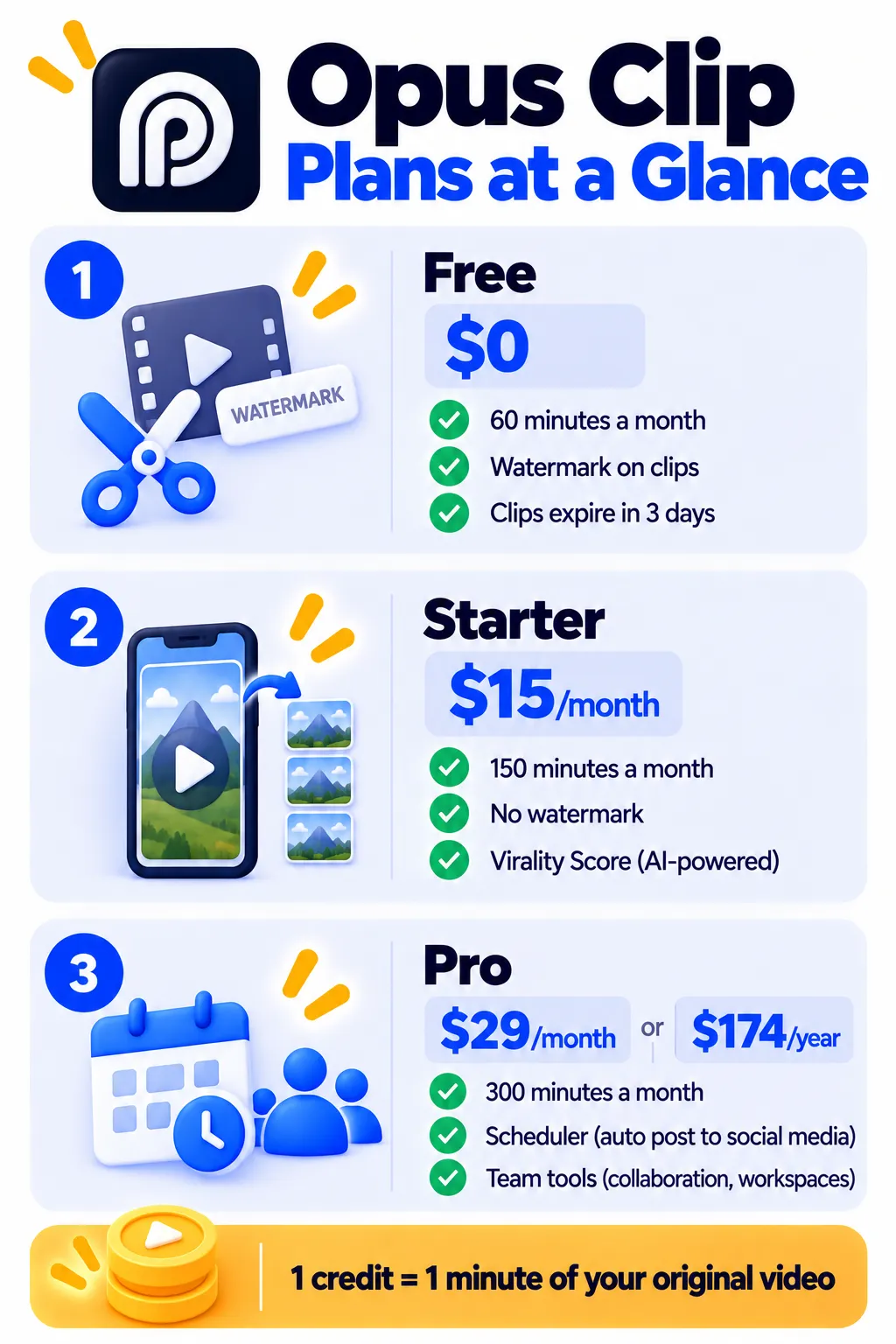
Opus Clip Pricing (2026)
Opus Clip uses credits, where 1 credit equals 1 minute of your original (source) video, not the length of the clips it creates. Prices as of October 2026:
| Plan | Price | Credits | Highlights |
|---|---|---|---|
| Free | $0 | 60 a month | AI clipping, captions, up to 1080p, watermark, no editor, clips available for 3 days |
| Starter | $15/month (monthly only) | 150 a month | No watermark, Virality Score, editor, animated captions, filler removal, direct posting |
| Pro | $29/month or $174/year | 300 a month (annual credits given upfront) | Scheduler, team workspace, more brand templates, AI B-roll, all aspect ratios, export to Premiere Pro |
| Business | Custom | Custom | API access and larger teams |
Example: A weekly 30-minute podcast uses about 120 credits a month, which fits the Starter plan. Check opus.pro/pricing for the latest details.
How to Use Opus Clip (Step by Step)
- Go to opus.pro and sign up free.
- Paste a YouTube link or upload your video file.
- Choose settings: clip length, aspect ratio, caption style and the part of the video to clip.
- Click Get clips and wait for the AI to process your video.
- Review the clips, sorted by Virality Score on paid plans.
- Edit the start and end points, captions and layout if needed.
- Download or post directly to your social accounts.
Tips for Better Clips
- Start with good audio. Clear speech gives better captions and better clip choices.
- Treat the Virality Score as a guide, not a promise. Real performance depends on your audience and topic.
- Check the first 3 seconds of each clip. A strong hook matters most for Shorts and Reels.
- Fix caption errors, especially names and brand terms.
- Post consistently and track which clips actually bring views and followers.
Pros and Cons
Pros
- Saves hours turning long videos into many short clips
- Good speaker tracking and animated captions
- Virality Score helps you choose which clips to post first
- Direct posting and scheduling options
- Affordable Starter plan for regular creators
Cons
- Free plan has a watermark and a 3-day download window
- Credits are based on source video length, which adds up for long videos
- Virality Score isn’t a guarantee of performance
- Not a full video editor for complex projects
- Scheduler and team features need Pro
Opus Clip vs CapCut vs Descript
- Opus Clip: Best for automatically turning long videos into many short clips.
- CapCut: Best for hands-on editing of short videos with effects and templates.
- Descript: Best for editing podcasts and talking videos by editing text.
Many creators record in Descript, clip with Opus Clip and polish in CapCut. See more tools in best AI video editors for beginners.
Frequently Asked Questions
Is Opus Clip free?
Yes. The free plan gives 60 credits (60 minutes of source video) a month, but clips have a watermark and must be downloaded within 3 days.
How much does Opus Clip cost?
Starter is $15 a month for 150 credits, and Pro is $29 a month or $174 a year for 300 credits a month.
What does 1 credit mean in Opus Clip?
One credit equals one minute of the original video you upload, no matter how many clips are created.
Is the Virality Score accurate?
It’s a helpful way to sort clips, but it’s an estimate. Always test clips with your audience and track real results.
Can Opus Clip post directly to TikTok and YouTube?
Yes. Paid plans can post to platforms like YouTube Shorts, TikTok and Instagram, and Pro adds scheduling.
How do I remove the Opus Clip watermark?
Upgrade to Starter or Pro. Clips made on paid plans have no watermark.
The Bottom Line
Opus Clip is one of the fastest ways to turn long videos into a steady stream of Shorts and Reels. Test it free on one video, check the clip quality, and move to Starter when you’re ready to post regularly without a watermark. Explore more tools in our AI tools directory.
Related Guides
- How to Make YouTube Shorts With AI: A Simple 6-Step Workflow
- VEED Review 2026: Online Video Editor With AI Subtitles, Free vs Paid
- Pictory Review 2026: Turn Scripts and Blog Posts Into Videos, Pricing
- Clipchamp Review 2026: Microsoft’s Free Video Editor (No Watermark at 1080p)
Explore more in our AI Video and Audio Tools hub.
Disclaimer: This article is for general information only and is based on details available at the time of writing. Prices, plans, features, release dates, policies and availability can change at any time and may vary by country. Please verify the latest information on the official website of the company or product mentioned before making any decision or purchase. Next DigiTech is an independent website and is not affiliated with or endorsed by the companies mentioned; all trademarks belong to their respective owners. We are not responsible for any loss or decisions made based on this content.

