

VistaCreate (formerly Crello) is an online design tool from Vista, the company behind VistaPrint. It’s often compared with Canva, and for many small businesses it’s a cheaper alternative with a solid free plan.
Note: These details come from the company’s own announcements and have not been independently verified by Next DigiTech.
Here’s what VistaCreate offers and whether it’s a good Canva alternative in 2026.
Quick Verdict
- Best for: Small businesses and freelancers making social posts, ads and simple marketing designs.
- Skip it if: You rely heavily on advanced AI design tools. Canva has more.
- Free plan: Yes, with templates, free assets and no watermark on exports.
What Is VistaCreate?
VistaCreate is a drag-and-drop design editor with a large template library for social media, presentations, flyers and more. You can add your logo and brand colors, animate designs and post directly to some social platforms.
Key Features
- Large template library for social posts, stories, ads and print.
- Stock library with millions of photos, videos and vectors (most on Pro).
- Brand Kits for logos, colors and fonts.
- AI tools like background removal and an AI image generator on Pro.
- Animations and social posting to platforms like Facebook, Instagram and Pinterest.
VistaCreate Pricing (2026)
| Plan | Price | Highlights |
|---|---|---|
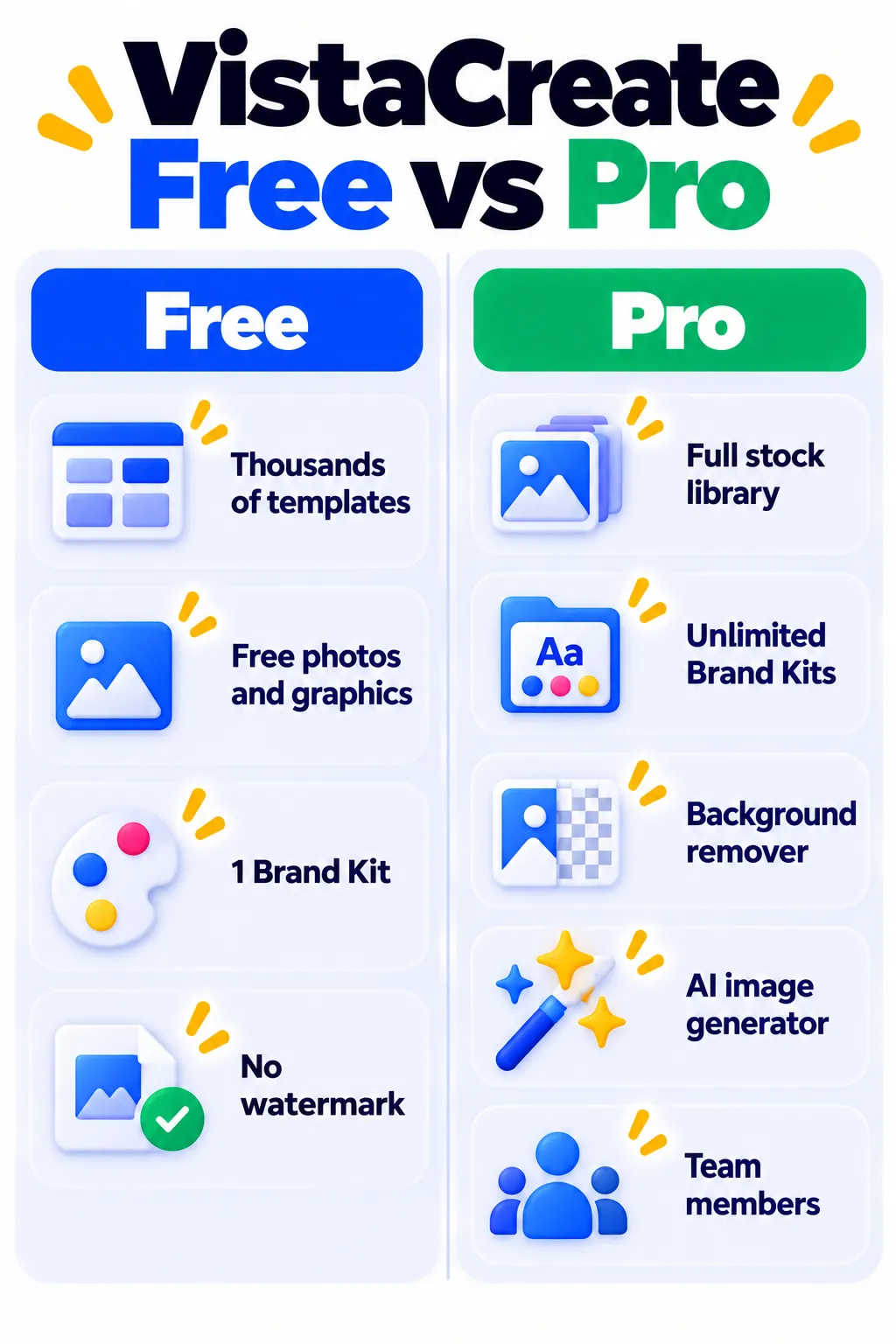
| Starter | Free | Templates, free assets, one Brand Kit |
| Pro | About $10/month billed yearly | Full stock library, unlimited Brand Kits, AI tools, team members |
Monthly billing costs more. Check VistaCreate’s plans page for current prices and trial offers.
Pros and Cons
Pros
- Usable free plan with no watermark.
- Pro is cheaper than many rivals and includes team members.
- Easy for beginners.
Cons
- Fewer AI features than Canva.
- Best stock assets are Pro-only.
- Layer management is basic for complex designs.
VistaCreate vs Canva
Canva has more templates, more AI tools and a bigger community. VistaCreate wins on price, especially for small teams, and its free plan is genuinely usable. If budget matters most, VistaCreate is worth trying first.
VistaCreate Alternatives
- Canva Magic Studio: The most popular design app.
- Microsoft Designer: Free AI design from Microsoft.
- Simplified: Design plus AI writing and scheduling.
- Looka: If you need a logo and brand kit first.
Frequently Asked Questions
Is VistaCreate free?
Yes. The Starter plan is free and lets you download designs without a watermark.
Is VistaCreate the same as Crello?
Yes. Crello was renamed VistaCreate after it became part of Vista.
Can I use VistaCreate designs for business?
Generally yes, but check the license for any stock assets you use.
The Bottom Line
VistaCreate is a strong, budget-friendly Canva alternative for everyday marketing designs. Start with the free plan and upgrade only if you need the full stock library or AI tools. Explore more in our AI tools directory.
Related Guides
- PhotoRoom Review 2026: AI Product Photos and Background Removal, Pricing
- Fotor AI Image Generator Review 2026: Free Credits, Features and Pricing
- What Is Ideogram? The AI Image Generator That Gets Text Right (2026)
- AI Tools for Small Business Owners: 10 Ways to Save Time
Explore more in our AI Image and Design Tools hub.
Disclaimer: This article is for general information only and is based on details available at the time of writing. Prices, plans, features, release dates, policies and availability can change at any time and may vary by country. Please verify the latest information on the official website of the company or product mentioned before making any decision or purchase. Next DigiTech is an independent website and is not affiliated with or endorsed by the companies mentioned; all trademarks belong to their respective owners. We are not responsible for any loss or decisions made based on this content.

