
Have you noticed ChatGPT remembering your name, your job or a project you mentioned weeks ago? That’s ChatGPT Memory. It can make answers more personal and save time, but you may not want it remembering everything.
Here’s how ChatGPT Memory works, how to see what it knows about you, and how to turn it off.
How ChatGPT Memory Works
ChatGPT’s memory has two parts:
- Saved memories: Specific facts ChatGPT has stored, like “Prefers short answers” or “Has a dog named Max.” You can see and edit these.
- Reference chat history: ChatGPT also draws on details from your past conversations to personalize new answers, even if they aren’t saved as specific memories.
You can ask it to remember something directly: “Remember that I’m vegetarian.” Or ask it to forget: “Forget that I live in Chicago.”
How to See What ChatGPT Remembers
- Click your profile picture, then Settings.
- Open Personalization.
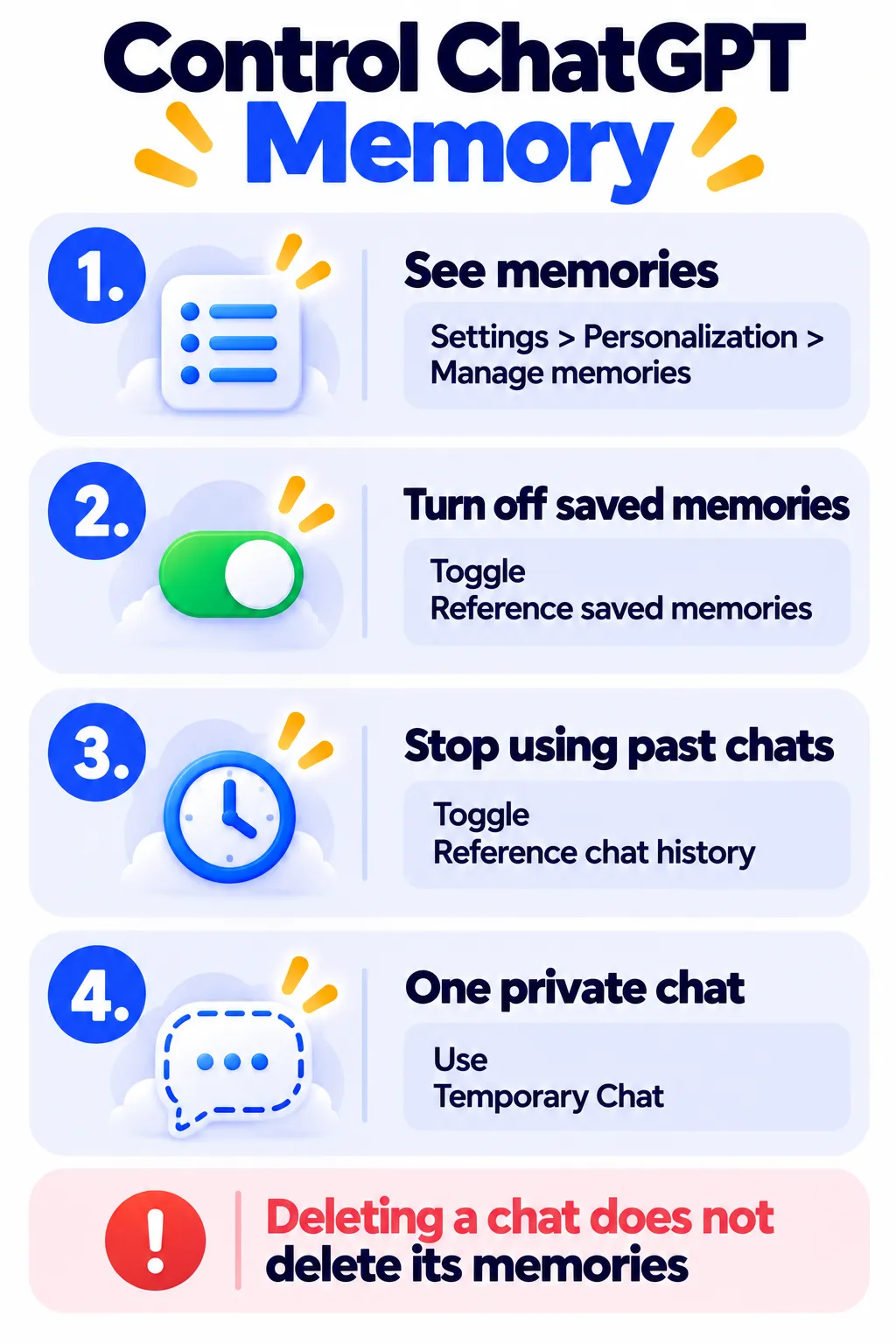
- Find the Memory section and click Manage memories.
- Review the list and delete anything you don’t want saved.
You can also simply ask ChatGPT: “What do you remember about me?”
How to Turn Off ChatGPT Memory
Turn off everything
- Go to Settings > Personalization.
- Turn off Reference saved memories. This also turns off Reference chat history.
ChatGPT will stop saving and using memories.
Keep saved memories, but stop using past chats
Leave Reference saved memories on, and turn off only Reference chat history. ChatGPT will keep the specific facts you’ve approved but stop pulling details from older conversations. Turning this off also deletes what it learned from past chats.
One private chat only
Start a Temporary Chat. It won’t use your memories, won’t create new ones, won’t appear in your history, and isn’t used to train OpenAI’s models.
Important: Deleting a Chat Doesn’t Delete Memories
If ChatGPT saved a memory from a conversation, deleting that conversation doesn’t remove the memory. Delete the memory itself in Manage memories.
Note: Features and policies may vary by plan, region and app version, and can change at any time. Check the official help center for the latest information.
Should You Turn Memory Off?
Keep it on if:
- You use ChatGPT often for the same work or projects.
- You want answers that match your style without repeating yourself.
Turn it off if:
- You share a computer or account.
- You discuss health, money or other sensitive topics.
- You notice old details sneaking into answers where they don’t belong.
Memory is separate from whether your chats are used to train AI. For that setting, read how to stop ChatGPT, Gemini and Claude from training on your chats, and our guide on what to never share with AI chatbots.
Frequently Asked Questions
Is ChatGPT Memory available on the free plan?
Yes. Free users get memory, though paid plans can remember more context.
Can ChatGPT remember everything I say?
No. It saves selected details and summarizes past chats rather than storing every word.
How do I make ChatGPT forget something?
Say “Forget that…” in a chat, or delete the memory in Settings > Personalization > Manage memories.
Do Claude and Gemini have memory too?
Yes, both now offer memory features with their own controls. Compare them in ChatGPT vs Gemini vs Claude.
The Bottom Line
ChatGPT Memory can be genuinely helpful, but you stay in control. Check what it remembers every few months, delete anything sensitive, and use Temporary Chat for private topics. Explore more guides in our AI tools directory.
Related Guides
- How to Stop ChatGPT, Gemini and Claude From Training on Your Chats
- Is It Safe to Share Personal Info With AI Chatbots?
- Custom GPTs Are Being Retired: What It Means and How to Move to Plugins
- Claude Projects and Artifacts: How to Use Them (Step by Step)
Explore more in our AI Tools Directory hub.
Disclaimer: This article is for general information only and is based on details available at the time of writing. Prices, plans, features, release dates, policies and availability can change at any time and may vary by country. Please verify the latest information on the official website of the company or product mentioned before making any decision or purchase. Next DigiTech is an independent website and is not affiliated with or endorsed by the companies mentioned; all trademarks belong to their respective owners. We are not responsible for any loss or decisions made based on this content.

