
You’ve probably asked an AI chatbot about a health worry, a money question or a problem at work. It feels private, like typing into a notebook. But what happens to those chats afterward?
Here’s what you should know, what to keep out of AI chats, and the settings worth changing today.
What Happens to Your Chats
On consumer plans, ChatGPT, Claude and Gemini may all use your conversations to help improve their AI models unless you turn that off in settings (The AI Career Lab). Some conversations may also be reviewed by people for safety and quality. Business and enterprise plans usually have stricter protections.
That doesn’t mean someone is reading your chats. It means you should treat them as not fully private.
Never Share These With an AI Chatbot
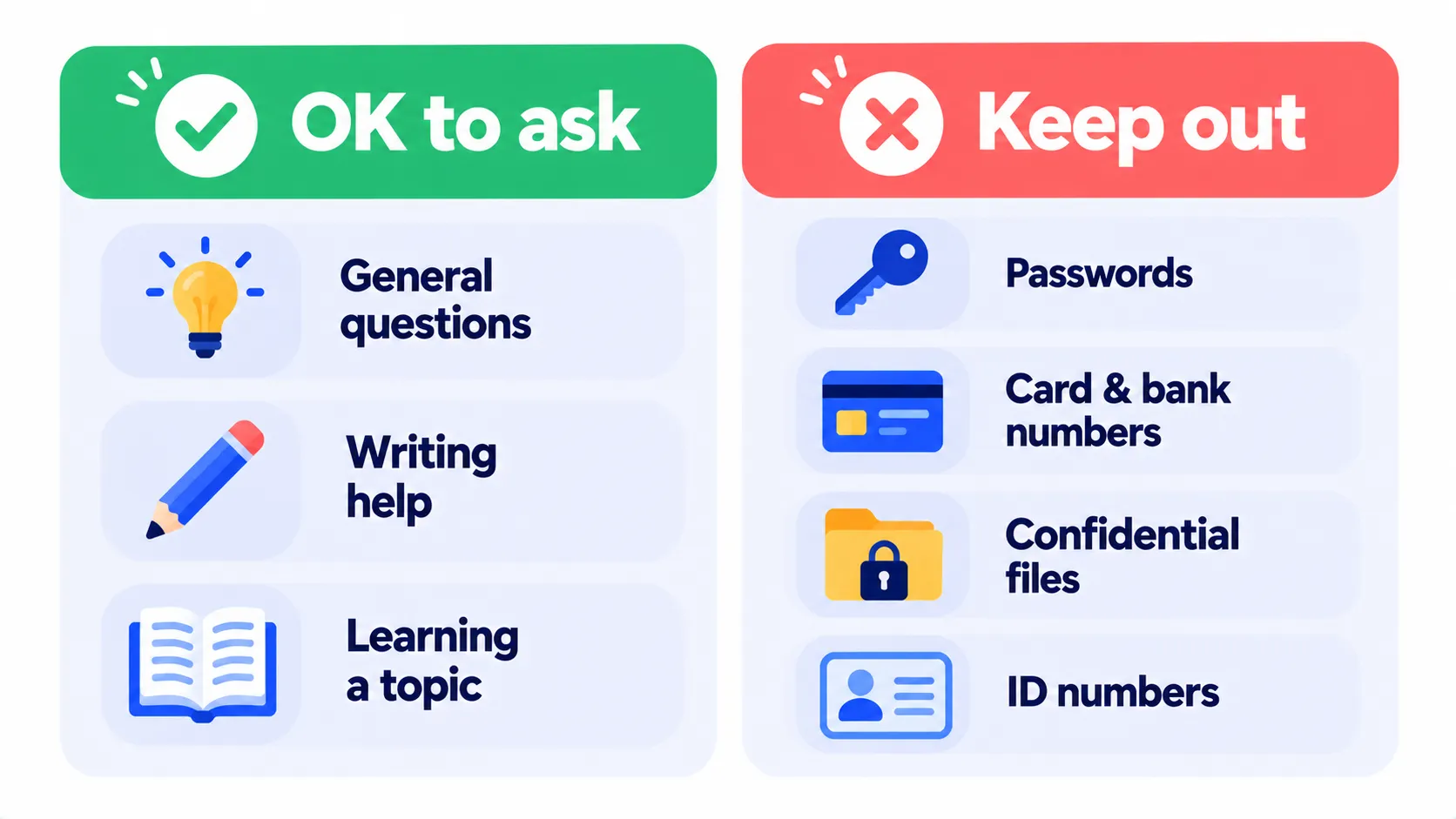
- Passwords, PINs or security codes
- Credit card, bank account or Social Security numbers
- Full medical records or test results with your name on them
- Confidential work documents, client data or trade secrets
- Other people’s private information
You can still ask about sensitive topics. Just leave out details that identify you or others. “A 40-year-old with high blood pressure” works as well as your name and records.
Settings to Change Today
Menu names can shift slightly between app versions, but these paths will get you there (Komando):
- ChatGPT: Settings > Data Controls > turn off Improve the model for everyone. Your chat history stays.
- Claude: Settings > Privacy > turn off Help improve Claude. Turning it off also shortens how long new chats are kept.
- Gemini: open Gemini Apps Activity and turn it off. You can also delete saved activity.
Note: Features and policies may vary by plan, region and app version, and can change at any time. Check the official help center for the latest information.
For one-off sensitive questions, use the temporary or incognito chat option. ChatGPT, Claude and Gemini all offer one.
Watch Out for AI-Related Scams
- Fake AI apps: copycat apps use famous AI names to grab data or subscriptions. Download only from official sources. Our app safety checklist can help.
- Voice-cloning calls: scammers can fake a loved one’s voice asking for money. Agree on a family code word and always call back on a known number.
- Polished phishing emails: AI makes scam emails look more professional. Check the sender’s address and never click urgent payment links.
Don’t Trust Everything It Says
AI chatbots can sound confident and still be wrong. For health, legal or money decisions, use AI to understand the topic and prepare questions, then confirm with a qualified professional.
Tips for Parents
- Check age requirements. Most AI services require users to be at least 13, with parental consent for younger teens.
- Look for parental controls and teen settings in the apps your kids use.
- Talk about what not to share, the same way you would for social media.
Frequently Asked Questions
Can AI companies read my chats?
Some conversations may be reviewed by trained staff for safety and quality. That’s why it’s best to keep sensitive details out of chats.
Does deleting a chat remove it completely?
Deleted chats are usually removed from your history and then from the company’s systems after a set period. Check each service’s privacy policy for exact timelines.
Is a paid plan more private?
Sometimes, but not automatically. Paid consumer plans still have the same training settings to check. Business plans usually offer stronger privacy protections.
The Bottom Line
AI chatbots are safe for everyday use when you use them wisely. Turn off training if you prefer, use temporary chats for sensitive questions, keep personal identifiers out, and double-check important answers. Comparing assistants? See ChatGPT vs Gemini vs Claude.
Related Guides
- How to Stop ChatGPT, Gemini and Claude From Training on Your Chats
- AI Voice Cloning Scams: How They Work and How to Protect Your Family
- How to Turn Off Meta AI on WhatsApp, Instagram and Facebook (2026)
- How to Tell If an Image Is AI-Generated: 6 Simple Checks (2026)
Explore more in our Online Safety and Privacy hub.
Disclaimer: This article is for general information only and is based on details available at the time of writing. Prices, plans, features, release dates, policies and availability can change at any time and may vary by country. Please verify the latest information on the official website of the company or product mentioned before making any decision or purchase. This is not medical, financial, legal or security advice; consult a qualified professional for your situation. Next DigiTech is an independent website and is not affiliated with or endorsed by the companies mentioned; all trademarks belong to their respective owners. We are not responsible for any loss or decisions made based on this content.

