

You don’t need to download a new app to start using AI. If your phone is from the last few years, it already has AI tools built in that can write for you, translate conversations, clean up photos and answer questions about whatever your camera sees.
Here are the most useful built-in AI features on iPhone and Android, what they do, and how to find them.
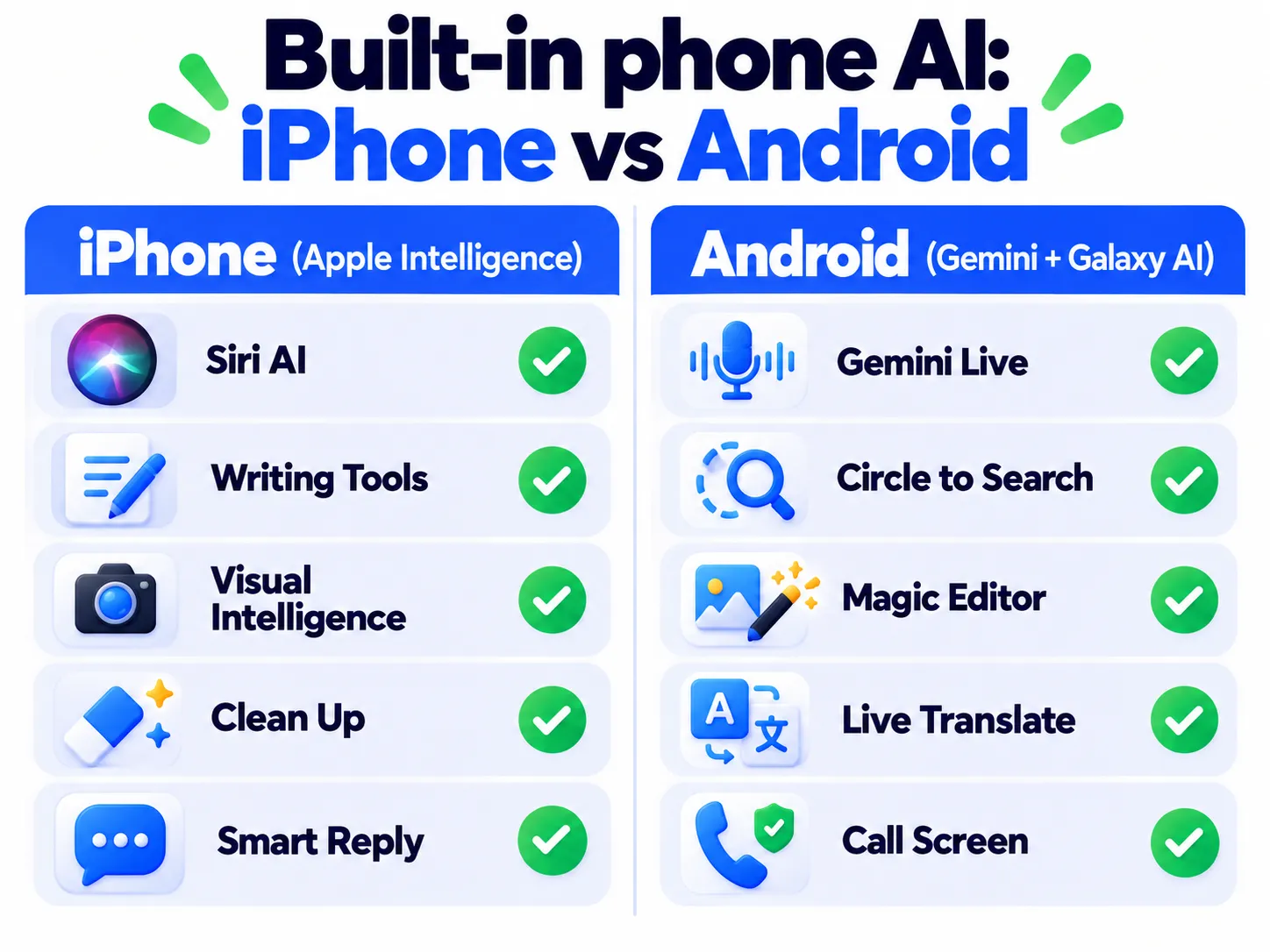
Built-In AI Features on iPhone (Apple Intelligence)
Apple’s AI features are called Apple Intelligence. They need an iPhone 15 Pro or newer, and you turn them on in Settings > Apple Intelligence & Siri. With iOS 27, Apple added more than 20 new features (9to5Mac).
1. The New Siri (Beta)
The rebuilt Siri can answer general knowledge questions, understand what’s on your screen, find details across your Messages, Mail and Notes, and take actions in apps, like sending a message or creating an event. It also has its own app with your chat history. In iOS 27 it launched as a beta, and some users need to join a waitlist first (MacRumors).
Note: Release dates and rollout timing can change. Please confirm the latest details on the official website or help center.
2. Writing Help Everywhere
Select text in almost any app to proofread it, change the tone, shorten it or rewrite it. iOS 27 also adds automatic spelling and grammar proofreading as you type.
3. Visual Intelligence
Point your camera at something, or use it on a screenshot, to identify plants and products, add an event from a poster to your calendar, or ask questions about what you see.
4. Clean Up in Photos
Tap Edit > Clean Up in Photos and circle a stranger or a bin in the background to remove it. iOS 27 improved the results and added new tools like Extend.
5. Smart Replies and Natural-Language Reminders
Messages and Mail suggest personalized replies, and you can type things like “Pay the electricity bill every month on the 5th” in Reminders or Calendar and it sets everything up.
Not sure if you should install the latest update? Read Should You Update to iOS 27 Yet?
Built-In AI Features on Android (Gemini, Pixel and Galaxy AI)
On Android, Google’s Gemini is the main AI assistant, and phone makers like Samsung and Google add their own extras. What you get depends on your phone model.
6. Gemini Assistant and Gemini Live
Hold the power button (or say “Hey Google”) to ask Gemini anything, summarize a web page or write a message. Gemini Live lets you have a natural voice conversation, and you can share your camera or screen to ask about what you’re looking at. Learn more on our Google Gemini guide and in how to use AI voice mode.
7. Circle to Search
Long-press the home button or navigation bar, then circle anything on your screen, like shoes in a video or a word in a photo, to search for it instantly without switching apps.
8. Photo Editing With AI
Google Photos’ Magic Editor and Magic Eraser, and Samsung’s Generative Edit, can remove objects, move people and fix skies. Photos edited this way usually carry a note or label showing AI was used.
9. Live Translation and Note Help (Galaxy AI)
Samsung’s Galaxy AI can translate phone calls in real time, act as an interpreter for face-to-face chats, and summarize or format your notes and voice recordings.
10. Call Screening and Scam Alerts
Pixel phones can answer unknown calls for you and warn you during calls that sound like common scams. That’s especially useful as AI voice-cloning scams grow.
Google is also rolling out Gemini Intelligence, a deeper version of Gemini built into Android 17, starting with the Pixel 10 and Galaxy S26 lines (The Next Web).
Note: Features and policies may vary by plan, region and app version, and can change at any time. Check the official help center for the latest information.
How to Check Which AI Features Your Phone Has
- iPhone: Open Settings and look for Apple Intelligence & Siri. If you don’t see it, your model may not support it.
- Android: Open the Gemini app, then check Settings for Galaxy AI (Samsung) or Gemini options. Update your phone and the Google app first.
Privacy Tips for Phone AI
- Many features run on the device itself, but some send data to the cloud. Read the description before you turn a feature on.
- Review which apps Siri or Gemini can access in Settings.
- Don’t ask any assistant to store passwords or card numbers. Use a password manager instead.
For more, see what’s safe to share with AI chatbots.
Frequently Asked Questions
Do built-in phone AI features cost money?
Most are free with your phone. Some advanced Gemini features need a paid Google AI plan.
Why don’t I see Apple Intelligence on my iPhone?
It requires an iPhone 15 Pro or newer, the latest iOS, and a supported language and region.
Do AI features drain my battery?
Heavy use can use more battery. Try these battery-saving settings if you notice a drop.
The Bottom Line
The easiest way to start with AI is the phone already in your pocket. Try one feature this week: clean up a photo, translate a menu, or ask your assistant to summarize a long message. New to AI? Start with our simple guide to ChatGPT.
Related Guides
- How to Use AI Voice Mode for Hands-Free Help (ChatGPT, Gemini and More)
- Should You Update to iOS 27 Yet? What to Check First
- 10 Useful iPhone Shortcuts Automations to Set Up Today (Step by Step)
- How to Start Using AI in Everyday Life: A Simple 7-Day Plan for Beginners
Explore more in our AI Tools Directory hub.
Disclaimer: This article is for general information only and is based on details available at the time of writing. Prices, plans, features, release dates, policies and availability can change at any time and may vary by country. Please verify the latest information on the official website of the company or product mentioned before making any decision or purchase. Next DigiTech is an independent website and is not affiliated with or endorsed by the companies mentioned; all trademarks belong to their respective owners. We are not responsible for any loss or decisions made based on this content.

