Here’s something most “best extensions” lists still get wrong: you can’t install the classic uBlock Origin on Chrome anymore. Google removed the last Manifest V2 extensions from the Chrome Web Store on August 31, 2026 (source).
Note: Release dates and rollout timing can change. Please confirm the latest details on the official website or help center.
So we’ve put together a short list of extensions that still work today and genuinely make browsing faster, cleaner or easier. You don’t need all of them. Pick the two or three that fit how you use the web.
1. uBlock Origin Lite: Block Ads and Trackers
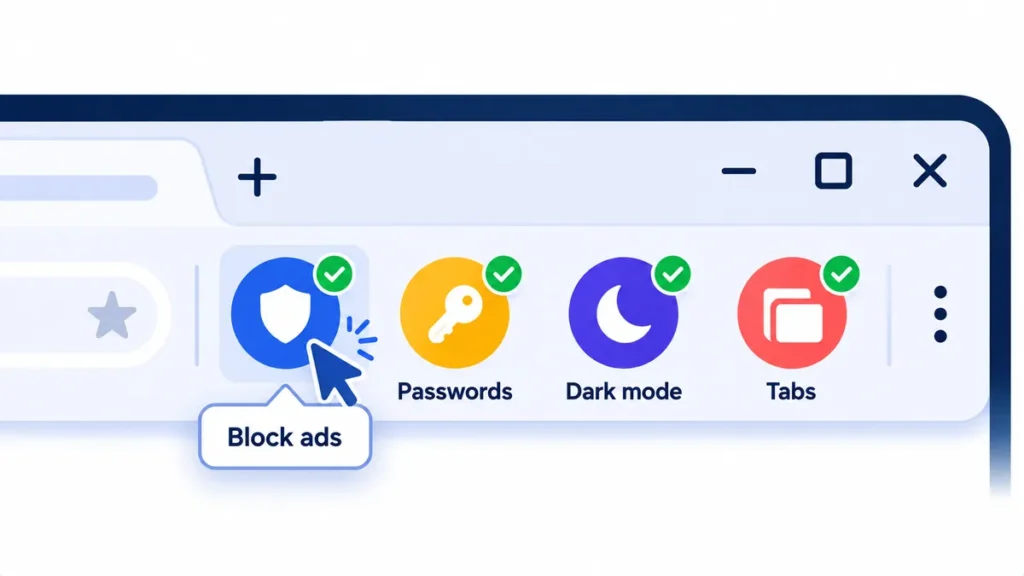
This is the Chrome-friendly version from the same team behind uBlock Origin. It blocks ads and trackers, which means pages load faster and look cleaner. It’s free and open source.
Good to know: It’s not quite as customizable as the old version, but for most people it works great out of the box.
2. Bitwarden: Free Password Manager
Autofills logins so you never type a password again. The free plan includes unlimited passwords on unlimited devices, which is unusually generous.
Good to know: Paid Premium adds extras like a built-in authenticator, but free is plenty for most people.
3. Dark Reader: Dark Mode for Every Website
Turns bright white websites dark, which is much easier on your eyes at night. You can switch it off for specific sites with one click.
Good to know: Free to install. The developers ask for an optional payment if you like it.
4. OneTab: Tame Tab Overload
One click collapses all your open tabs into a single list, which frees up memory and calms the chaos.
Good to know: If you uninstall OneTab, your saved tab lists are deleted too. Export them first.
5. Session Buddy: Save and Restore Browsing Sessions
Saves groups of tabs as named sessions, like “Tax research” or “Holiday planning,” so you can close them and reopen everything later. It’s free, and despite rumors, it’s still being updated.
6. Todoist: Turn Any Page Into a Task
Right-click any web page or highlighted text to save it as a to-do with a link back. Great for “I’ll read this later” articles that you actually want to read later.
Good to know: The free plan allows 5 active projects, which is enough for personal use.
7. Grammarly: Fix Typos Everywhere You Type
Checks spelling and grammar in emails, forms and social posts as you type.
Good to know: The free plan now includes 100 AI prompts, and features like full sentence rewrites need the paid plan.
Note: Prices are based on official announcements at the time of writing and may vary by country, retailer, taxes and promotions. Always check the latest pricing on the official website before buying.
8. Raindrop.io: Bookmarks That Don’t Get Lost
A good-looking bookmark manager with collections and tags that syncs across devices. The free plan includes unlimited bookmarks.
How Many Extensions Is Too Many?
Every extension uses some memory, and each one is a small privacy risk. A good rule: if you haven’t used an extension in a month, remove it. Go to chrome://extensions in your address bar to review them.
Frequently Asked Questions
Why did uBlock Origin stop working on Chrome?
Chrome moved to a new extension system called Manifest V3, and older extensions were removed from the store. uBlock Origin Lite is the replacement built for the new system.
Do extensions slow down Chrome?
Some do, especially ones that run on every page. Ad blockers like uBlock Origin Lite usually speed things up by blocking heavy ads.
Are free Chrome extensions safe?
Many are, but not all. Stick to well-known extensions with clear developers, recent updates and permissions that match what they do.
The Bottom Line
Start with three: uBlock Origin Lite for a cleaner web, Bitwarden for passwords, and either Dark Reader or OneTab depending on your biggest annoyance. Small changes, noticeably faster browsing.
Related Guides
- Are Chrome Extensions Safe? How to Check Before You Install
- How to Speed Up a Slow Laptop in 10 Minutes (Windows and Mac)
- Best Free Password Managers in 2026: Which One Should You Use?
- What Is Grammarly? Free vs Pro, Features and How to Use It (2026)
Explore more in our Best Browser Extensions hub.
Disclaimer: This article is for general information only and is based on details available at the time of writing. Prices, plans, features, release dates, policies and availability can change at any time and may vary by country. Please verify the latest information on the official website of the company or product mentioned before making any decision or purchase. Next DigiTech is an independent website and is not affiliated with or endorsed by the companies mentioned; all trademarks belong to their respective owners. We are not responsible for any loss or decisions made based on this content.