

Grammarly is an AI writing assistant that checks your spelling, grammar and tone as you type, in your browser, email, documents and even your phone keyboard. Millions of students and professionals use it to avoid embarrassing mistakes and write more clearly.
Here’s what Grammarly does, what you get for free, and whether Grammarly Pro is worth paying for in 2026.
Quick Verdict
- Best for: Anyone who writes emails, essays or work documents and wants fewer mistakes without extra effort.
- Skip Pro if: You only need spelling and grammar fixes. The free plan already does that well.
- Is the free plan enough? For most people, yes. Pay only if you want full-sentence rewrites, tone changes or a plagiarism check.
What Is Grammarly?
Grammarly is a writing tool that reviews your text in real time and suggests fixes. It underlines problems as you type and explains each suggestion, so you can accept it with one click and learn as you go.
It works almost everywhere you write:
- Browser extension for Chrome, Edge, Firefox and Safari (Gmail, Google Docs, LinkedIn and most websites)
- Desktop app for Windows and Mac, which works in apps like Word and Slack
- Mobile keyboard for iPhone and Android
What Grammarly Can Do
- Fix spelling, grammar and punctuation as you type.
- Detect your tone, so you know if an email sounds friendly, formal or too harsh.
- Make writing clearer by flagging wordy or confusing sentences.
- Write with AI: draft, rewrite, shorten or reply to emails using generative AI prompts.
- Check for plagiarism and AI-generated text (Pro).
How to Use Grammarly (Step by Step)
- Go to grammarly.com and create a free account.
- Install the browser extension, and the desktop app or mobile keyboard if you want it everywhere.
- Start writing in Gmail, Google Docs or any text box. Grammarly underlines suggestions automatically.
- Click an underline to see the fix and why it’s suggested, then accept or dismiss it.
- Set your goals (audience, formality, intent) for more relevant suggestions.
- Use the AI button to rewrite, shorten or change the tone of a paragraph.
5 Ways to Get More From Grammarly
- Before an important email: Check the tone indicator so a quick note doesn’t sound rude.
- For essays: Set the goal to “academic” for more formal suggestions.
- AI prompt: “Make this paragraph shorter and more confident.”
- AI prompt: “Rewrite this for a customer who is upset, keep it calm and helpful.”
- Learn from it: Read the short explanation under each suggestion to stop repeating the same mistakes.
Is Grammarly Free? Plans and Pricing
US prices as of October 2026:
| Plan | Price | What you get |
|---|---|---|
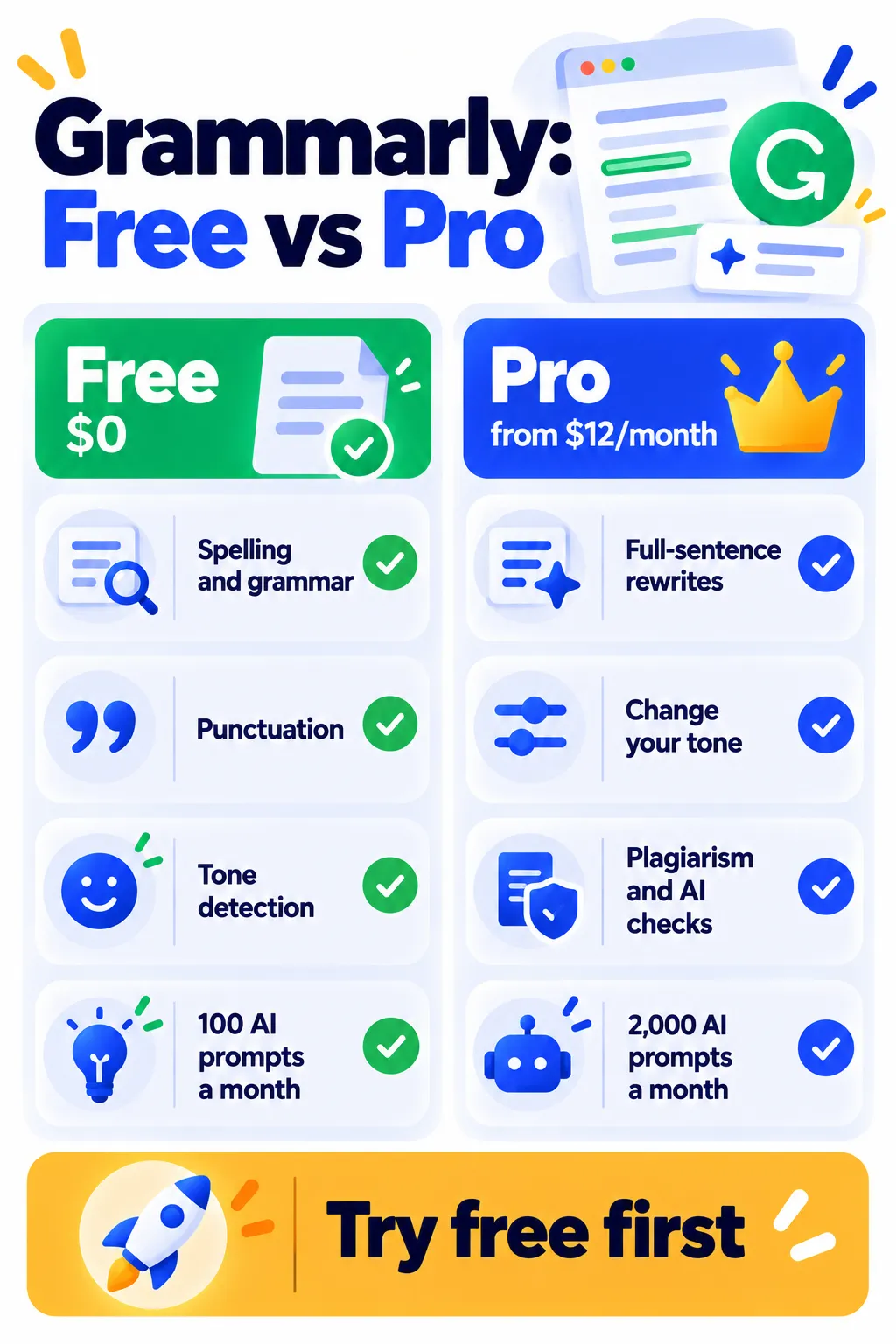
| Free | $0 | Spelling, grammar, punctuation, tone detection, 100 AI prompts a month |
| Pro | $12/month billed yearly ($30 month to month) | Full-sentence rewrites, tone adjustment, plagiarism and AI detection, 2,000 AI prompts a month |
| Enterprise | Custom | For large organizations with advanced security needs |
Pro usually offers a short free trial. Prices vary by country and change often, so check Grammarly’s pricing page before you buy. Want to spend nothing? See our list of free Grammarly alternatives that actually work.
Is Grammarly Safe? Privacy Tips
- Grammarly reads the text you type in order to check it, so think before using it on highly confidential documents.
- You can turn the browser extension off for specific websites, like your banking or health portals.
- Review your account’s privacy settings and Grammarly’s privacy policy, especially for work content.
- If your company provides Grammarly, follow its rules for sensitive information.
Grammarly for Students: A Note on AI
Grammar fixes are generally fine for schoolwork, but some schools have rules about AI-generated writing. Check your school’s policy before using AI rewrite features on assignments. Our guide on whether AI detectors actually work explains why this matters, and our best AI tools for students list has more options.
Frequently Asked Questions
Is Grammarly free?
Yes. The free plan checks spelling, grammar, punctuation and tone, and includes 100 AI prompts a month. Grammarly Pro adds advanced features from about $12 a month on yearly billing.
Does Grammarly work in Microsoft Word?
Yes. Install the Grammarly desktop app on Windows or Mac and it works inside Word and many other apps.
Does Grammarly work on my phone?
Yes. Install the Grammarly keyboard on iPhone or Android to get suggestions in texts, emails and social apps.
Is Grammarly Pro worth it?
It’s worth it if you write a lot for work or school and want rewrites, tone changes and plagiarism checks. If you mainly need typo fixes, the free plan is enough.
Why isn’t Grammarly showing suggestions?
Make sure the extension is turned on for that website, you’re signed in, and the page isn’t blocking extensions. Refresh the page or restart your browser.
The Bottom Line
Grammarly’s free plan is one of the easiest ways to write cleaner emails and documents. Install it, set your goals, and accept the suggestions that make sense. Upgrade to Pro only if you need rewrites, tone changes or plagiarism checks. Explore more tools in our AI tools directory.
Related Guides
- What Is QuillBot? Free vs Premium, Features and How to Use It (2026)
- Hemingway Editor Review 2026: Make Your Writing Clear (Free vs Plus)
- How to Use AI to Write Emails in Gmail (Step by Step)
- How to Use Perplexity AI for SEO Research in 2026 (With Prompts)
Explore more in our AI Writing Tools hub.
Disclaimer: This article is for general information only and is based on details available at the time of writing. Prices, plans, features, release dates, policies and availability can change at any time and may vary by country. Please verify the latest information on the official website of the company or product mentioned before making any decision or purchase. Next DigiTech is an independent website and is not affiliated with or endorsed by the companies mentioned; all trademarks belong to their respective owners. We are not responsible for any loss or decisions made based on this content.

