VPN ads promise to make you “anonymous”, “untraceable” and “hacker-proof”. Reality is more modest. A VPN is a useful tool for some situations and close to pointless for others, and picking the wrong one can leave you worse off.
This guide is deliberately free of affiliate hype. We do not recommend or rank specific VPN products here. Instead, we explain what a VPN actually does, where it helps, where it does not, and what to check before trusting one with your internet traffic.
Quick Summary
| Situation | Does a VPN help? |
|---|---|
| Using public Wi-Fi | It can add a layer, but HTTPS already protects most traffic |
| Hiding your IP address from websites | Yes, sites see the VPN’s address instead |
| Hiding browsing from your internet provider | Partly: it moves trust from your ISP to the VPN company |
| Stopping phishing, scams or malware | No |
| Stopping Google or social media tracking you when signed in | No |
| Streaming content from other countries | Sometimes, but it may breach service terms |
What a VPN Actually Does
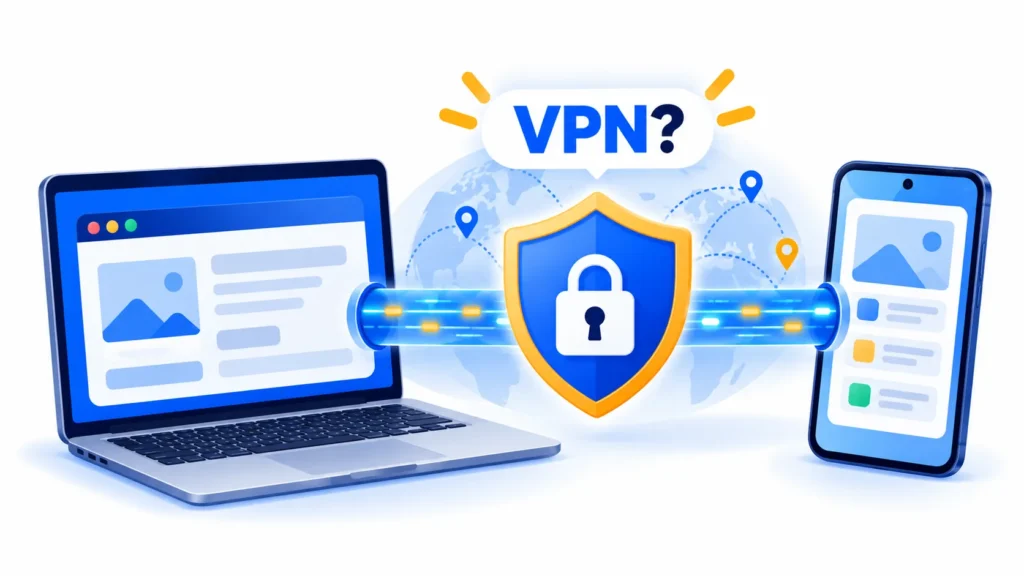
A VPN (virtual private network) creates an encrypted connection between your device and a server run by the VPN company. Your traffic travels through that tunnel, and websites see the VPN server’s IP address rather than your own.
That has two main effects:
- People on your local network cannot read your traffic. This matters on shared networks such as cafe or airport Wi-Fi.
- Your internet provider sees only that you are connected to a VPN, not which sites you visit.
But there is a catch. The VPN company can now see what your provider used to see. You are not removing trust from the equation, you are moving it.
What a VPN Does Not Do
- It does not make you anonymous. If you log in to an account, the website still knows who you are.
- It does not block phishing or malware. A scam link is just as dangerous through a VPN. See our guide on spotting fake apps for similar habits.
- It does not stop tracking cookies and browser fingerprinting on its own.
- It does not fix weak passwords. Use a password manager and two-factor authentication instead.
- It can slow your connection, because traffic takes a longer route.
Do You Need a VPN on Public Wi-Fi?
This is the classic selling point, and the honest answer is “it depends”.
The US Federal Trade Commission says that older public networks were risky because most websites did not encrypt data, but today widespread encryption makes public Wi-Fi usually safe. It advises looking for the lock symbol or “https” in the address bar. It also notes that scammers can build fake websites and encrypt them, so encryption does not protect you from a fraudulent site.
On the other side, the FTC’s 2018 guidance said VPN apps can help shield personal information sent over a public, open Wi-Fi network, and the US cyber agency CISA advises avoiding open Wi-Fi for personal business and using cellular data for transactions if you must.
So the practical view is: a VPN is an optional extra layer on public Wi-Fi, not a magic shield. Basic habits (HTTPS, updates, two-factor authentication) matter more.
Note: These details come from the company’s own announcements and have not been independently verified by Next DigiTech.

When a VPN Can Genuinely Help
- Frequent travel or shared networks. Hotels, airports and co-working spaces are shared environments.
- Work access. Many employers provide a VPN to reach company systems securely. In that case, use the one your IT team provides.
- Keeping your browsing from your internet provider, if you trust the VPN company more than your ISP.
- Hiding your home IP address from sites and some online games or services.
- Using the internet in places with network restrictions. See the legal section below first.
When You Probably Do Not Need One
- You only browse HTTPS sites at home on a secure Wi-Fi network.
- Your main worry is scams, which a VPN does not stop.
- You expect it to remove ads or tracking by itself.
- You are considering a free VPN you know nothing about. That may be worse than no VPN at all, because the company still sees your traffic and needs to make money somehow.
Streaming and Terms of Service
Many people use a VPN to watch shows from another country. Be aware that:
- Streaming services often prohibit this in their terms of service, and many try to detect and block VPN traffic.
- Using one might lead to blocked access or, in some cases, action on your account. Check the service’s terms before you try.
- Content licensing differs by country, which is why libraries vary.
We cannot promise any VPN will work with any streaming service, and we make no claims about specific products.
Is Using a VPN Legal?
In many countries, using a VPN is legal. But the rules vary. Some countries restrict, license or ban VPN use, and doing something illegal remains illegal with or without a VPN. If you are travelling or living abroad, check your local law and any rules set by your employer or school before connecting.
Note: Features and policies may vary by plan, region and app version, and can change at any time. Check the official help center for the latest information.
What to Check Before Choosing a VPN
The FTC’s guidance on VPN apps points to four things, and they remain sensible:
- Research the app’s reputation before installing it. Look beyond star ratings and read independent coverage.
- Scrutinise permissions. A VPN needs some access, but be wary of anything excessive.
- Confirm it actually encrypts your data in transit.
- Find out whether it shares your information with outside companies. Read the privacy policy, particularly what it says about logging.
Also consider:
- Is the company clearly identified, with a real address and support?
- Does it publish independent audits? (Check them yourself rather than trusting a badge.)
- Is the pricing transparent, including renewal prices?
- Does it come from an official app store listing from the developer? Our guide on whether Chrome extensions are safe applies to VPN browser extensions too.
Prices change often, and we do not quote any here.
Note: Prices are based on official announcements at the time of writing and may vary by country, retailer, taxes and promotions. Always check the latest pricing on the official website before buying.
Better Privacy Steps That Cost Nothing
- Keep your device and apps updated.
- Use a password manager and turn on two-factor authentication. Even better, switch to passkeys where offered: see passkeys explained.
- Check for the lock or “https” on sites where you enter data.
- Turn off auto-join for open Wi-Fi networks.
- Use mobile data for banking if you are unsure about a network.
Frequently Asked Questions
Does a VPN make me anonymous online?
No. It hides your IP address from sites and your activity from local network users, but accounts, cookies and browser fingerprints can still identify you.
Is a free VPN safe?
It depends on the provider. Free services still need to be funded, so research the company and read its privacy policy closely.
Will a VPN protect me from phishing?
No. Phishing relies on tricking you, not on intercepting your connection.
Can a VPN slow my internet?
It can, because your traffic takes a detour. The effect varies by provider, server and distance.
Is it legal to use a VPN?
In many countries yes, but laws vary and some places restrict it. Check local rules.
The Bottom Line
A VPN is a tool, not a cure-all. It can help on shared networks and when you want to keep browsing away from your internet provider, but it will not stop scams, tracking by accounts you are signed in to, or poor password habits. If you do choose one, research the company carefully and choose trust over marketing.
Related Guides
- Best Free Password Managers in 2026: Which One Should You Use?
- How to Turn On Two-Factor Authentication (2FA) for Your Most Important Accounts
- Passkeys Explained: Why Passwords Are Finally Going Away
- Are Chrome Extensions Safe? How to Check Before You Install
Explore more in our Online Safety & Privacy hub.
Disclaimer: This article is for general information only and is based on details available at the time of writing. Prices, plans, features, release dates, policies and availability can change at any time and may vary by country. Please verify the latest information on the official website of the company or product mentioned before making any decision or purchase. This is not legal, financial or security advice; if you think you have been scammed, contact your bank and the official reporting services. Next DigiTech is an independent website and is not affiliated with or endorsed by the companies mentioned; all trademarks belong to their respective owners. We are not responsible for any loss or decisions made based on this content.