

You need an image for a blog post, a birthday invite or a social media post, and you don’t want to pay for stock photos. Free AI image generators can create one in seconds. The trick is knowing which tool fits which job, because each has different strengths and very different free limits.
Quick Picks
| Tool | Best for | Watch out for |
|---|---|---|
| Google Gemini | Best overall, realistic images, text inside images | Daily free limits |
| ChatGPT | Beginners and editing by conversation | Small daily free allowance |
| Microsoft Copilot / Designer | Quick social graphics | Faster generations are limited |
| Ideogram | Posters, logos and readable text | Small free allowance; free images may be public |
| Adobe Firefly | Business and commercial-safe images | Limited monthly credits |
| Canva | Images inside a finished design | Limited AI credits on the free plan |
Based on recent comparisons from Krea and Zapier. Free limits change often, so check each tool before relying on it.
1. Google Gemini: Best Overall Free Option
Gemini’s image model is free with a Google account and produces realistic images. It’s also one of the best free options for putting readable text inside an image, like a poster title or a label.
2. ChatGPT: Easiest for Beginners
Just describe what you want, then refine it in plain English: “make the background blue,” “add a dog on the left.” The free plan includes limited image creation, so it suits occasional use (OpenAI).
3. Microsoft Copilot and Designer: Best for Quick Graphics
Free with a Microsoft account and built into Windows and Edge. Designer also helps turn images into ready-made social posts and invitations.
4. Ideogram: Best for Text in Images
If your image needs words, like a poster, thumbnail or logo idea, Ideogram is a standout. The free plan has a small allowance, and images made on free plans may be visible publicly, so don’t use it for anything confidential.
Note: Features and policies may vary by plan, region and app version, and can change at any time. Check the official help center for the latest information.
5. Adobe Firefly: Best for Business Use
Adobe says Firefly is trained on licensed content, such as Adobe Stock and public-domain material, which makes it a more comfortable choice for commercial projects. The free plan includes a limited number of monthly credits (Zapier).
Note: These details come from the company’s own announcements and have not been independently verified by Next DigiTech.
6. Canva: Best for Finished Designs
Canva’s AI image tools work right inside your design, so you can generate an image and drop it into a flyer or social post in one place. The free plan includes a limited number of AI uses.
How to Write Better Image Prompts
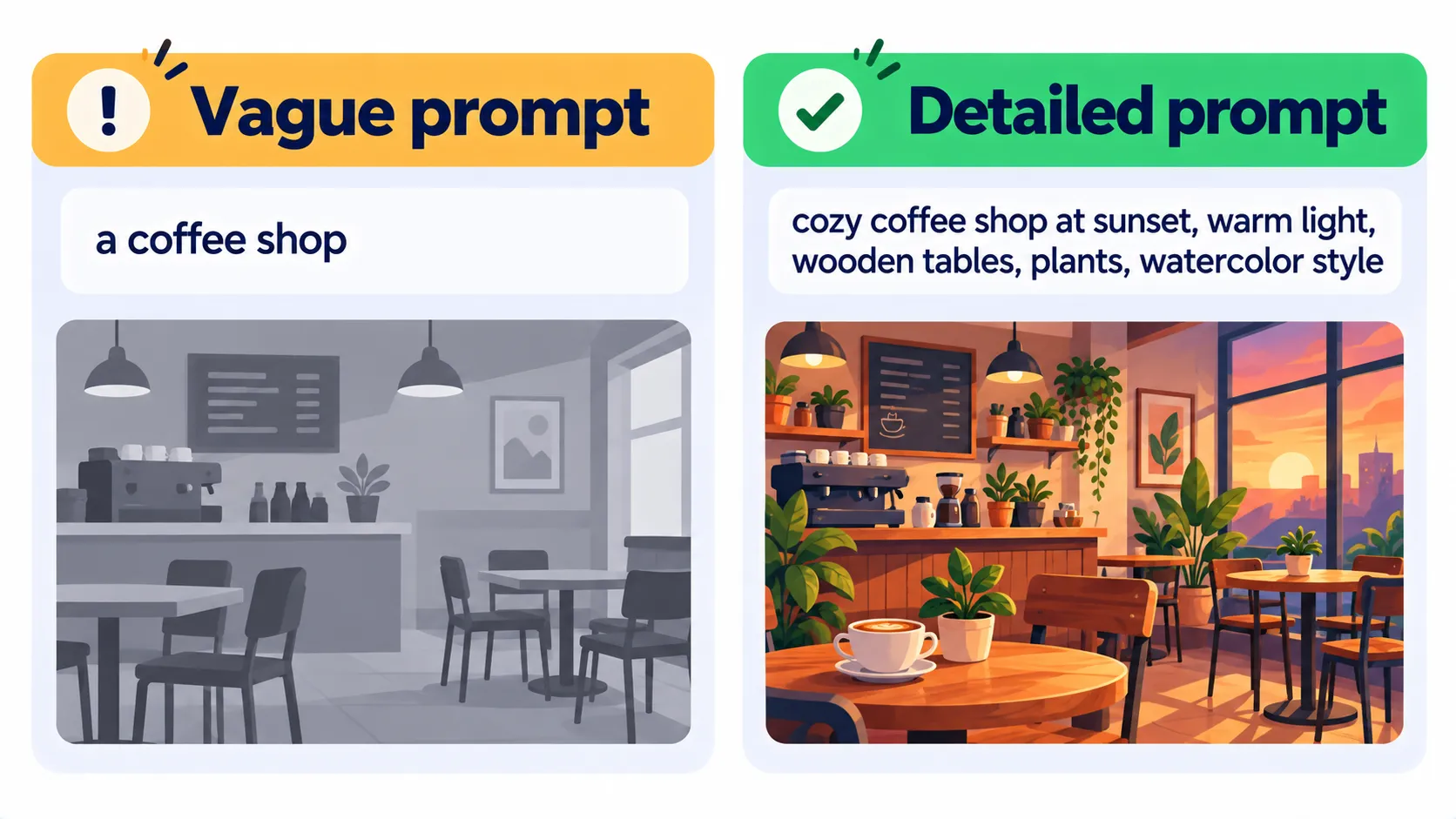
Good image prompts describe five things:
- Subject: what’s in the picture.
- Setting: where it is.
- Style: photo, watercolor, flat illustration, 3D.
- Mood and lighting: bright, cozy, dramatic, sunset.
- Format: square for Instagram, wide for a blog header.
Example: “Wide blog header, flat illustration of a cozy home office at sunrise, plants and a laptop, soft blue and orange colors, no text.”
Rules to Follow
- Don’t create fake images of real people. Most tools forbid it, and it can cause real harm.
- Avoid copyrighted characters and brand logos.
- Check commercial-use terms before using AI images in ads or products.
- Be open about AI images when it matters, like in news or reviews.
Frequently Asked Questions
Is there a completely unlimited free AI image generator?
Not among the big names. Most free plans reset daily, weekly or monthly. Running an open-source model on your own computer is the main way to get unlimited images.
Can I use free AI images on my blog?
Usually yes, but terms differ by tool. Read the usage terms, especially for commercial projects.
Which free AI image generator is best for logos?
Ideogram and Gemini handle text best. Treat AI logos as starting points, and have a designer refine anything you plan to trademark.
The Bottom Line
Start with Gemini or ChatGPT for everyday images, use Ideogram when you need text, and choose Adobe Firefly for business work. For more free tools, see our guide to the best free AI tools.
Related Guides
- What Is Midjourney? How to Use It, Prompts and Pricing (2026)
- What Is Ideogram? The AI Image Generator That Gets Text Right (2026)
- What Is Adobe Firefly? Features, Pricing and Commercial Use (2026)
- Canva Magic Studio: What It Is, Free AI Features and How to Use It (2026)
Explore more in our AI Image and Design Tools hub.
Disclaimer: This article is for general information only and is based on details available at the time of writing. Prices, plans, features, release dates, policies and availability can change at any time and may vary by country. Please verify the latest information on the official website of the company or product mentioned before making any decision or purchase. Next DigiTech is an independent website and is not affiliated with or endorsed by the companies mentioned; all trademarks belong to their respective owners. We are not responsible for any loss or decisions made based on this content.

