

Adobe Firefly is Adobe’s family of generative AI tools. It creates images, videos, vector graphics and audio from text descriptions, and it powers popular features like Generative Fill in Photoshop. Adobe positions its own Firefly models as “commercially safe,” which makes it a favorite of businesses and designers.
Here’s what Firefly can do, what’s free, and how it compares to other AI image tools.
Quick Verdict
- Best for: Designers, marketers and businesses who want AI images they can use more confidently in commercial work.
- Skip it if: You just want free, artistic images for fun. Other generators have more generous free plans.
- Is the free plan enough? Only for testing. Paid plans start at $9.99 a month.
What Is Adobe Firefly?
Firefly is available on the web at firefly.adobe.com, in a mobile app, and inside Adobe apps like Photoshop, Illustrator, Express and Premiere. You can use Adobe’s own Firefly models and, in some cases, partner AI models from other companies.
Adobe says its Firefly models are trained on licensed content, such as Adobe Stock, and public domain material. Images also include Content Credentials, a kind of digital label that shows AI was used.
Note: These details come from the company’s own announcements and have not been independently verified by Next DigiTech.
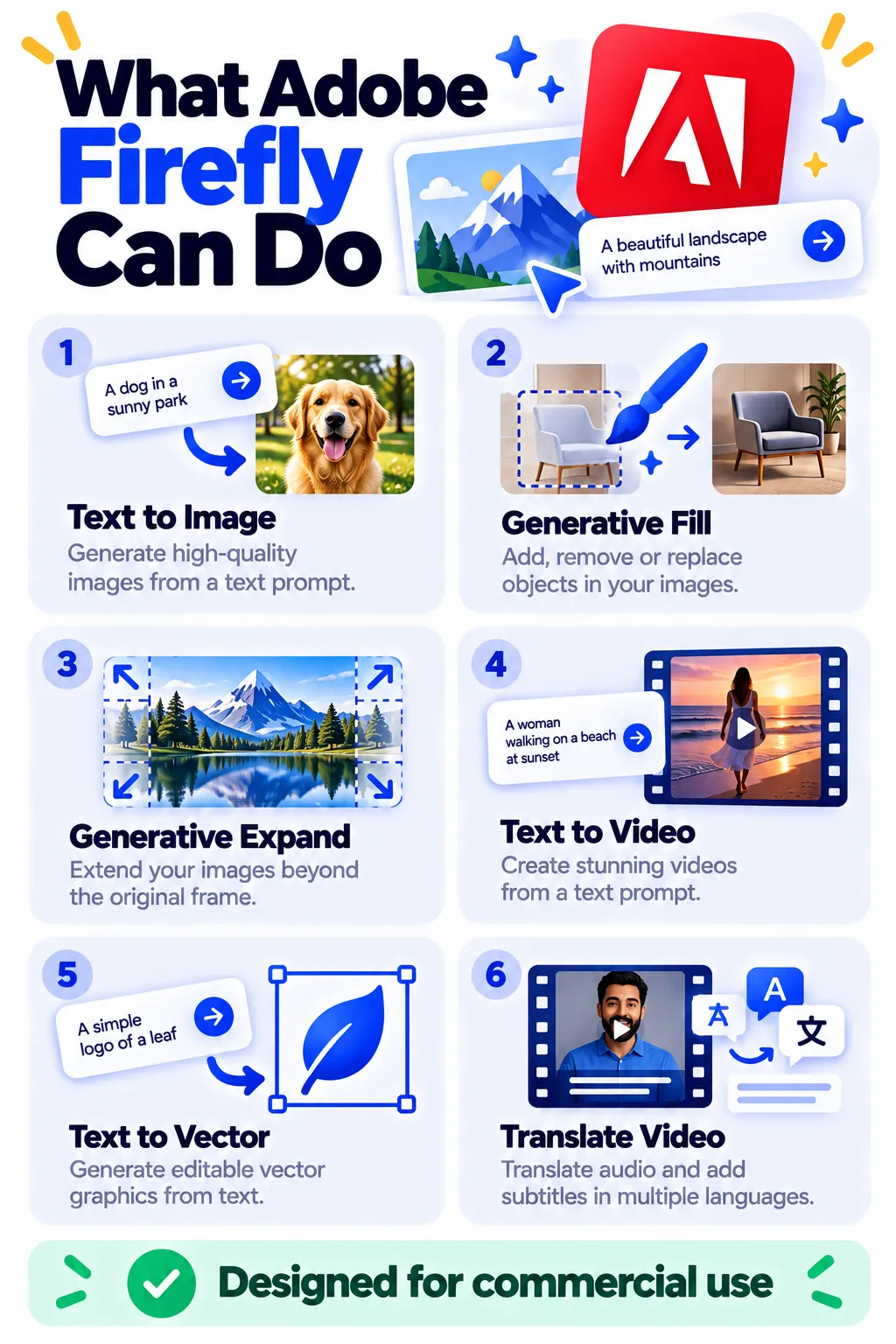
What You Can Do With Firefly
- Text to image: Create photos, illustrations and art from a description.
- Generative Fill: Add, remove or replace objects in a photo.
- Generative Expand: Extend an image beyond its edges.
- Text to video and image to video: Create short video clips.
- Text to vector: Create editable vector graphics and patterns.
- Translate video and audio into other languages.
How to Use Adobe Firefly (Step by Step)
- Go to firefly.adobe.com and sign in with a free Adobe account.
- Choose Text to Image (or another tool).
- Type a detailed prompt describing your image.
- Choose settings like aspect ratio, content type (photo or art) and style.
- Click Generate, then refine your favorite result or try variations.
- Download your image, or open it in Photoshop or Express to keep editing.
Prompt Ideas
- “Flat lay of a cozy autumn breakfast table, natural light, top-down photo”
- “Minimal product shot of a white sneaker on a pastel background, soft shadows”
- “Watercolor illustration of a lighthouse at sunset”
- “Seamless pattern of lemons and leaves, vector style”
Adobe Firefly Pricing (2026)
US prices as of October 2026:
| Plan | Price | What you get |
|---|---|---|
| Free | $0 | A limited number of free generations to try Firefly |
| Standard | $9.99/month | Unlimited standard image generations plus 2,000 credits for premium features like video |
| Pro | $19.99/month | 4,000 credits for heavier premium use |
| Premium | $199.99/month | 50,000 credits for professional video and high-volume work |
Many Creative Cloud plans also include Firefly credits. Credit costs and plans change often, so check Adobe’s Firefly pricing page.
Is Adobe Firefly Safe for Commercial Use?
Adobe designs its own Firefly models for commercial use and trains them on licensed and public domain content. That gives businesses more confidence than many other tools. Still, a few rules apply:
- Check the license terms for your plan, especially on the free tier.
- Partner models from other companies may have different terms.
- Avoid prompts that copy brands, logos, characters or real people.
Firefly vs Midjourney vs Canva
Midjourney often produces more artistic results but has no free plan. Canva Magic Studio is easier for finished social designs. Firefly stands out for commercial safety and Photoshop integration. For free options, see our best free AI image generators.
Frequently Asked Questions
Is Adobe Firefly free?
There’s a free tier with a limited number of generations. Paid plans start at $9.99 a month with unlimited standard image generation.
Do I need Photoshop to use Firefly?
No. You can use Firefly on the web or in the mobile app. Photoshop adds deeper editing with Generative Fill.
Can I use Firefly images commercially?
Adobe designs its Firefly models for commercial use, but check your plan’s terms, especially for partner models and the free tier.
What are Firefly credits?
Credits pay for premium features like video, audio and partner models. On paid plans, standard image generations don’t use credits.
Why is my image blocked?
Firefly blocks prompts that may create harmful content or copy protected brands and characters. Rephrase your prompt in general terms.
The Bottom Line
Adobe Firefly is a strong choice if you need AI images and video for business, especially if you already use Photoshop or Express. Try the free tier, then choose Standard for unlimited image generation. Explore more tools in our AI tools directory.
Related Guides
- What Is Ideogram? The AI Image Generator That Gets Text Right (2026)
- What Is Leonardo AI? How to Use It, Free Plan and Pricing (2026)
- PhotoRoom Review 2026: AI Product Photos and Background Removal, Pricing
- How to Tell If an Image Is AI-Generated: 6 Simple Checks (2026)
Explore more in our AI Image and Design Tools hub.
Disclaimer: This article is for general information only and is based on details available at the time of writing. Prices, plans, features, release dates, policies and availability can change at any time and may vary by country. Please verify the latest information on the official website of the company or product mentioned before making any decision or purchase. Next DigiTech is an independent website and is not affiliated with or endorsed by the companies mentioned; all trademarks belong to their respective owners. We are not responsible for any loss or decisions made based on this content.

