

Meetings have a way of swallowing your whole week. Reclaim AI works inside the calendar you already use, Google Calendar or Outlook, and automatically protects time for focus work, habits, tasks and breaks, moving them around as meetings come and go.
Here’s what Reclaim does, what’s free, and how it compares with Motion.
Quick Verdict
- Best for: People and teams who live in Google Calendar or Outlook and want to protect focus time.
- Skip it if: You want a full project manager. Reclaim focuses on your calendar.
- Free plan: Yes, the Lite plan.
What Is Reclaim AI?
Reclaim is an AI scheduling assistant that connects to your existing calendar. Instead of replacing your tools, it adds smart blocks to your calendar and keeps adjusting them. Dropbox bought Reclaim in 2024, and it continues to run as its own app.
Key Features
- Focus time: Automatically reserves deep-work time each week.
- Habits: Protects recurring routines like lunch, exercise or planning time, flexibly.
- Tasks: Schedules to-dos from apps like Todoist, Asana or Google Tasks into free slots.
- Smart meetings: Finds the best time for recurring meetings across attendees.
- Buffer time: Adds breaks and travel time around meetings.
- Scheduling links: Let others book time that respects your priorities.
- Calendar sync: Keeps work and personal calendars in sync so you’re never double-booked.
Reclaim AI Pricing (2026)
| Plan | Price (approx.) | Best for |
|---|---|---|
| Lite | Free | Individuals trying smart scheduling |
| Starter | From about $8 per user/month | Individuals and small teams |
| Business | From about $12 per user/month | Growing teams |
| Enterprise | From about $18 per user/month | Large organizations |
Prices are typically shown for yearly billing. Check Reclaim’s pricing page for current limits on each plan.
Pros and Cons
Pros
- Useful free plan.
- Works with the calendar you already use.
- Much cheaper than all-in-one planners.
- Great for protecting focus time from meetings.
Cons
- Not a full task or project manager.
- Works best with Google Calendar; some features vary for Outlook.
- Your calendar can feel busy with many auto-created blocks at first.
Reclaim vs Motion
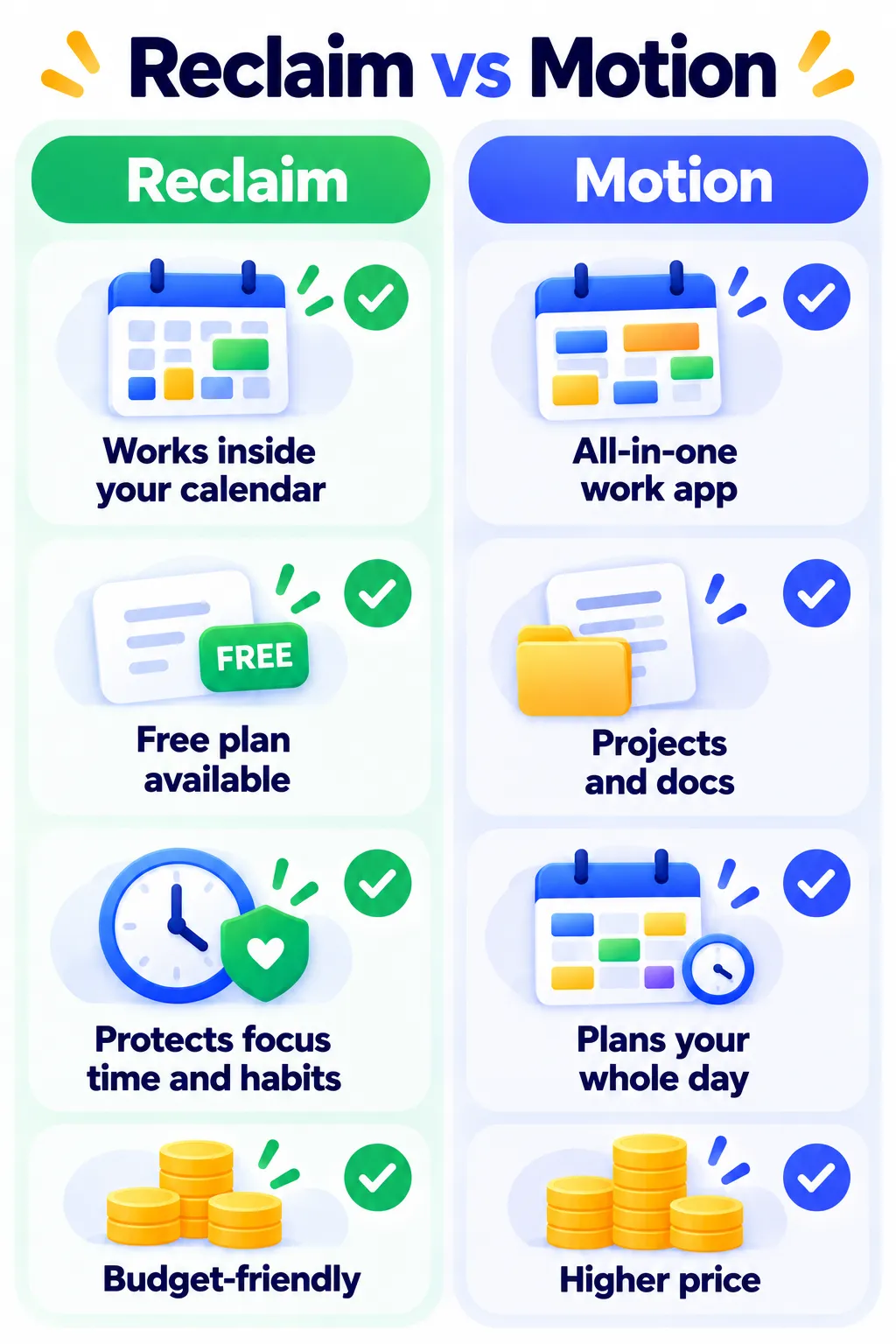
Motion is an all-in-one work app that plans your entire day, at a higher price. Reclaim stays inside your existing calendar, offers a free plan, and focuses on protecting time. If you just want more focus time without changing tools, choose Reclaim.
Tips to Get Started
- Connect your main calendar, plus your personal calendar to avoid conflicts.
- Set your working hours and a weekly focus-time goal.
- Add two or three habits, like lunch and a daily planning slot.
- Connect your task app so to-dos get scheduled automatically.
Frequently Asked Questions
Is Reclaim AI free?
Yes. The Lite plan is free, with paid plans adding more features and team tools.
Does Reclaim work with Outlook?
Yes, it supports both Google Calendar and Outlook.
Can other people see my Reclaim blocks?
You control how blocks appear, for example as “busy” without details.
The Bottom Line
Reclaim AI is a simple, affordable way to take back control of a meeting-heavy calendar. Start on the free plan and set one focus-time goal this week. Explore more tools on our AI productivity tools page.
Related Guides
- Taskade Review 2026: AI Agents, Tasks and Mind Maps, Pricing
- What Is Fathom AI? The Free Meeting Note-Taker Explained (2026)
- How to Use Gmail Filters to Automate Your Inbox (With 7 Ready Examples)
- What Is Notion AI? Features, Pricing and Is It Worth It? (2026)
Explore more in our AI Productivity Tools hub.
Disclaimer: This article is for general information only and is based on details available at the time of writing. Prices, plans, features, release dates, policies and availability can change at any time and may vary by country. Please verify the latest information on the official website of the company or product mentioned before making any decision or purchase. Next DigiTech is an independent website and is not affiliated with or endorsed by the companies mentioned; all trademarks belong to their respective owners. We are not responsible for any loss or decisions made based on this content.

