

Tidio is one of the most popular live chat and chatbot tools for small businesses and online stores. It combines live chat, automated chatbot flows, a help desk and an AI agent called Lyro in one place, with easy integrations for Shopify, WordPress and WooCommerce.
It has a free plan, but its pricing has several separate parts that confuse many buyers. Here’s what Tidio does, what it really costs in 2026, and who it’s best for.
Quick Verdict
- Best for: Small businesses and e-commerce stores that want live chat plus AI support in one easy tool.
- Not ideal if: You want lots of AI conversations included in a low flat price, or you have a large team (there’s a big price jump to the higher plans).
- Is it free? Yes, there’s a free plan for live chat, but ongoing AI (Lyro) is a paid add-on.
What Is Tidio?
Tidio is a customer service platform that adds a chat widget to your website and brings conversations from your site, email, Facebook Messenger, Instagram and WhatsApp into one inbox. You can answer chats yourself, automate common tasks with chatbot flows, and let Lyro AI answer questions based on your FAQs and help content.
Comparing options? See our guide to adding an AI chatbot to your website.
Key Features
- Live chat with visitor tracking, typing preview and canned responses.
- Lyro AI agent: Answers customer questions in natural language using your knowledge base, and hands off to humans when needed.
- Flows: No-code chatbot automations, like welcome messages, lead capture, discount offers and abandoned cart prompts.
- Help desk and ticketing for email and offline messages.
- Multichannel inbox: Website chat, email, Messenger, Instagram and WhatsApp.
- E-commerce actions: Show order status, product recommendations and Shopify actions on higher plans.
- Integrations: Shopify, WordPress, WooCommerce, Wix, Squarespace and more.
- Mobile apps for iPhone and Android.
Tidio Pricing (2026)
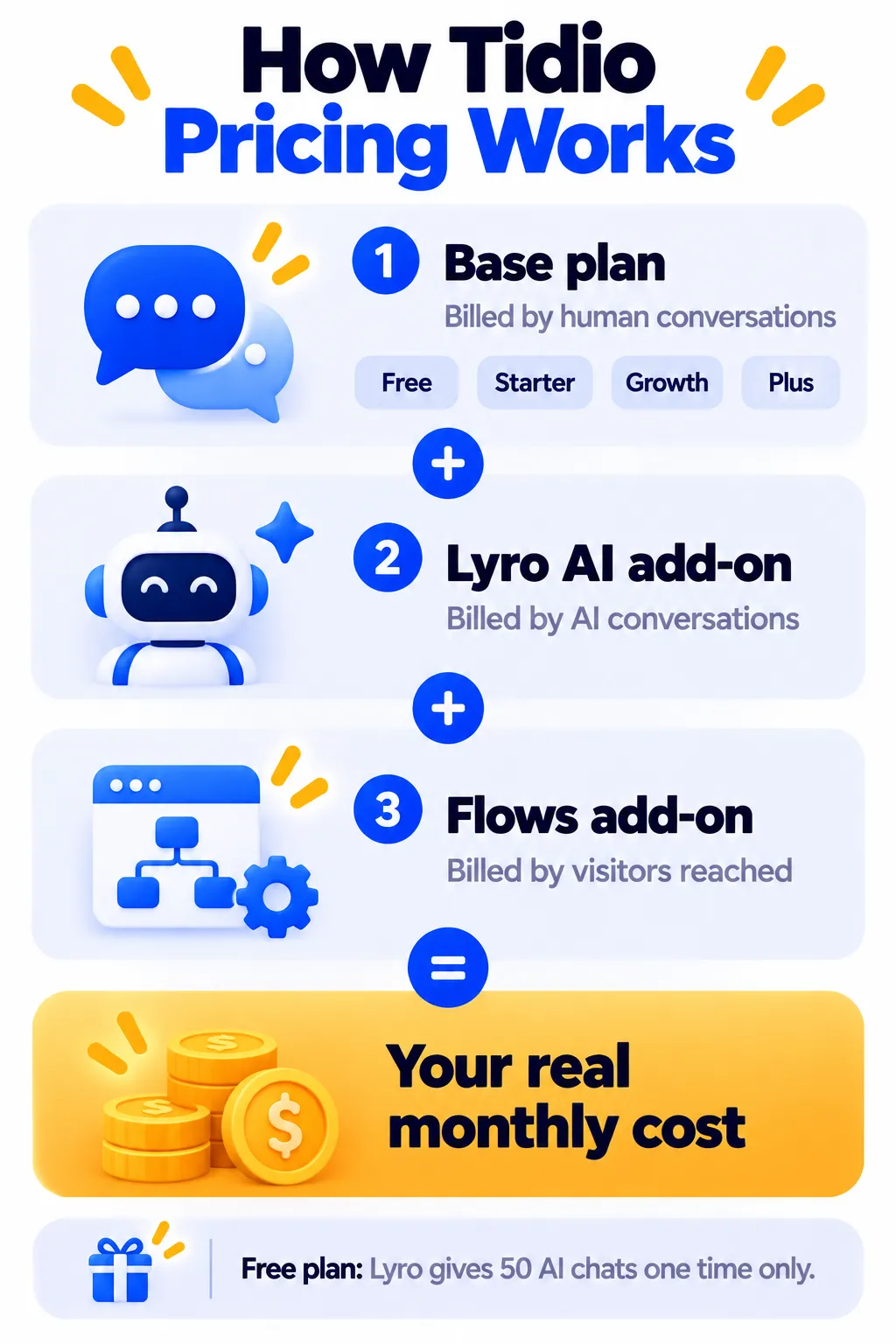
Tidio’s bill has three separate parts: a base plan (priced by human-handled conversations), the Lyro AI add-on (priced by AI conversations) and the Flows add-on (priced by visitors reached). US prices as of October 2026:
| Plan | Billed yearly | Billed monthly | What you get |
|---|---|---|---|
| Free | $0 | $0 | 50 billable conversations a month, live chat, ticketing, 50 Lyro AI conversations one time only |
| Starter | About $24/month | About $29/month | 100 billable conversations, basic analytics, operating hours |
| Growth | From about $49/month | From about $59/month | 250 to 2,000 conversations, advanced analytics, auto-assignment, more Shopify actions |
| Plus | From about $749/month | Custom | Higher volumes, AI included at scale, departments, dedicated support |
| Premium | Custom | Custom | Large teams and enterprise needs |
Add-ons
- Lyro AI: From about $32.50/month yearly ($39 monthly) for 50 AI conversations a month, scaling up to 1,000 a month.
- Flows: From about $24 to $29 a month, depending on visitors reached.
- Branding removal: About $20 a month on Growth, included on Plus and above.
Real-world example: A small store on Starter with a modest Lyro package often pays around $60 to $110 a month in total. Always check tidio.com/pricing for the latest numbers.
Important: Lyro AI on the Free Plan
The free plan’s 50 Lyro AI conversations are a one-time allowance, not monthly. Once you use them, Lyro stops answering until you buy the Lyro add-on. Many people sign up expecting free ongoing AI and get surprised, so plan for this.
How to Set Up Tidio (Step by Step)
- Sign up free at tidio.com.
- Install the widget with the WordPress plugin, the Shopify app or a code snippet.
- Customize the widget with your colors, welcome message and logo.
- Add your FAQs or let Lyro learn from your website and help pages.
- Test Lyro with real customer questions and correct any weak answers.
- Set up 2 or 3 Flows, such as a welcome message, lead capture form and order-status helper.
- Connect channels like email, Instagram or WhatsApp if you use them.
- Install the mobile app so you never miss a chat.
Best Use Cases
- Shopify and WooCommerce stores: Order tracking, shipping questions, returns and product help.
- Service businesses: Lead capture and appointment questions.
- SaaS and digital products: Answering pre-sales and how-to questions.
- Abandoned cart recovery: Proactive messages with a discount on the checkout page.
Pros and Cons
Pros
- Easy to set up, especially on Shopify and WordPress
- Live chat, chatbot flows, help desk and AI in one tool
- Lyro AI handles many common questions well
- Useful free plan for testing live chat
- Good mobile apps and multichannel inbox
Cons
- Pricing is split into three separate meters
- Free Lyro AI is a one-time 50 conversations
- Large price jump from Growth to Plus
- Branding removal costs extra on lower plans
- Costs can rise quickly as conversations grow
Tidio vs tawk.to vs Intercom
- tawk.to: Better if you want free human live chat with unlimited agents.
- Tidio: Better balance of ease, e-commerce features and AI for small businesses.
- Intercom: More powerful AI and support features for larger teams, at a higher price.
Tips to Control Costs
- Start on Free or Starter and track how many conversations you actually get.
- Train Lyro carefully so it resolves more chats and reduces human workload.
- Use Flows for structured tasks like order tracking instead of AI when possible.
- Choose yearly billing to save about two months once you’re confident.
Frequently Asked Questions
Is Tidio free?
Yes. The free plan includes 50 billable conversations a month and live chat. AI is limited to 50 Lyro conversations in total, not per month.
How much does Tidio cost per month?
Starter is about $24 a month billed yearly ($29 monthly), and Growth starts around $49 billed yearly ($59 monthly). Lyro AI and Flows cost extra.
What is Lyro AI?
Lyro is Tidio’s AI agent. It answers customer questions in natural language using your knowledge base and passes conversations to humans when needed.
Does Tidio work with Shopify?
Yes. Tidio has a Shopify app with order tracking, product recommendations and abandoned cart features.
Can I remove Tidio branding?
Yes, for an extra fee on lower plans. Branding removal is included on Plus and above.
Does Tidio support WhatsApp?
Yes, Tidio can connect WhatsApp to its inbox. For larger WhatsApp campaigns, see our WhatsApp automation tools guide.
The Bottom Line
Tidio is a strong all-in-one choice for small businesses and online stores that want live chat and AI support without a complicated setup. Start free, understand the three pricing parts, and add Lyro only when you’re ready to automate regularly. Explore more tools in our AI tools directory.
Related Guides
- Crisp Chat Review 2026: All-in-One Inbox, Hugo AI, Pricing and Is It Worth It?
- Chatbase Review 2026: Build an AI Chatbot Trained on Your Website, Pricing and Tips
- Gallabox Review 2026: WhatsApp Chatbots, AI Agents, Pricing and Is It Worth It?
- AI Tools for Small Business Owners: 10 Ways to Save Time
Explore more in our Automation and Chatbot Tools hub.
Disclaimer: This article is for general information only and is based on details available at the time of writing. Prices, plans, features, release dates, policies and availability can change at any time and may vary by country. Please verify the latest information on the official website of the company or product mentioned before making any decision or purchase. Next DigiTech is an independent website and is not affiliated with or endorsed by the companies mentioned; all trademarks belong to their respective owners. We are not responsible for any loss or decisions made based on this content.

