

Chatbase lets you build a custom AI chatbot trained on your own content. You give it your website, PDFs, FAQs or help docs, and within minutes you have an AI agent that answers visitors’ questions on your site, like a version of ChatGPT that knows your business. It can also take actions, such as capturing leads or booking meetings.
Here’s how Chatbase works, what its credit-based pricing really means in 2026, and who it’s best for.
Quick Verdict
- Best for: Businesses with good website content or documentation that want a quick, accurate AI Q&A bot.
- Not ideal if: You need a full live chat and help desk system for a big team, or very high chat volume on a small budget.
- Is there a free plan? Yes, but it’s very limited (50 message credits a month) and meant for testing.
What Is Chatbase?
Chatbase is an AI agent builder. You upload or link your content, Chatbase trains an AI agent on it, and you embed the agent on your website as a chat bubble or inline chat. You can choose from AI models made by companies like OpenAI, Anthropic and Google, and set instructions for tone and behavior.
Comparing options? Read our guide to adding an AI chatbot to your website.
Key Features
- Train on your content: Website pages, PDFs, Word documents, text, Q&A pairs and Notion.
- Choice of AI models with adjustable instructions and tone.
- AI Actions: Let the agent collect leads, book meetings via Calendly or Cal.com, search the web or call custom APIs.
- Human handoff: Hand conversations to your team through a built-in help desk or integrations (higher plans).
- Channels: Website widget, plus WhatsApp, Messenger, Instagram and Slack on paid plans.
- Analytics: See what people ask, where the bot struggles and which topics come up most.
- Integrations: Zapier, Stripe, Zendesk, Salesforce and an API on higher plans.
- Voice agents on higher plans.
Chatbase Pricing (2026)
Chatbase charges by message credits. Roughly, each AI reply uses one credit with standard models, and more advanced models use more. Prices as of October 2026 (yearly billing saves about 20%):
| Plan | Billed monthly | Billed yearly | Message credits | Highlights |
|---|---|---|---|---|
| Free | $0 | $0 | 50 a month | 1 AI agent, small training limit, website only |
| Hobby | $40/month | $32/month | About 500 to 700 a month | AI Actions, more training data, 2 seats, social channels |
| Standard | $150/month | $120/month | 4,000 a month | More actions and storage, help desk, voice, API, advanced integrations |
| Pro | $500/month | $400/month | 15,000 a month | Highest limits for busy teams |
| Enterprise | Custom | Custom | Custom | Security and compliance needs |
Things to know before you pay
- Credits reset monthly and don’t roll over.
- Extra credits cost extra (around $40 per 1,000 as an add-on).
- Branding removal may be a paid add-on on lower plans.
- Free-plan agents can be deleted after a period of inactivity, so don’t build anything important on the free tier.
- If credits run out, your bot may stop answering unless auto-recharge is on.
Check chatbase.co/pricing for current details.
How to Build a Chatbot With Chatbase (Step by Step)
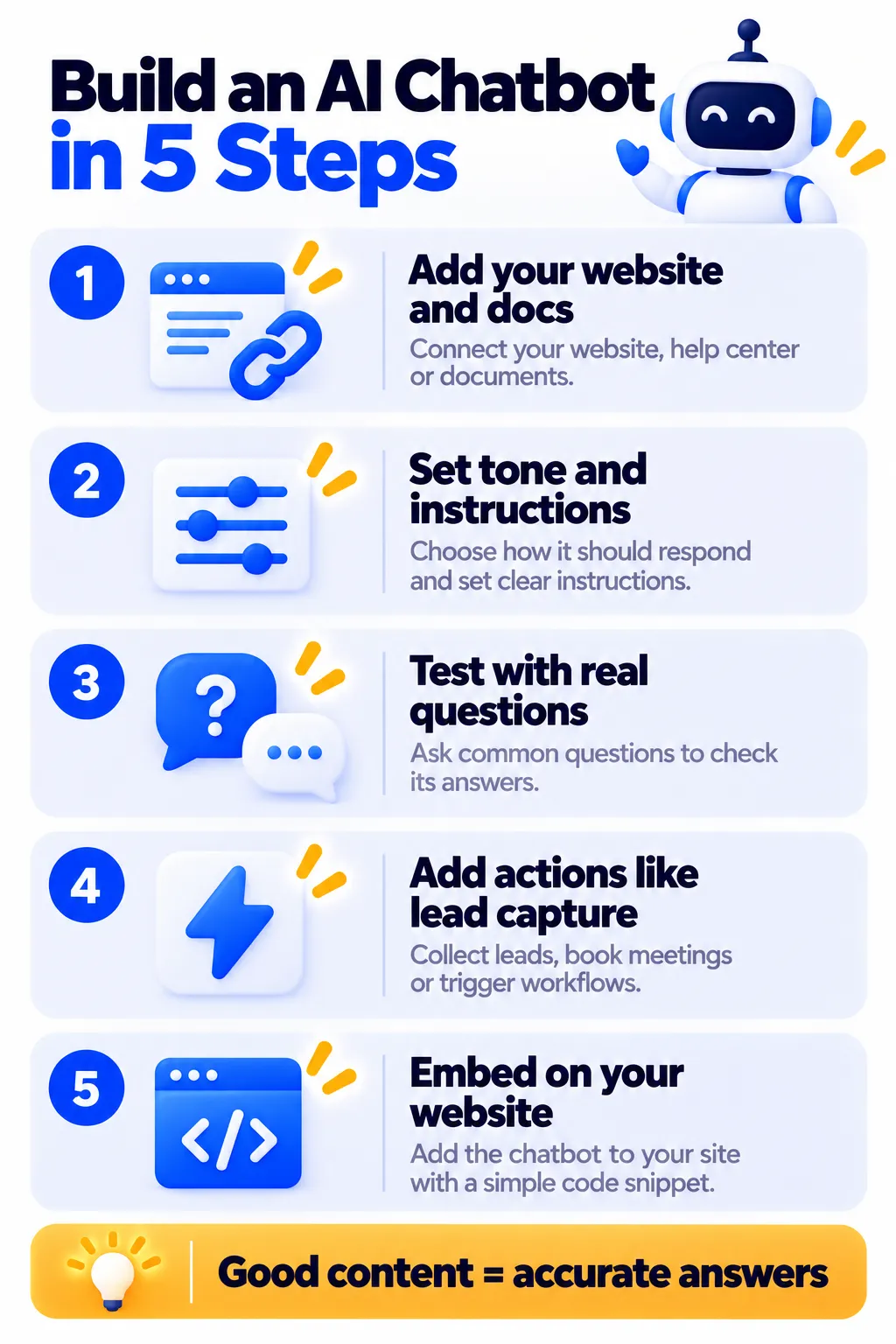
- Sign up at chatbase.co.
- Create an AI agent and add sources: your website URL, PDFs, FAQ text or Q&A pairs.
- Write instructions, such as “You are the friendly assistant for [business]. Only answer using our content. If unsure, offer to connect the visitor with our team.”
- Test in the playground with real customer questions, including tricky ones.
- Fix weak answers by adding Q&A pairs or improving your content.
- Add actions like lead capture or meeting booking.
- Embed the widget on your website with the code snippet or a plugin.
- Review conversations weekly in analytics and keep improving.
Best Use Cases
- Answering FAQs on service business and SaaS websites.
- Documentation assistants for software products.
- Lead capture and qualification for agencies and consultants.
- Internal knowledge bots for teams, such as HR policies or SOPs.
- Course and education sites answering student questions.
Pros and Cons
Pros
- Very fast to set up from existing content
- Choice of leading AI models
- AI Actions for leads, bookings and more
- Multiple channels on paid plans
- Useful analytics to improve answers
Cons
- Free plan is very limited
- Credit-based pricing can get expensive at high volume
- Not a full live chat and help desk platform on lower plans
- Answer quality depends heavily on your content
- Extra costs for credits and some add-ons
Chatbase vs Tidio vs Intercom
- Chatbase: Best for quickly building an AI agent trained on your content.
- Tidio: Better if you need live chat for a team plus AI, especially for online stores.
- Intercom: Better for established support teams that need a complete platform.
- Crisp: Better value for teams wanting an all-in-one inbox.
Tips for Accurate Answers
- Keep your website and FAQ up to date. Outdated content leads to wrong answers.
- Tell the bot to admit when it doesn’t know instead of guessing.
- Avoid sensitive topics like medical, legal or financial advice unless reviewed carefully.
- Add a human contact option for complex questions.
- Use a lighter AI model for simple FAQs to save credits.
Frequently Asked Questions
Is Chatbase free?
Yes, there’s a free plan with 50 message credits a month and one AI agent, mainly for testing.
How much does Chatbase cost?
Hobby is $40 a month ($32 billed yearly), Standard is $150 ($120 yearly) and Pro is $500 ($400 yearly), with message credit limits on each.
What is a message credit?
A credit is used each time the AI replies. Standard models typically use one credit per reply, while more advanced models use more.
Can Chatbase work on WhatsApp?
Yes, paid plans can connect WhatsApp, Messenger and Instagram. For WhatsApp marketing at scale, see our WhatsApp automation tools guide.
Does Chatbase use ChatGPT?
Chatbase lets you choose AI models from several providers, including OpenAI (the company behind ChatGPT), Anthropic and Google.
Can I use Chatbase on WordPress?
Yes. You can embed the chat widget on WordPress, Shopify, Wix, Webflow and almost any website.
The Bottom Line
Chatbase is one of the fastest ways to put a smart, content-trained AI chatbot on your website. Test it free, start with Hobby for a real site, and invest in clear content so your bot gives accurate answers. Explore more tools in our AI tools directory.
Related Guides
- tawk.to Review 2026: Free Live Chat, AI Assist and What It Really Costs
- What Is n8n? Build AI Automations and Agents, Pricing and Setup (2026)
- Gallabox Review 2026: WhatsApp Chatbots, AI Agents, Pricing and Is It Worth It?
- 10 Small Business Tasks You Can Automate Today (With the Best Tools)
Explore more in our Automation and Chatbot Tools hub.
Disclaimer: This article is for general information only and is based on details available at the time of writing. Prices, plans, features, release dates, policies and availability can change at any time and may vary by country. Please verify the latest information on the official website of the company or product mentioned before making any decision or purchase. Next DigiTech is an independent website and is not affiliated with or endorsed by the companies mentioned; all trademarks belong to their respective owners. We are not responsible for any loss or decisions made based on this content.

