
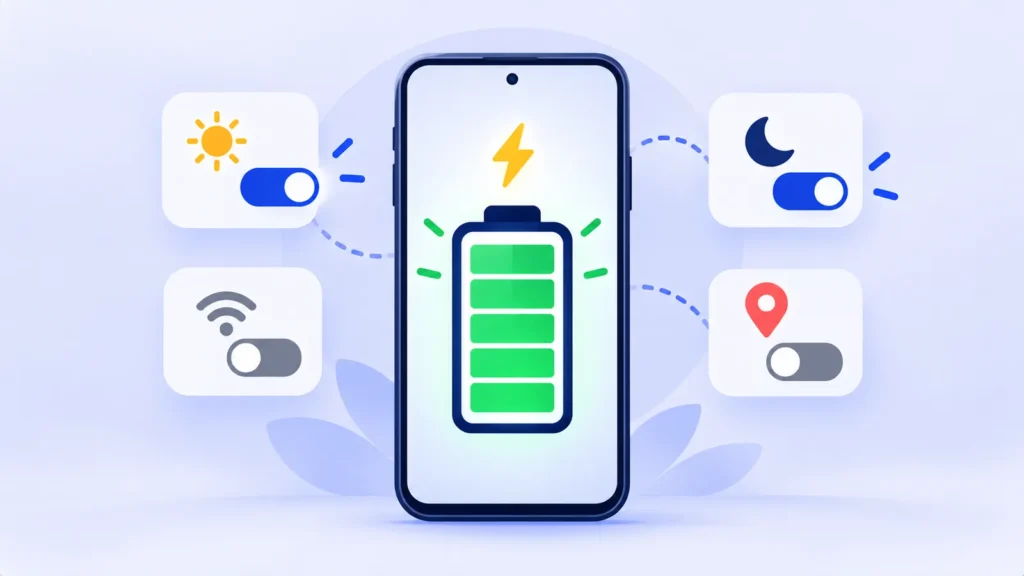
Yesterday your phone lasted all day. Today it’s at 30 percent by lunch. When battery life drops suddenly like that, it’s rarely because the battery wore out overnight. Something changed, and you can usually find it in a few minutes.
This guide is about finding the cause of sudden drain. If you just want longer battery life in general, see our list of phone settings that save battery.
First: Find the Culprit in Battery Settings
- iPhone: go to Settings > Battery and scroll to the list of apps. Tap the bars for the last 24 hours to see which apps used the most.
- Android: go to Settings > Battery > Battery usage (the exact wording varies by brand).
Look for anything that seems wrong, such as an app you barely opened sitting near the top. Then match what you see to the causes below.
9 Common Causes of Sudden Battery Drain (and Fixes)
1. You Just Installed an Update
After a system update, your phone re-indexes photos, files and apps in the background for a few days. Battery life usually returns to normal within a week. Leave it charging overnight on Wi-Fi to help it finish.
2. One App Is Misbehaving
An app can get stuck working in the background, often after its own update. If one app stands out in battery usage, force-close it, check the app store for an update, or uninstall and reinstall it. On Android, you can also set its battery use to Restricted.
3. Your Photos or Backups Are Syncing
Set up a new phone, restored a backup, or turned on iCloud Photos or Google Photos backup? Uploading thousands of photos takes a lot of power. It’s temporary, so let it finish while charging on Wi-Fi.
4. Weak Mobile Signal
When the signal is poor, your phone works harder to stay connected. If you’re in a basement office or a rural area, use Wi-Fi where you can, turn on Wi-Fi Calling, or switch on Airplane Mode (then turn Wi-Fi back on) when you don’t need mobile data.
5. An App Is Using Your Location Constantly
If the location icon shows in your status bar all the time, an app is tracking you in the background. Open your location settings and change most apps to While Using the App, and apps that don’t need location to Never.
6. A Setting Got Switched On
Updates sometimes turn features on, such as the always-on display, higher screen brightness or new widgets that refresh all day. Check your display settings and home screen for anything new.
7. Your Phone Is Running Hot
Heat makes batteries drain faster and wears them out sooner. Gaming, navigation in a hot car or charging under a pillow can all do it. See our tips for a phone that’s overheating.
8. Adware or a Shady App
On Android especially, a recently installed app that shows pop-up ads or runs constantly can drain the battery. Remove any app you don’t recognize, and read how to check for fake apps and adware. If you’re also seeing strange behavior, check these signs your phone may be hacked.
9. The Battery Is Getting Old
If none of the above explains it and your phone is a few years old, the battery may simply be worn. On iPhone, go to Settings > Battery > Battery Health. On Android, look under Settings > Battery or in your phone maker’s support app. Our guide to checking phone battery health has the details.
Remarque : Les fonctionnalités et les stratégies peuvent varier selon le plan, la région et la version de l'application, et peuvent être modifiées à tout moment. Consultez le centre d'aide officiel pour les dernières informations.
The 2-Minute Fix That Solves a Lot
Restart your phone. It clears stuck background processes and is often enough to stop sudden drain caused by a glitch after an update or app install.
When to Replace the Battery
A battery replacement is worth considering if your battery health is below about 80 percent, your phone shuts down unexpectedly, or you can’t get through a normal day even after the fixes above. It’s usually much cheaper than a new phone.
Foire aux questions
Is battery drain normal after an update?
Yes, for a few days. If it continues for more than a week, look for an app or setting that changed.
Can a cheap charger cause battery drain?
A charger won’t make your battery drain faster day to day, but poor-quality chargers can overheat the phone and wear the battery down over time. Stick to certified chargers.
Will a factory reset fix battery drain?
Sometimes, but it’s a last resort. Back up first, and try the fixes above before you erase anything.
la ligne du bas
Sudden battery drain almost always has a cause: an update, an app, syncing, weak signal or heat. Check battery usage first, fix what stands out, and only think about a new battery if the drain continues.
Guides connexes
- 10 paramètres de téléphone simples qui économisent tranquillement la batterie
- Comment vérifier la santé de la batterie de votre téléphone (iPhone et Android)
- Pourquoi mon téléphone surchauffe-t-il ? 10 solutions simples pour iPhone et Android
- Mon téléphone est-il piraté ? 10 signes avant-coureurs et quoi faire ensuite
En savoir plus dans notre Conseils techniques pour les débutants Hub.
Avis de non-responsabilité : Cet article est à titre d'information générale uniquement et est basé sur les détails disponibles au moment de la rédaction. Les prix, les plans, les fonctionnalités, les dates de sortie, les politiques et la disponibilité peuvent changer à tout moment et peuvent varier selon le pays. Veuillez vérifier les informations les plus récentes sur le site Web officiel de la société ou du produit mentionné avant de prendre une décision ou un achat. Next Digitech est un site Web indépendant et n'est pas affilié ou approuvé par les sociétés mentionnées ; Toutes les marques commerciales appartiennent à leurs propriétaires respectifs. Nous ne sommes pas responsables de toute perte ou décision prise sur la base de ce contenu.

