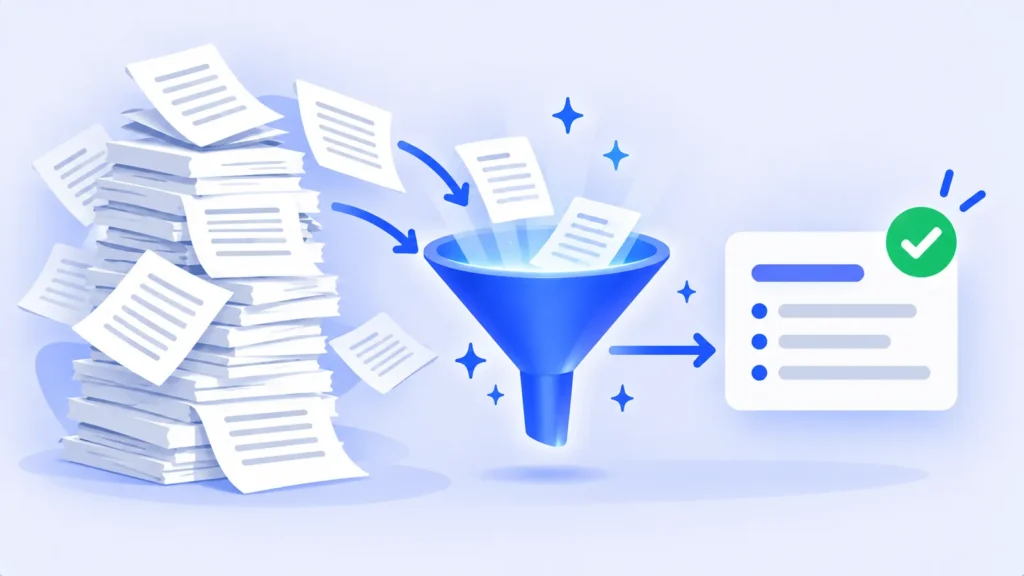
Sometimes you don’t need a summary of a long document. You need to know three things: what you have to do, by when, and what has already been decided. A 40-page project brief, a long email thread or an hour of meeting notes can hide all three in the middle of a paragraph.
AI tools are very good at pulling these out, as long as you ask the right way. Here’s a step-by-step method, prompts for common document types, and how to make sure nothing important slips through. If you just want a short overview of a PDF, our guide to summarizing PDFs with free AI tools covers that.
Why a Summary Isn’t Enough
Summaries compress. That’s great for understanding, but deadlines, owners and conditions are exactly the small details a summary tends to drop. A request focused on actions makes the AI hunt for them instead.
Step by Step: Get an Action List From Any Document
- Upload or paste the document. ChatGPT, Gemini, Claude, Copilot and NotebookLM all accept file uploads. For an email thread, copy the text in.
- Ask for actions as a table. Use the core prompt below.
- Ask for decisions and open questions separately. Mixing everything into one list makes it harder to read.
- Check every date against the original. More on this below.
- Move the list somewhere you’ll use it, such as a to-do app, a spreadsheet or your calendar.
The Core Prompt
“From this document, list every action item in a table with these columns: task, who is responsible, deadline, and the page or section where it appears. If no owner or deadline is stated, write ‘not stated’ instead of guessing.”
The last sentence matters. Without it, AI tools sometimes fill gaps with a plausible-sounding guess.
Prompts for Common Documents
Meeting notes or transcripts
“List the decisions made in this meeting, the action items with owners, and any questions that were raised but not answered.”
Project briefs and proposals
“List every deliverable, its due date, and any requirement that would cause the work to be rejected if it’s missed.”
Leases, contracts and terms
“List every date, notice period, renewal and payment obligation in this agreement, with the clause number for each.” For anything legally binding, read those clauses yourself. See also our guide to using AI to understand bills, leases and contracts.
Long email threads
“What has been agreed in this thread, what is still waiting on me, and what is waiting on someone else?”

Turn the List Into Something You’ll Use
- To-do list: ask “Rewrite these as a checklist sorted by deadline” and paste it into your task app.
- Spreadsheet: ask for the table in a copy-friendly format, then paste it into Google Sheets or Excel to sort and filter.
- Calendar: add the key deadlines yourself, with a reminder a few days before each one.
How to Make Sure Nothing Was Missed
- Ask what’s missing: “Which dates or numbers in the document are not in your table?”
- Watch for vague timing. Phrases like “soon,” “next quarter” or “after approval” aren’t real deadlines. Ask the AI to flag them so you can get a firm date.
- Spot-check the source. For the two or three most important items, open the page or section it cites and confirm the wording.
Remarque : Les fonctionnalités et les stratégies peuvent varier selon le plan, la région et la version de l'application, et peuvent être modifiées à tout moment. Consultez le centre d'aide officiel pour les dernières informations.
Un petit mot sur la confidentialité
Work documents often contain names, client details or confidential plans. Only upload them to tools your workplace has approved, and check the tool’s settings to see whether your chats are used for model training.
Foire aux questions
Which AI tool is best for finding action items?
Most major assistants handle this well. NotebookLM is helpful when you need to check sources, because it links each answer to the passage it came from.
Can AI pull action items from a meeting recording?
Yes, if you have a transcript. Many meeting tools create one automatically, and you can then use the prompts above. See our picks for AI meeting note takers.
What if the AI invents a deadline?
Ask it to quote the exact sentence for that item. If it can’t, treat the deadline as unconfirmed and check the document yourself.
la ligne du bas
When you need to act on a document, ask for actions, not a summary. Request a table with owners, deadlines and sources, tell the AI not to guess, and check the key dates yourself. Ten minutes later, you have a to-do list you can trust.
Guides connexes
- Comment résumer gratuitement de longs PDF avec AI (sans manquer les éléments importants)
- Comment utiliser l'IA pour comprendre les documents déroutants (factures, baux et contrats)
- Meilleurs preneurs de notes de réunion d'IA pour Zoom, Teams et Google Meet (2026)
- Qu'est-ce que carnetLM ? Comment utiliser l'ordinateur portable gratuit de Google (2026)
En savoir plus sur notre hub AI Productivity Tools.
Avis de non-responsabilité : Cet article est à titre d'information générale uniquement et est basé sur les détails disponibles au moment de la rédaction. Les prix, les plans, les fonctionnalités, les dates de sortie, les politiques et la disponibilité peuvent changer à tout moment et peuvent varier selon le pays. Veuillez vérifier les informations les plus récentes sur le site Web officiel de la société ou du produit mentionné avant de prendre une décision ou un achat. Il ne s'agit pas de conseils médicaux, financiers, juridiques ou de sécurité; Consultez un professionnel qualifié pour votre situation. Next Digitech est un site Web indépendant et n'est pas affilié ou approuvé par les sociétés mentionnées ; Toutes les marques commerciales appartiennent à leurs propriétaires respectifs. Nous ne sommes pas responsables de toute perte ou décision prise sur la base de ce contenu.