“Your car’s extended warranty…” Spam calls are one of the biggest daily annoyances for phone owners in the US, UK and Australia. Blocking one number rarely helps, because scammers rotate numbers and fake caller ID.
The good news: your phone now has strong built-in tools. Turn on the right settings and most spam calls will never ring again.
How to Stop Spam Calls on iPhone
1. Turn on Call Screening (iOS 26 and later)
Go to Settings > Apps > Phone > Screen Unknown Callers. You’ll see three choices:
- Ask Reason for Calling (recommended): Your iPhone answers unknown numbers and asks the caller who they are and why they’re calling. You see a live text transcript and decide whether to pick up. Most robocalls simply hang up.
- Silence: Unknown callers go straight to voicemail without ringing. Strongest option, but you might miss a delivery driver or doctor’s office.
- Never: Turns screening off.
Numbers saved in Contacts, and numbers you’ve recently called or texted, ring through normally.
2. Turn on spam filtering
Go to Settings > Apps > Phone, scroll down to Call Filtering, and turn on Spam. This silences calls your carrier has flagged as spam or fraud.
3. Add a call-blocking app (optional)
Under Settings > Apps > Phone > Call Blocking & Identification, you can enable your carrier’s app or a trusted third-party blocker.
4. Filter spam texts too
In Settings > Apps > Messages, turn on Screen Unknown Senders so texts from unknown numbers go to a separate list instead of your main inbox.
How to Stop Spam Calls on Android
Google Phone app (Pixel and many other phones)
Open the Phone app > three dots > Settings > Spam and Call Screen. Turn on See caller & spam ID and Filter spam calls. On Pixel phones, you can also set Call Screen to automatically screen unknown callers, similar to the iPhone feature.
Samsung Galaxy phones
Open the Phone app > three dots > Settings > Caller ID and spam protection, turn it on, and choose to block spam and scam calls. Samsung’s newer phones also offer call screening options in the same menu.
Tip: Menu names vary by brand. If you can’t find these settings, open your Phone app’s settings and search for “spam.”
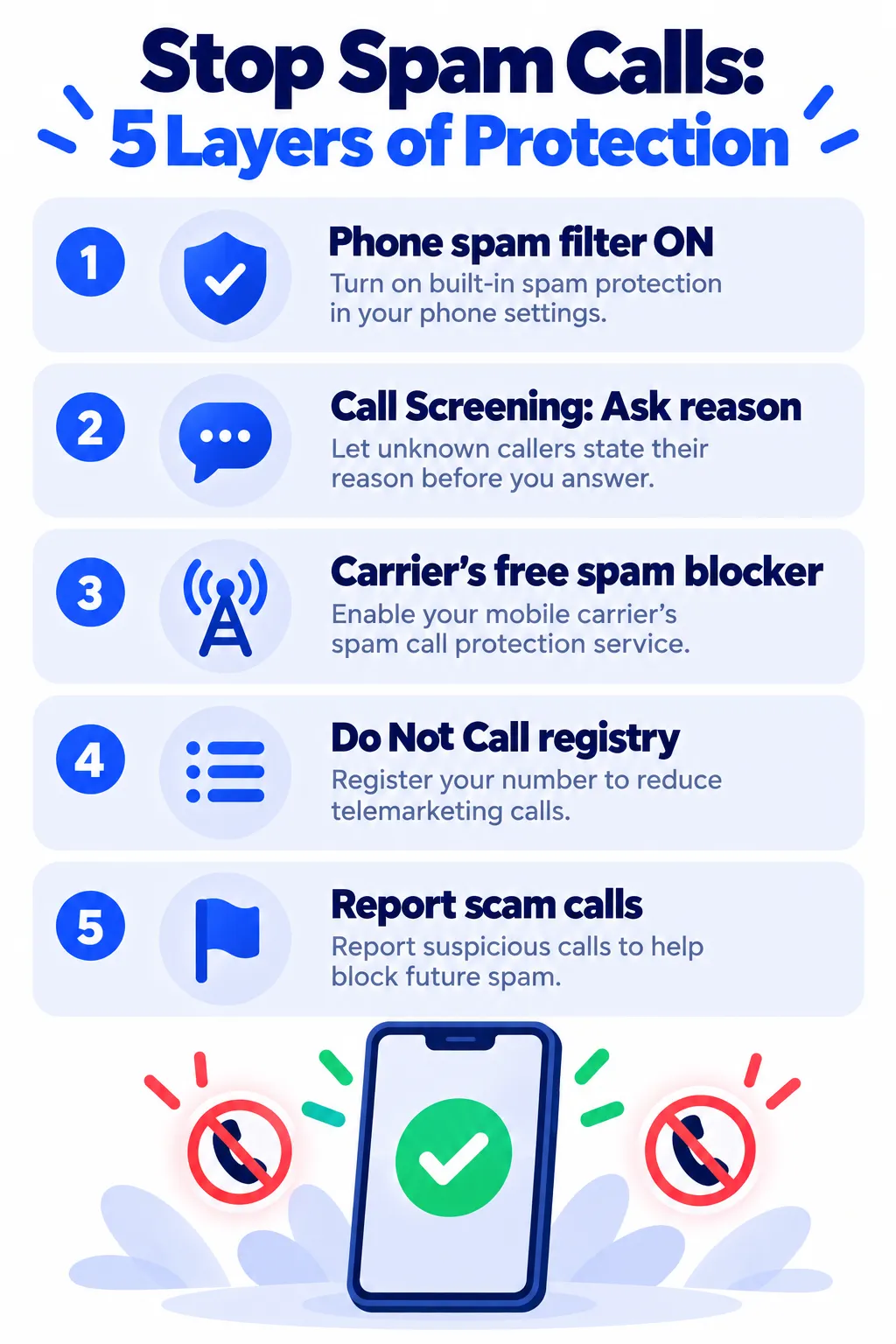
Use Your Carrier’s Free Spam Blocking
Most major carriers include free spam and scam call blocking. In the US, look for AT&T ActiveArmor, Verizon Call Filter or T-Mobile Scam Shield. In the UK and Australia, check your network’s website or app for call-blocking options. The free tiers are usually enough for most people.
Note: Features and policies may vary by plan, region and app version, and can change at any time. Check the official help center for the latest information.
Register With the Do Not Call List
- US: Register free at donotcall.gov.
- UK: Register free with the Telephone Preference Service (TPS).
- Australia: Register free at donotcall.gov.au.
These lists stop legitimate telemarketers, not criminals. They still help cut the overall volume.
Report Spam and Scam Calls
- In the US, report scam calls at reportfraud.ftc.gov.
- In the US and UK, forward spam texts to 7726 (spells “SPAM” on a keypad) so your carrier can block the sender.
- Use your phone’s Report Junk or Block and report spam option when you get a spam text.
Habits That Reduce Spam Calls
- Don’t answer unknown numbers if you’re not expecting a call. Answering tells robocallers your number is active.
- Never press a number to “be removed from the list.” It usually leads to more calls.
- Don’t say “yes” to an unknown caller’s opening question.
- Be careful where you share your number, such as contests, store loyalty forms and online quizzes.
Some scam calls now use AI to copy the voice of someone you know. Learn the warning signs in our guide to AI voice cloning scams.
Frequently Asked Questions
Why am I suddenly getting so many spam calls?
Your number may have appeared in a data breach or been sold by a data broker. Once a number is marked as “active,” it gets shared more widely.
Will Call Screening block important calls?
“Ask Reason for Calling” rarely blocks real callers, because they can explain why they’re calling. “Silence” sends every unknown number to voicemail, so check your voicemail regularly.
Do call-blocking apps cost money?
Many have free versions with basic blocking. Built-in phone and carrier tools are free and are enough for most people.
Can I stop spam calls completely?
Not 100%, but combining your phone’s spam filter, call screening and carrier blocking stops the vast majority.
The Bottom Line
On iPhone, turn on Call Screening with “Ask Reason for Calling” and the spam filter. On Android, turn on caller ID and spam protection in your Phone app. Add your carrier’s free blocker and register with the Do Not Call list. Your phone will get much quieter within a week or two.
Related Guides
- Is My Phone Hacked? 10 Warning Signs and What to Do Next
- Your Email Was in a Data Breach: What to Do Next (Step by Step)
- How to Spot a Fake App Before You Download It (7 Warning Signs)
- Is This App Safe? 8 Checks to Do Before You Download Any New App
Explore more in our Online Safety and Privacy hub.
Disclaimer: This article is for general information only and is based on details available at the time of writing. Prices, plans, features, release dates, policies and availability can change at any time and may vary by country. Please verify the latest information on the official website of the company or product mentioned before making any decision or purchase. This is not medical, financial, legal or security advice; consult a qualified professional for your situation. Next DigiTech is an independent website and is not affiliated with or endorsed by the companies mentioned; all trademarks belong to their respective owners. We are not responsible for any loss or decisions made based on this content.