
Apple’s MacBook Neo shook up the budget laptop market. It launched at $599 (or $499 for students and teachers), the cheapest new MacBook Apple has ever sold. But Windows laptops in the same price range often offer more memory and storage.
So which should you buy? Here’s a simple, honest comparison.
MacBook Neo at a Glance
- Launch price: $599 for 8 GB memory and 256 GB storage; $699 for 512 GB with Touch ID; $499 education price.
- Chip: Apple A18 Pro, the same family of chip used in iPhones.
- Build: All-aluminum, fanless (completely silent).
- Display: Bright screen, up to around 500 nits.
- Camera: 1080p.
- Memory: 8 GB, which can’t be upgraded later.
Prices can change, especially with the 2026 memory shortage pushing laptop prices up, so check Apple’s website for current pricing.
Where the MacBook Neo Wins
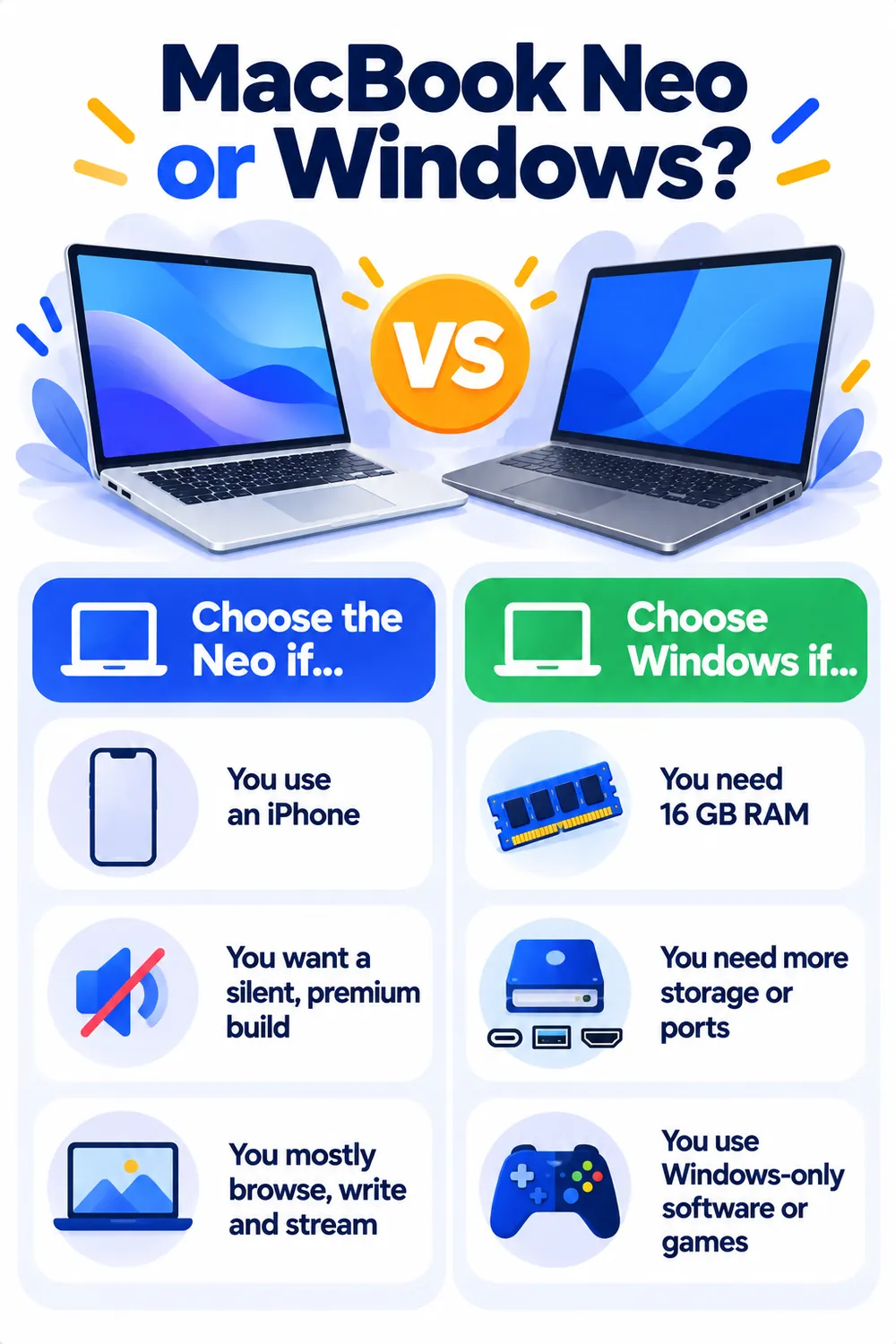
- Build quality: A solid aluminum body that feels premium, while many Windows laptops at this price use plastic.
- Screen brightness: Brighter than most budget Windows laptops, which helps near windows or outdoors.
- Single-core speed: Everyday tasks like browsing and opening apps feel very quick. In Tom’s Guide lab tests, the Neo beat several similarly priced Windows laptops in single-core performance.
- Silent and cool: No fan means no noise.
- Works with your iPhone: AirDrop, iMessage, shared passwords and photos work smoothly if you already use an iPhone.
- Long software support: Macs typically receive updates for many years.
Where Windows Laptops Win
- More memory: Many Windows laptops around the same price come with 16 GB of RAM instead of 8 GB, which helps with heavy multitasking.
- More storage: 512 GB is common at this price, versus 256 GB on the base Neo.
- Multi-core performance: In the same tests, some Windows laptops beat the Neo on heavier multi-core tasks.
- More ports and features: HDMI, more USB ports, touchscreens and Windows Hello face login are easier to find.
- Software and games: Some programs and most PC games only run on Windows.
Popular Windows Alternatives to Consider
These are commonly compared with the MacBook Neo. Prices change often, so check current deals:
- Dell 14 Plus: Well-rounded, often with 16 GB RAM and 512 GB storage.
- Asus Zenbook A14: Very light, with strong battery life.
- HP OmniBook 5 (14-inch OLED): Beautiful OLED screen and long battery life with a Snapdragon chip.
- Lenovo IdeaPad Slim 3x / Slim 5: Good value with more memory and storage.
- Asus Vivobook Go: One of the cheapest options for basic tasks, with fewer premium touches.
Note: Prices are based on official announcements at the time of writing and may vary by country, retailer, taxes and promotions. Always check the latest pricing on the official website before buying.
Before buying any of them, use our laptop buying checklist to make sure the exact model has the specs you need.
Is 8 GB of Memory Enough on the MacBook Neo?
For web browsing, email, documents, streaming, schoolwork and light photo editing, yes. Apple’s chips manage memory efficiently, and reviewers found it handles everyday use well. If you regularly run many apps at once, edit video, or want the laptop to last five or more years, 16 GB is the safer choice. That might mean a Windows laptop or a MacBook Air.
Our Recommendation
- Students and iPhone users who mainly browse, write and stream: the MacBook Neo is an easy pick, especially at the education price.
- Heavy multitaskers and anyone on a strict budget who wants maximum specs: a Windows laptop with 16 GB RAM and 512 GB storage.
- Gamers or people who need specific Windows software: Windows, every time.
- Mac fans who want more power: stretch to a MacBook Air if your budget allows.
Frequently Asked Questions
How much is the MacBook Neo?
It launched at $599 for the base model, $699 with 512 GB storage and Touch ID, and $499 with education pricing. Check Apple’s site for current prices.
Can you upgrade the MacBook Neo’s RAM?
No. The memory is built into the chip package, so choose carefully at purchase.
Is the MacBook Neo good for students?
Yes, for most schoolwork. It’s light, quiet, well-built and has good battery life. Students who need heavy software, like video editing or engineering apps, may want more memory.
Should I wait for Black Friday?
Laptop prices are rising in 2026, so holiday deals may be the best prices for a while. Read why laptop prices are going up before deciding.
The Bottom Line
The MacBook Neo is the best choice under $700 for build quality, simplicity and iPhone users. Windows laptops win on memory, storage, ports and flexibility. Decide based on what you’ll actually do with it, not just the specs sheet.
Related Guides
- How to Speed Up a Slow Laptop in 10 Minutes (Windows and Mac)
- Windows 10 Security Updates Now Run Until October 2027: What You Need to Know
- How to Transfer Photos From iPhone to PC (3 Easy Ways)
- 8 Chrome Extensions That Make Everyday Browsing Faster (Checked for 2026)
Explore more in our Tech Tips for Beginners hub.
Disclaimer: This article is for general information only and is based on details available at the time of writing. Prices, plans, features, release dates, policies and availability can change at any time and may vary by country. Please verify the latest information on the official website of the company or product mentioned before making any decision or purchase. Next DigiTech is an independent website and is not affiliated with or endorsed by the companies mentioned; all trademarks belong to their respective owners. We are not responsible for any loss or decisions made based on this content.