

Google Home’s October 29, 2026 update brings a useful mix of smart-home improvements: better Matter device controls, energy information for compatible devices, fixes for Nest cameras, and reliability upgrades for Gemini for Home. Some changes are available in the Google Home app, while others arrive through firmware updates to supported Nest and Google devices.
The update is not a single feature that appears on every device at once. Google says features can take time to roll out, and several capabilities depend on compatible Matter accessories, a suitable Google Home hub, or Gemini for Home Early Access. This guide explains what changed, who can use it, and how to check for the update.
What’s new in the October 2026 Google Home update?
- Matter device controls: More accurate icons and controls for doors, windows, blinds and other supported closures.
- Energy monitoring: Compatible Matter smart plugs and energy monitors can show real-time power and total energy use in the Android app.
- Energy-saving shortcuts: Set an energy-saving thermostat temperature with a single tap.
- Philips Hue local control: Supported Hue bridges can move to local Matter control through Google Home hubs, without re-pairing.
- Nest camera fixes: Improvements include more reliable Wi-Fi reconnection, faster night-vision switching on selected cameras, and better person detection on a supported wired doorbell.
- Gemini for Home: More reliable room-to-room music transfer, timers, alarms, YouTube TV commands and volume controls.
1. Matter devices get more accurate controls
Google Home now recognises more specific Matter device types on Android. Instead of showing every connected opening as a generic gate, the app can display the correct icon and controls for supported garage doors, gates, windows, blinds and cabinets.
This matters because the control you see should match the device you actually installed. A blind, for example, needs a different interaction from a garage door. Correct device identification makes the Home app easier to understand and reduces the chance of using an unsuitable control.
What you need
- A Matter-compatible accessory that exposes the relevant device type.
- A compatible Google Home setup and a current version of the app.
- The accessory correctly added to your home.
Not every older smart device will gain these controls automatically. The accessory must support the relevant Matter capability, and the feature is listed for Android in Google’s October 29 notes.
2. Google Home adds energy information for compatible Matter devices
One of the more practical additions is energy information for supported Matter smart plugs and energy monitors. When the accessory measures cumulative energy use, Google Home for Android can show both current power and total energy consumed.
- Real-time power: Shown in milliwatts (mW), this indicates how much power the connected device is using at that moment.
- Total energy: Shown in kilowatt-hours (kWh), this represents energy used over time.
These are different measurements. A device drawing more power at a particular moment does not automatically mean it will use more energy over a full day; the duration of use also matters.
How to view energy data
- Make sure your smart plug or energy monitor supports Matter energy reporting.
- Confirm it is added to the correct home in Google Home.
- Open the device tile in the Google Home app on Android.
- Look for the power or energy information on the device tile or controller screen.
If no energy values appear, check the accessory’s specifications and firmware first. The feature does not create energy measurements for devices that do not report them.
3. One-tap thermostat shortcuts make energy saving easier
Google has added quick-set energy-saving temperature shortcuts to supported thermostat controls. You can use the shortcut from the thermostat controller or home view rather than opening several menus to adjust the temperature before leaving.
The shortcut is a convenience, not an automatic energy-saving guarantee. Actual savings depend on your climate, insulation, thermostat schedule, equipment and the temperature you choose. Check the temperature before applying it, especially in homes with pets, children or people who need a particular indoor temperature.
4. Philips Hue can use local Matter control through Google Home
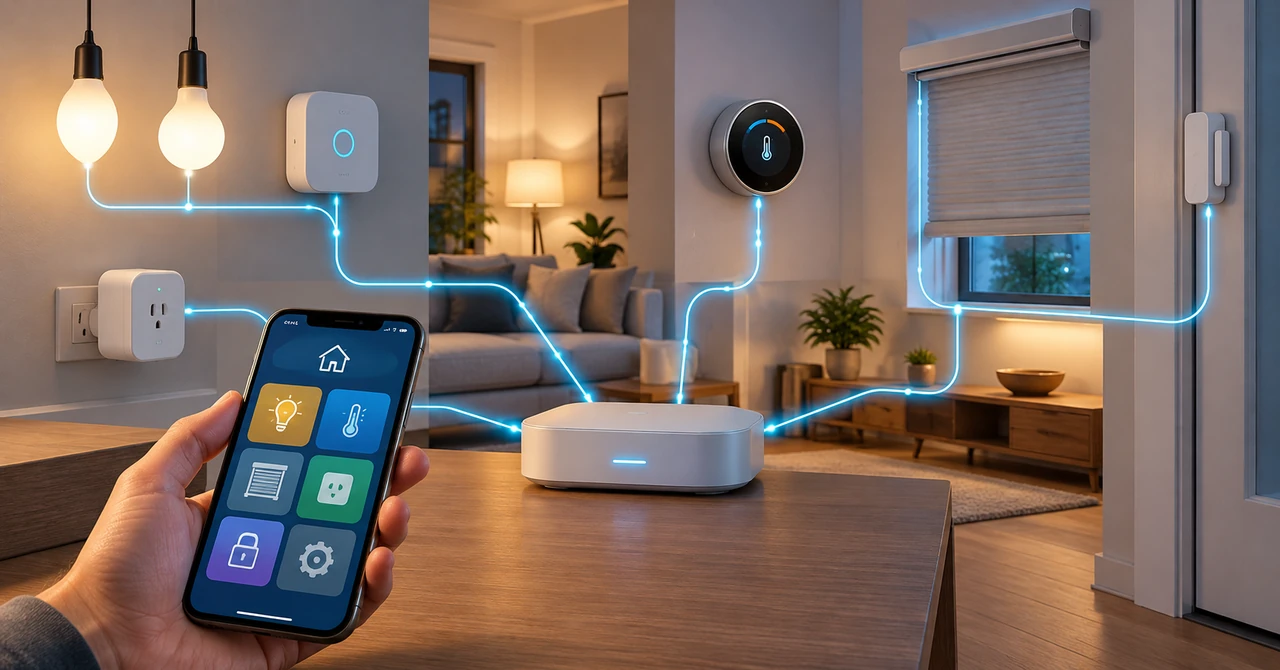
Google’s October 14 release notes describe a change for existing Philips Hue bridges: supported bridges can upgrade in the background to local Matter control through Google Home hubs. Google says this provides faster response times and better reliability without requiring users to pair the lights again.
Local control means compatible devices can communicate over the home network through the supported hub, rather than every command needing to make a round trip through a cloud service. The exact behaviour still depends on the devices, bridge, hub and supported integrations in your setup.
Before troubleshooting
- Keep the Hue bridge and Google Home hub powered and connected to the same home network as required by your setup.
- Install available firmware and app updates.
- Give the background upgrade time to complete.
- Avoid deleting and re-adding devices unless Google or the device manufacturer specifically recommends it.
If you are setting up a new smart-home accessory, you may also need your Wi-Fi credentials. See our guide to finding a saved Wi-Fi password on Windows, Mac, iPhone and Android.
5. Nest cameras and doorbells receive reliability improvements
The October 29 notes include several camera-related fixes, including updates for older Nest models migrated to the Google Home app.
Wi-Fi reconnection and night vision
Selected Nest cameras receive improvements intended to reduce crashes or stalls after brief Wi-Fi interruptions. Google also says night-vision switching is faster on first-generation Nest Cam Indoor and Outdoor models when the camera starts in low light or night vision is enabled in the app.
Better detection on a supported Nest Doorbell
Google lists improved person and Familiar Face detection for the first-generation wired Nest Doorbell (Nest Hello), particularly when visitors are farther from the door or turned at an angle. Detection performance can still vary with lighting, camera placement, distance and the scene.
Other camera fixes
- Improved audio and video synchronisation on the first-generation wired Nest Doorbell.
- More reliable live camera viewing when folding or unfolding supported Android foldable phones.
- Fixes for camera status-light behaviour on selected Nest Cam IQ models.
- More reliable camera event timeline behaviour on iOS.
These changes are model-specific. Check the exact camera model in the Google Home app before assuming a particular fix applies to your device.
6. Gemini for Home gets more reliable voice controls
The October 29 release notes also include a set of fixes for Gemini for Home Early Access. The goal is to make everyday voice commands behave more predictably.
- Move music between rooms: Gemini better understands requests to move currently playing music to a speaker or display in another room.
- Fewer unexpected replies: A fix addresses speakers or displays saying “Sorry, I didn’t understand” when nobody had spoken.
- Timers and alarms: Gemini better distinguishes media sleep timers from regular timers and alarms.
- YouTube TV: Voice commands to start content on smart displays are more reliable.
- Room-to-room volume: A fix prevents some commands from changing the volume on the wrong device when the intended speaker cannot be found.
- Zero-volume alarms: A specific issue that could set timer or alarm volume to zero has been fixed.
These voice-assistant changes are marked for Gemini for Home Early Access. They should not be treated as a promise that every Google speaker has received every improvement.
7. Other Google Home and Nest device updates
The same release notes list firmware improvements across several Google devices. These include connectivity and stability changes for Chromecast with Google TV, improvements to Nest Wifi and Nest Wifi Pro, and smoother audio playback and local device discovery on selected Nest and Google speakers.
For Nest Wifi Pro, Google lists changes involving DNS fallback, node setup reliability, mesh performance and wireless stability. Older Nest Wifi devices also receive mesh resilience and DNS fallback improvements. These updates are delivered to supported hardware and may install separately from the phone app.
How to get the October 2026 Google Home update
Google rolls out app features and device firmware in stages. You may have the latest app and still not see every feature immediately.
Update Google Home on Android
- Open the Google Play Store.
- Search for Google Home.
- Open the app listing and tap Update if the button is available.
- After updating, open Google Home and check your device tiles and settings.
Update Google Home on iPhone or iPad
- Open the Apple App Store.
- Tap your account picture and review available app updates.
- Update Google Home if an update is listed.
- Reopen the app and check for the relevant camera or home controls.
Check device firmware
Many Nest, Google TV and speaker improvements arrive as device firmware updates. Keep the devices connected to power and the internet, and check the device settings or Google’s official release notes for model-specific availability. Avoid factory-resetting a device simply because an update has not appeared yet.
Why some Google Home features may be missing
- Gradual rollout: Google says features can take time to reach everyone, even when the app is up to date.
- Platform limits: Some October 29 features are specifically listed for Android, while other fixes apply to iOS.
- Accessory compatibility: Matter energy reporting requires a compatible device that actually measures and reports energy.
- Hub requirements: Local Matter control depends on a compatible Google Home hub and supported accessories.
- Early Access: Gemini for Home voice changes are listed under Early Access and may not be available to all users.
Is the October 2026 Google Home update worth installing?
Yes, if the update is offered for your phone or smart-home devices. The most useful changes are the clearer Matter controls, energy readings for compatible accessories, local Matter support for supported Philips Hue setups, and camera reliability fixes. Gemini for Home users may also notice more consistent voice commands.
However, the update does not make every older smart-home product compatible with Matter, and it does not guarantee that every device will receive every feature. Check your accessory and hub compatibility, update through the official app stores, and allow staged firmware rollouts to complete.
Frequently asked questions
What is new in the October 29, 2026 Google Home update?
The update includes more accurate Matter device controls, energy data for supported Matter accessories on Android, thermostat energy-saving shortcuts, Nest camera fixes and Gemini for Home voice-assistant improvements.
Does Google Home now support energy monitoring for every smart plug?
No. The accessory must be compatible with Matter and report cumulative energy usage. Google Home cannot display measurements that the device does not provide.
Do I need to reconnect Philips Hue lights after the local Matter update?
Google says supported existing Philips Hue bridges can upgrade to local Matter control in the background through Google Home hubs without re-pairing. Compatibility depends on the bridge and hub in your setup.
Why can’t I see the new Google Home features?
Features roll out gradually and may require a supported phone, accessory, hub or Early Access enrollment. Having the newest app version does not guarantee immediate access.
Are the Nest camera improvements available on all models?
No. Google’s release notes name specific camera and doorbell models for some fixes. Check the model-specific notes before expecting a particular change.

