

LanguageTool is a grammar, spelling and style checker that works in more than 30 languages. It’s one of the most popular alternatives to Grammarly, especially for people who write in English plus another language, and it works in your browser, Google Docs, Microsoft Word and email.
Here’s what LanguageTool does, what’s free, and whether Premium is worth it in 2026.
Quick Verdict
- Best for: Multilingual writers, students and professionals who want a cheaper Grammarly alternative.
- Not ideal if: You want the most polished English tone and rewrite suggestions. Grammarly may feel smoother.
- Is the free plan enough? For everyday emails and short documents, yes.
What Is LanguageTool?
LanguageTool is an AI-powered writing assistant from Germany. It checks grammar, spelling, punctuation and style as you type. Its core engine is open source, and it supports languages including English, German, French, Spanish, Portuguese, Dutch, Polish and many more.
Key Features
- Grammar and spelling checks in 30+ languages and dialects, with automatic language detection.
- Style suggestions for clearer, more professional writing (more on Premium).
- AI paraphrasing to rewrite sentences (unlimited on Premium).
- Browser extension for Chrome, Edge, Firefox and Safari.
- Add-ins for Google Docs, Microsoft Word and desktop apps.
- Personal dictionary and team style guides.
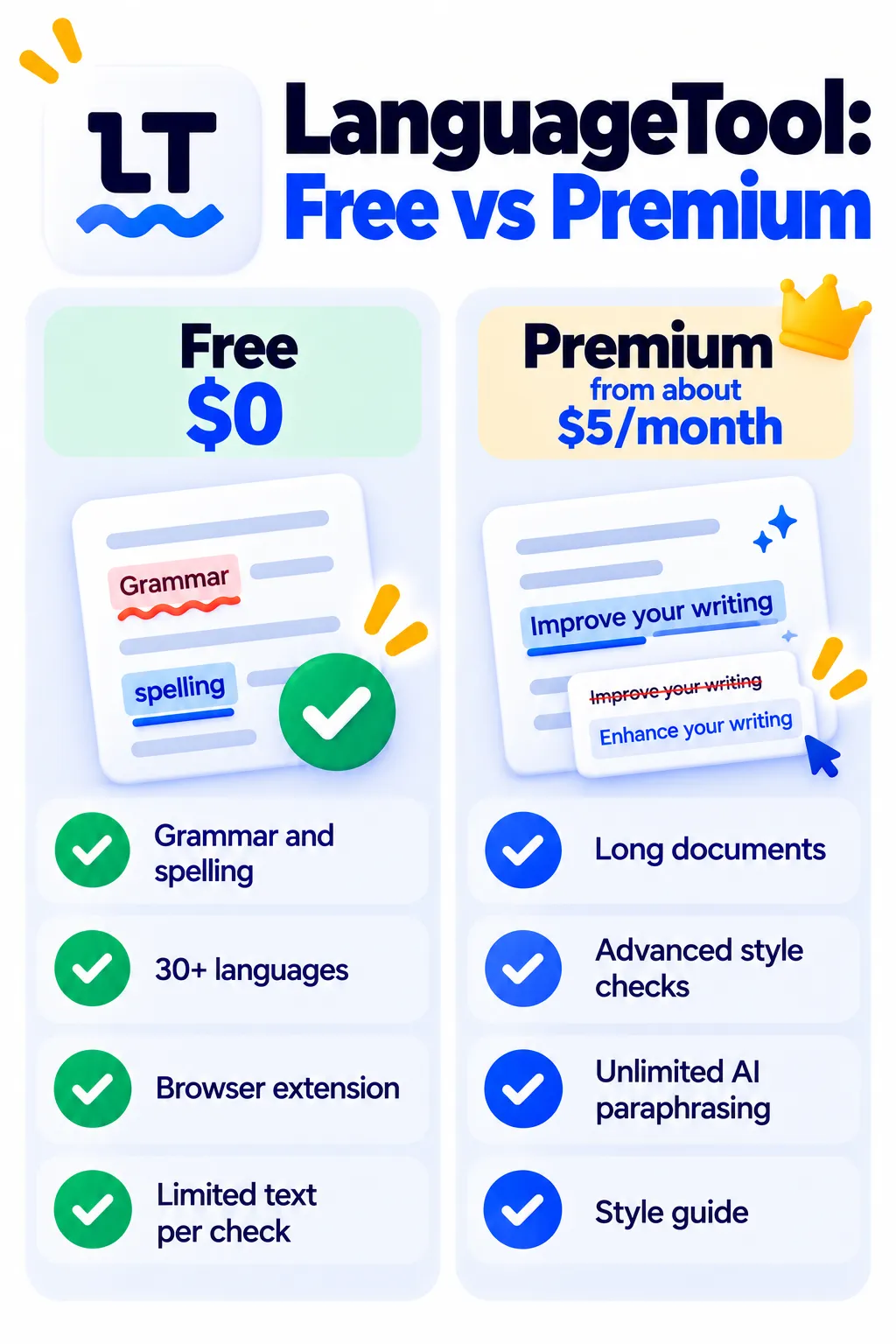
LanguageTool Pricing (2026)
LanguageTool Premium is much cheaper on longer billing cycles. US prices as of October 2026:
| Plan | Price | What you get |
|---|---|---|
| Free | $0 | Basic grammar and spelling in 30+ languages, with a limit on how much text you can check at once |
| Premium (monthly) | About $24.90/month | Full checks, long texts (up to 150,000 characters), unlimited AI paraphrasing, style guide |
| Premium (yearly) | About $69.90/year (around $5.83/month) | Same as above |
| Premium (2 years) | About $119.80 (around $4.99/month) | Same as above |
Team plans are also available. Check languagetool.org for current prices in your region.
How to Use LanguageTool
- Go to languagetool.org and install the browser extension.
- Sign up free to save your settings and personal dictionary.
- Start writing in Gmail, Google Docs or any text box.
- Click underlined words to see suggestions and explanations.
- Add the Word or Google Docs add-in if you write long documents.
Pros and Cons
Pros
- Excellent multilingual support
- Useful free plan with browser extension
- Much cheaper than Grammarly on yearly plans
- Open-source core and privacy-friendly options
Cons
- Free plan limits how much text you can check at once
- Monthly Premium is expensive compared with yearly
- English tone and rewrite suggestions are less advanced than Grammarly’s
LanguageTool vs Grammarly vs QuillBot
- LanguageTool: Best for multiple languages and value.
- Grammarly: Best for English tone and AI rewriting.
- QuillBot: Best for paraphrasing and summarizing.
See more options in free Grammarly alternatives. For clearer, simpler writing, pair it with the Hemingway Editor.
Frequently Asked Questions
Is LanguageTool free?
Yes. The free plan checks grammar and spelling in 30+ languages, with limits on text length and advanced features.
How much is LanguageTool Premium?
About $24.90 month to month, or roughly $5 to $6 a month on yearly or two-year plans.
Is LanguageTool better than Grammarly?
For multiple languages and price, often yes. For English tone and rewriting, Grammarly is usually stronger.
Does LanguageTool work in Google Docs and Word?
Yes, through its browser extension and add-ins.
Is LanguageTool safe for private documents?
It processes text on its servers, so avoid pasting highly confidential information. Businesses can look at self-hosted options.
The Bottom Line
LanguageTool is one of the best grammar checkers for multilingual writers and one of the best-value Grammarly alternatives. Start free, and choose a yearly Premium plan if you write long documents regularly. Explore more tools in our AI tools directory.
Related Guides
- How to Use AI to Write Emails in Gmail (Step by Step)
- Rytr Review 2026: The Budget AI Writer, Free Plan and Pricing
- How to Use AI to Write Blog Posts (Without Publishing Generic Content)
- How to Write Better AI Prompts: A Beginner’s Guide With Examples
Explore more in our AI Writing Tools hub.
Disclaimer: This article is for general information only and is based on details available at the time of writing. Prices, plans, features, release dates, policies and availability can change at any time and may vary by country. Please verify the latest information on the official website of the company or product mentioned before making any decision or purchase. Next DigiTech is an independent website and is not affiliated with or endorsed by the companies mentioned; all trademarks belong to their respective owners. We are not responsible for any loss or decisions made based on this content.

