
QuillBot is an AI writing tool best known for paraphrasing: it rewrites sentences in different words while keeping the meaning. It also includes a grammar checker, summarizer, translator and citation generator, which makes it popular with students and writers.
Here’s what QuillBot does, what’s free, and how to use it the right way.
Quick Verdict
- Best for: Rewording awkward sentences, summarizing long text and fixing grammar quickly.
- Skip Premium if: You only rewrite a sentence or two at a time. The free plan handles that.
- Is the free plan enough? For light use, yes. The free paraphraser is limited to 125 words at a time.
What Is QuillBot?
QuillBot is a set of AI writing tools in one place. You paste text, choose a tool, and QuillBot rewrites, summarizes or corrects it. It works on the web at quillbot.com, as a Chrome extension, in Microsoft Word and Google Docs, and as a mobile app.
QuillBot’s Main Tools
- Paraphraser: Rewrites text in different words, with modes like Standard, Fluency, Formal and Simple.
- Grammar Checker: Fixes spelling, grammar and punctuation.
- Summarizer: Turns long articles into key sentences or bullet points.
- AI Detector: Estimates whether text may be AI-generated.
- Citation Generator: Creates citations in APA, MLA, Chicago and more.
- Translator: Translates text between many languages.
How to Use QuillBot (Step by Step)
- Go to quillbot.com. You can start without an account, but signing up free saves your history.
- Choose Paraphraser from the menu.
- Paste your text (up to 125 words on the free plan).
- Pick a mode, like Standard or Fluency, and click Paraphrase.
- Click any word in the result to see alternative synonyms.
- Read the result carefully and edit it so it still sounds like you.
Smart Ways to Use QuillBot
- Fix one clunky sentence in an email or report.
- Simplify jargon: Use Simple mode to make technical text easier to read.
- Summarize research before deciding whether to read the full article.
- Create citations for your sources in the right format.
- Improve flow in your own writing by trying Fluency mode on rough drafts.
Use QuillBot Honestly (Important for Students)
Paraphrasing someone else’s work and submitting it as your own is still plagiarism, even if the words are different. Always cite your sources. Many schools also have rules about AI writing tools, so check your school’s policy first. Learn more in do AI detectors actually work?
QuillBot Pricing (2026)
US prices as of October 2026:
| Plan | Price | What you get |
|---|---|---|
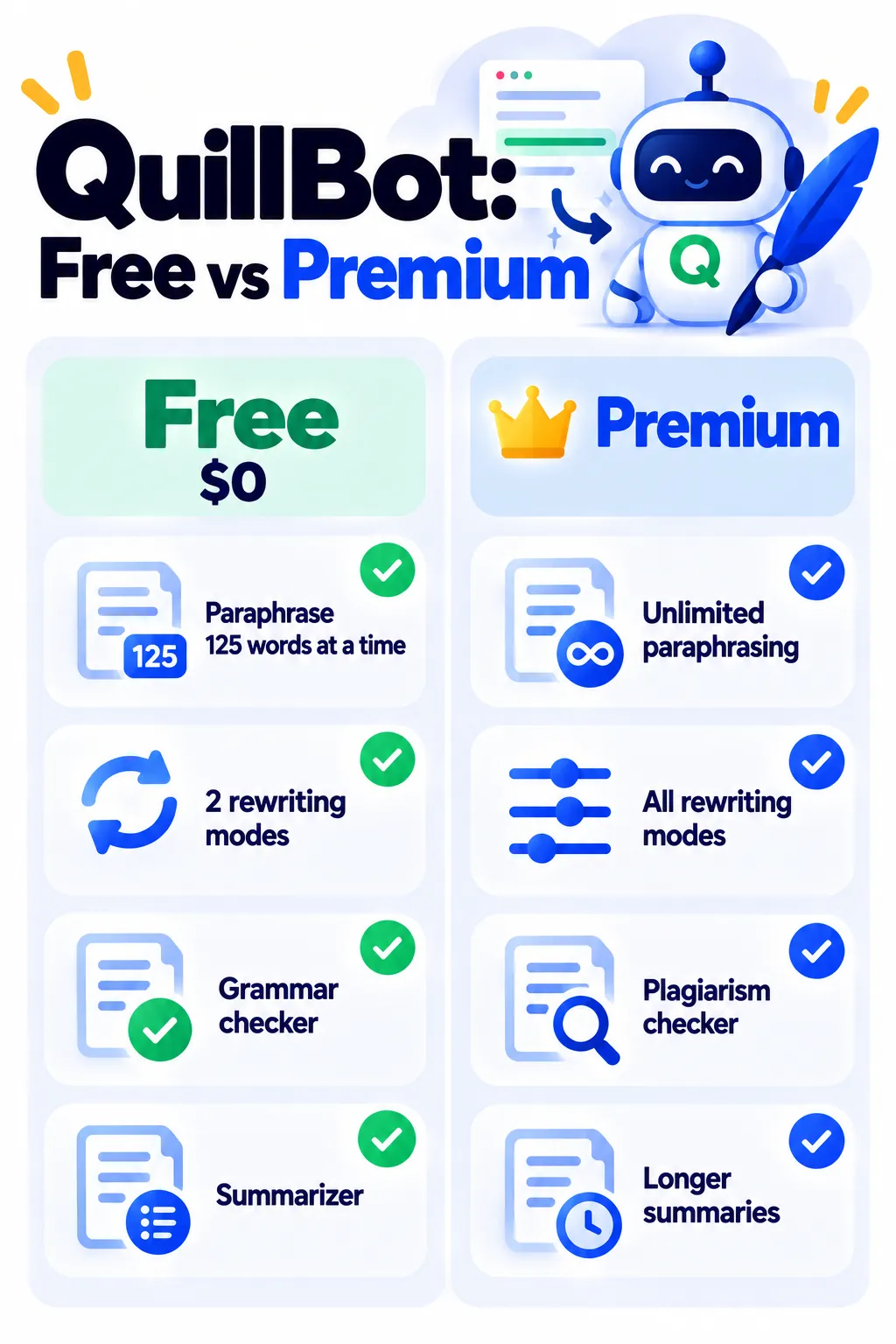
| Free | $0 | Paraphrase 125 words at a time, 2 modes, grammar checker, summarizer |
| Premium | $19.95 month to month, about $8 to $10/month billed yearly | Unlimited paraphrasing, all modes, plagiarism checker, longer summaries |
QuillBot often runs discounts, so check its pricing page before you subscribe.
Privacy Tips
- Don’t paste confidential work documents or personal information into any online writing tool.
- Review QuillBot’s privacy settings and policy if you use it for work.
QuillBot vs Grammarly
QuillBot is strongest at paraphrasing and summarizing. Grammarly is stronger at real-time grammar and tone suggestions as you type. Many writers use both. For more free options, see free Grammarly alternatives.
Frequently Asked Questions
Is QuillBot free?
Yes. The free plan lets you paraphrase up to 125 words at a time in 2 modes, plus use the grammar checker and summarizer.
Is using QuillBot cheating?
Using it to improve your own writing is generally fine. Using it to disguise someone else’s work is plagiarism. Follow your school’s rules.
Can teachers detect QuillBot?
Sometimes. Paraphrased text can still be flagged by plagiarism or AI detectors, and teachers often notice writing that doesn’t sound like you.
Does QuillBot work in Google Docs?
Yes, through its Chrome extension, and there’s also an add-in for Microsoft Word.
Why is my paraphrase cut off?
The free plan limits paraphrasing to 125 words at a time. Split longer text into smaller parts or upgrade to Premium.
The Bottom Line
QuillBot is a handy free tool for rewording sentences, summarizing and fixing grammar. Use it to improve your own writing, always cite your sources, and upgrade only if you paraphrase long documents often. Explore more tools in our AI tools directory.
Related Guides
- Hemingway Editor Review 2026: Make Your Writing Clear (Free vs Plus)
- How to Use ChatGPT for Studying: 10 Smart Prompts (Without Cheating)
- How to Use AI to Summarize Long Documents (Without Missing Key Details)
- Rytr Review 2026: The Budget AI Writer, Free Plan and Pricing
Explore more in our AI Writing Tools hub.
Disclaimer: This article is for general information only and is based on details available at the time of writing. Prices, plans, features, release dates, policies and availability can change at any time and may vary by country. Please verify the latest information on the official website of the company or product mentioned before making any decision or purchase. Next DigiTech is an independent website and is not affiliated with or endorsed by the companies mentioned; all trademarks belong to their respective owners. We are not responsible for any loss or decisions made based on this content.

