

ChatGPT Atlas, OpenAI’s AI-powered web browser, is gone. OpenAI shut it down on August 9, 2026, less than a year after it launched. If you used Atlas, or were planning to try it, here’s what happened and what to use instead.
What Was ChatGPT Atlas?
Atlas was a browser with ChatGPT built in. It launched on Mac in October 2025 with three main features:
- Ask ChatGPT sidebar: Summarize or ask questions about any web page.
- Browser memories: Optional memory of the sites you visited.
- Agent mode: ChatGPT could click, fill forms and complete tasks for you (paid plans).
Windows, iPhone and Android versions were promised but never released.
Why Did OpenAI Shut It Down?
OpenAI decided to bring its products together instead of running separate apps. Announced on July 9, 2026, the plan merged ChatGPT, the Codex coding tool and Atlas’s browsing features into one new ChatGPT desktop app. Security researchers had also shown that AI browsers, Atlas included, could be tricked into leaking login details, which highlighted the risks of letting an AI roam the web with your accounts.
Note: These details come from the company’s own announcements and have not been independently verified by Next DigiTech.
Key Dates
| Date | What happened |
|---|---|
| October 21, 2025 | Atlas launches on macOS |
| March 2026 | Reports of a planned ChatGPT desktop “superapp” |
| July 9, 2026 | Shutdown announced; new ChatGPT desktop app launches |
| August 9, 2026 | Atlas stops working |
Note: Release dates and rollout timing can change. Please confirm the latest details on the official website or help center.
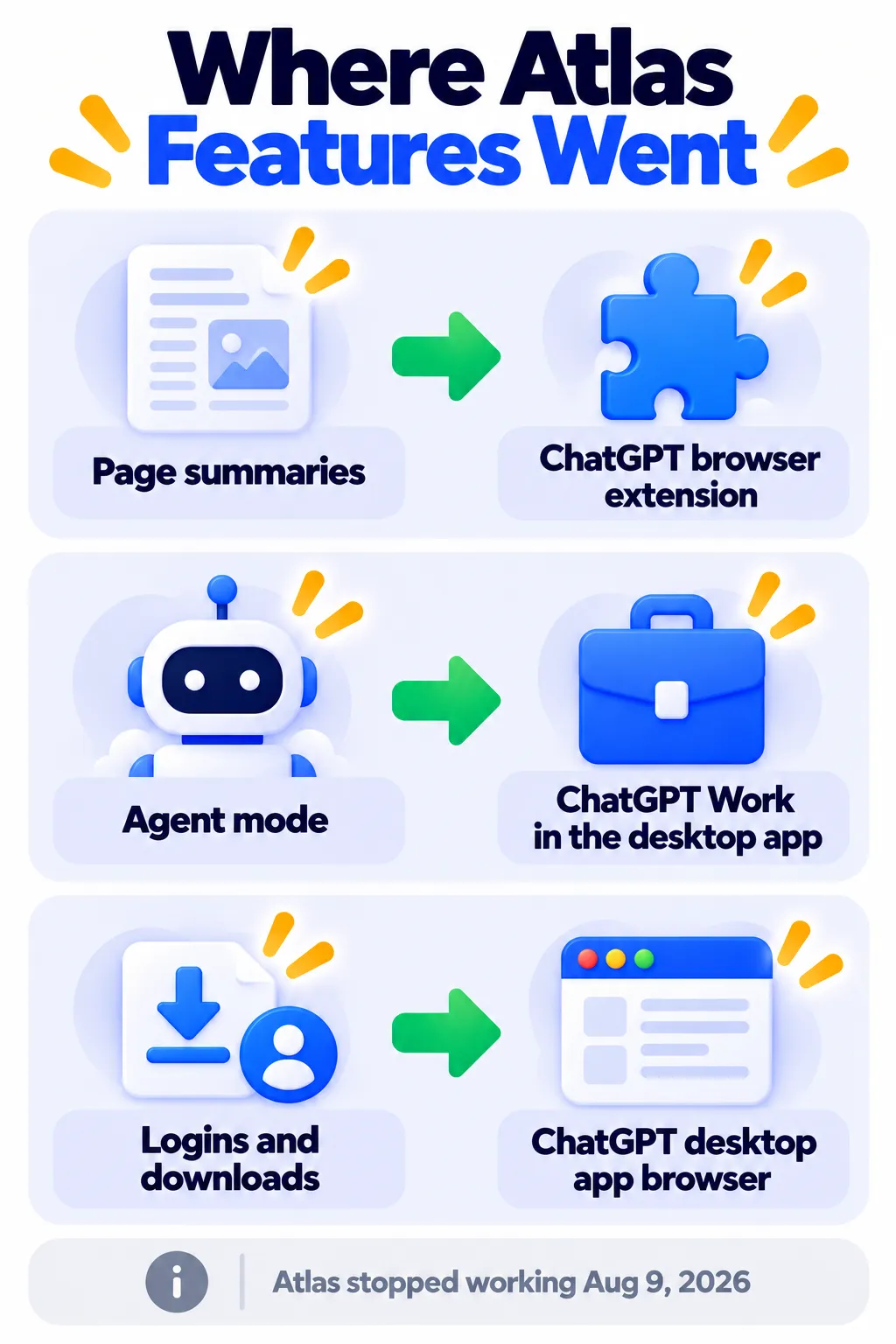
What Replaced ChatGPT Atlas?
1. The new ChatGPT desktop app
The rebuilt app for Mac and Windows (with a Linux preview) combines three modes in one window: Chat, Work (a new agent for multi-step tasks like building a deck or spreadsheet) and Codex (for coding). It includes a built-in browser for logins and downloads.
2. The ChatGPT browser extension
Page summaries and questions about a website now work through a ChatGPT extension for Chrome, Edge, Brave, Opera and Vivaldi, so you can keep your favorite browser.
3. Agent mode in the cloud
The agent that completes tasks for you now runs on a remote browser on OpenAI’s servers, rather than inside your own browser. Agent features generally require a paid ChatGPT plan.
Note: Features and policies may vary by plan, region and app version, and can change at any time. Check the official help center for the latest information.
Other AI Browser Options
- Perplexity Comet: An AI browser for Mac and Windows from the makers of Perplexity.
- Microsoft Edge with Copilot: AI built into Edge. See our Copilot guide.
- Chrome with Gemini: Google is building Gemini into Chrome.
- Claude in Chrome: Anthropic’s browser extension that lets Claude help across websites.
Staying Safe With AI Browsing
- Don’t let an AI agent handle payments or sensitive accounts without checking each step.
- Use logged-out or limited modes when possible.
- Only install extensions from official stores. Read are Chrome extensions safe?
Frequently Asked Questions
Can I still download ChatGPT Atlas?
No. Atlas stopped working on August 9, 2026 and is no longer available.
What happened to my Atlas bookmarks and passwords?
They weren’t transferred automatically. OpenAI offered ways to export cookies and passwords to the new desktop app before the shutdown.
Is the new ChatGPT desktop app free?
The app is free to download with a ChatGPT account. Advanced agent features usually need a paid plan.
Was Atlas ever on Windows?
No. Atlas only ever shipped on macOS.
The Bottom Line
ChatGPT Atlas is gone, but its best features live on in the ChatGPT desktop app and browser extension. For most people, the extension plus their usual browser is the simplest replacement. Explore more tools in our AI tools directory.
Related Guides
- Claude in Chrome: How to Let Claude Browse and Work for You
- Custom GPTs Are Being Retired: What It Means and How to Move to Plugins
- Are Chrome Extensions Safe? How to Check Before You Install
- What Is Perplexity AI? How It Works, Pricing and How to Use It (2026)
Explore more in our AI Tools Directory hub.
Disclaimer: This article is for general information only and is based on details available at the time of writing. Prices, plans, features, release dates, policies and availability can change at any time and may vary by country. Please verify the latest information on the official website of the company or product mentioned before making any decision or purchase. Next DigiTech is an independent website and is not affiliated with or endorsed by the companies mentioned; all trademarks belong to their respective owners. We are not responsible for any loss or decisions made based on this content.

