
ChatGPT, Gemini and Claude are the three AI assistants most people end up choosing between. All three are excellent, all three have free plans, and their main paid plans cost about the same. So the real question isn’t which one is “best.” It’s which one fits how you work.
Here’s a plain comparison to help you decide.
Pricing at a Glance (US)
| Plan level | ChatGPT | Gemini | Claude |
|---|---|---|---|
| Free | Yes (ad-supported in the US) | Yes | Yes |
| Budget tier | Go: $8/month | Google AI Plus: $4.99/month | None |
| Main plan | Plus: $20/month | Google AI Pro: $19.99/month | Pro: $20/month ($17/month billed yearly) |
| Power users | Pro: from $100/month | Ultra: from $99.99/month | Max: from $100/month |
Prices from FelloAI and OpenAI, checked in late September 2026. Google’s paid plans also bundle extra Google storage.
Note: Prices are based on official announcements at the time of writing and may vary by country, retailer, taxes and promotions. Always check the latest pricing on the official website before buying.
ChatGPT: The All-Rounder
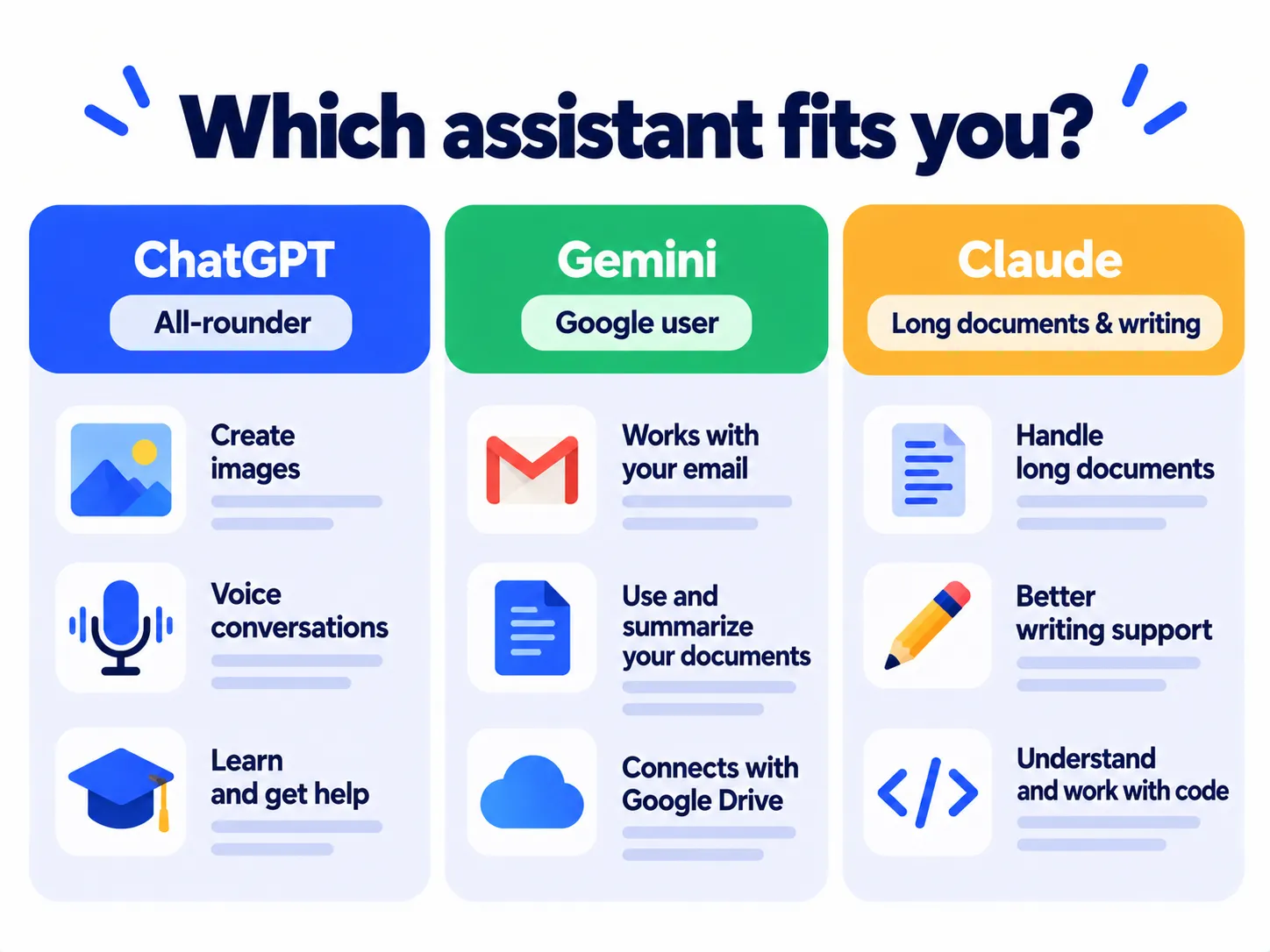
Strengths: the widest range of features in one app, including image creation, voice conversations, Study Mode, web search, and a large library of add-ons. It’s the easiest place to start if you want one assistant for everything.
Keep in mind: the free and Go plans show ads in the US. The most advanced models are reserved for paid plans. See what ChatGPT’s free plan includes.
Best for: people who want one versatile assistant for writing, learning, images and everyday questions.
Gemini: Best Inside Google’s World
Strengths: deep connection to Gmail, Google Docs, Drive, Calendar and Android. Strong at image generation and handling large files. It also has the cheapest paid entry point, and paid plans include extra cloud storage.
Keep in mind: it’s most valuable if you already use Google apps every day.
Best for: Google Workspace users, Android owners, and anyone who wants AI plus storage in one subscription.
Claude: Strong for Writing and Long Documents
Strengths: widely praised for natural writing, careful reasoning, working through long documents and coding help. Its Projects feature keeps files and instructions together for ongoing work.
Keep in mind: there’s no budget tier between free and Pro, and it’s less focused on image creation than the other two.
Best for: writers, students working with long readings, analysts and developers.
Head-to-Head by Task
| Task | Good first pick |
|---|---|
| Everyday questions and brainstorming | Any of the three |
| Creating images | ChatGPT or Gemini |
| Working with Gmail, Docs and Drive | Gemini |
| Long documents and careful writing | Claude |
| Voice conversations | ChatGPT or Gemini |
| Coding help | Claude or ChatGPT |
| Cheapest paid upgrade | Gemini (AI Plus) |
These are general strengths. All three improve quickly, so results can change from month to month.
The Best Way to Decide: Test Them Yourself
Since all three are free to try, run a simple test:
- Pick three real tasks from your week, like an email, a summary and a question about your work.
- Give the exact same prompt to each assistant.
- Compare which answer you’d actually use with the fewest edits.
Need help writing those prompts? See our guide to writing better AI prompts.
Frequently Asked Questions
Which AI assistant is the smartest?
The top models trade places often in benchmarks. For everyday use, the differences matter less than features, price and how well each fits your apps.
Should I pay for more than one?
Most people only need one paid plan, if any. Many combine one paid assistant with the free plans of the others.
Which one is best for privacy?
All three let you control whether your chats are used for training. See our guide: Is it safe to share personal info with AI chatbots?
The Bottom Line
ChatGPT is the best all-rounder, Gemini is the natural pick for Google users and budget buyers, and Claude stands out for writing and long documents. Try all three free with the same tasks, and keep the one you reach for most.
Related Guides
- What Is ChatGPT? How It Works, Pricing and How to Use It (2026 Guide)
- What Is Perplexity AI? How It Works, Pricing and How to Use It (2026)
- What Is DeepSeek? Features, Privacy Risks and Is It Safe to Use? (2026)
- What Is Grok AI? Features, Pricing and Is It Free? (2026)
Explore more in our AI Tools Directory hub.
Disclaimer: This article is for general information only and is based on details available at the time of writing. Prices, plans, features, release dates, policies and availability can change at any time and may vary by country. Please verify the latest information on the official website of the company or product mentioned before making any decision or purchase. Next DigiTech is an independent website and is not affiliated with or endorsed by the companies mentioned; all trademarks belong to their respective owners. We are not responsible for any loss or decisions made based on this content.

