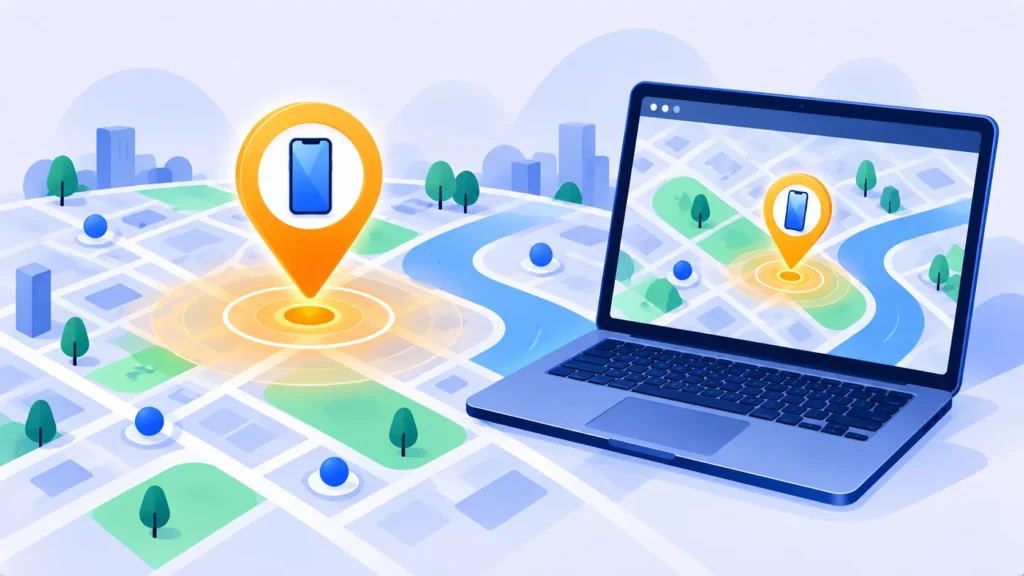
That sinking feeling when you reach for your phone and it isn’t there is awful. The good news: both iPhone and Android have free, built-in tools that can show your phone on a map, make it ring and lock it, even if it’s on silent.
Here’s exactly what to do, starting now.
First 60 Seconds: Quick Checks
- Call your phone from another phone. It may be under a cushion or in a bag.
- Ask a smartwatch to ping it, if you have one.
- Think about the last place you used it, and check there first.
Still missing? Use the steps below.
How to Find a Lost iPhone
Use Find My
- On a computer or any phone, go to icloud.com/find and sign in with your Apple Account. Or open the Find My app on another Apple device, such as an iPad, Mac or a family member’s iPhone.
- Select your iPhone to see it on the map.
- If it’s nearby, choose Play Sound. It rings loudly even on silent.
If you can’t get it back right away: Mark As Lost
Choose Mark As Lost (Lost Mode). This locks your iPhone with your passcode, pauses Apple Pay, and lets you show a message and phone number on the lock screen for anyone who finds it.
Works even when offline
Thanks to Apple’s Find My network, a lost iPhone can often be located even without Wi-Fi or mobile data, using nearby Apple devices to report its location securely.
Note: Features and policies may vary by plan, region and app version, and can change at any time. Check the official help center for the latest information.
How to Find a Lost Android Phone
Use Google Find Hub (formerly Find My Device)
- On a computer or another phone, go to android.com/find, or open the Find Hub app on another Android device.
- Sign in with the same Google Account used on your lost phone.
- Select your phone to see its current or last known location on the map.
- Tap Play sound to make it ring, even on silent.
If it may be stolen: Mark as lost
In Find Hub, choose Mark as lost to lock the phone and show a message with a contact number on the screen.
Samsung users: Samsung also offers its own SmartThings Find service with similar features, if you set it up with a Samsung account.

If Your Phone Was Stolen
- Lock it immediately using Mark As Lost (iPhone) or Mark as lost (Android).
- Don’t try to recover it yourself. If the map shows a stranger’s home, contact the police instead.
- Call your mobile carrier to suspend your SIM, so no one can use your number for calls or verification codes.
- Change important passwords, starting with your email, Apple or Google account, and banking apps.
- Report it to the police and get a report number, which you may need for insurance.
- Erase the phone only when you’re sure you won’t get it back. After erasing, you may no longer be able to see its location.
iPhone tip: Don’t remove the stolen iPhone from your Apple Account. As long as it stays linked, Activation Lock stops thieves from setting it up as their own.
Set These Up Now, Before You Lose It
- iPhone: Check that Find My is on in Settings > [your name] > Find My > Find My iPhone, including Find My network. Turn on Stolen Device Protection in Settings > Face ID & Passcode.
- Android: Search your Settings for Find Hub and make sure it’s turned on.
- Both: Use a strong passcode, back up your phone regularly (see how to back up your iPhone), and write down your Apple or Google account password somewhere safe.
Frequently Asked Questions
Can I find my phone if it’s turned off or the battery is dead?
Often you can see its last known location. Many newer iPhones and some newer Android phones can still be located for a period after they turn off.
Can I find my phone without a computer?
Yes. Use a friend’s or family member’s phone. On Android, the Find Hub app supports guest sign-in, and on iPhone you can use icloud.com/find in any browser.
Can I track a lost phone by its phone number?
Not on your own. Apps or sites that claim to track any phone by number are usually scams. Use Find My or Find Hub instead.
The Bottom Line
Go to icloud.com/find for an iPhone or android.com/find for Android, play a sound if it’s close, and mark it as lost if it isn’t. If it was stolen, call your carrier and change your passwords right away.
Related Guides
- Is My Phone Hacked? 10 Warning Signs and What to Do Next
- How to Turn On Two-Factor Authentication (2FA) for Your Most Important Accounts
- How to Transfer Everything to a New Phone (iPhone and Android)
- How to Set Up Parental Controls on iPhone and Android (Free)
Explore more in our Online Safety and Privacy hub.
Disclaimer: This article is for general information only and is based on details available at the time of writing. Prices, plans, features, release dates, policies and availability can change at any time and may vary by country. Please verify the latest information on the official website of the company or product mentioned before making any decision or purchase. This is not medical, financial, legal or security advice; consult a qualified professional for your situation. Next DigiTech is an independent website and is not affiliated with or endorsed by the companies mentioned; all trademarks belong to their respective owners. We are not responsible for any loss or decisions made based on this content.