

tawk.to is one of the most widely used live chat tools in the world, and its main selling point is simple: the core live chat is free forever, with unlimited agents and unlimited chats. It’s a great way for small businesses, bloggers and startups to start talking to website visitors without paying a monthly fee.
Here’s what you get for free, what costs extra, how to set it up and whether it’s the right choice in 2026.
Quick Verdict
- Best for: Small businesses, startups, nonprofits and bloggers who want free live chat with real people answering.
- Not ideal if: You want powerful AI automation included for free, or a clean widget without paying to remove branding.
- Is it really free? Yes, the core live chat is free with no limits on agents or chats. Branding removal and AI are paid add-ons.
What Is tawk.to?
tawk.to is a free customer messaging platform. You add a small chat widget to your website, and your team can see visitors in real time and chat with them from a web dashboard or the mobile apps for iPhone and Android. It also includes a basic help desk and knowledge base.
Want to compare all your options first? See our guide to adding an AI chatbot to your website.
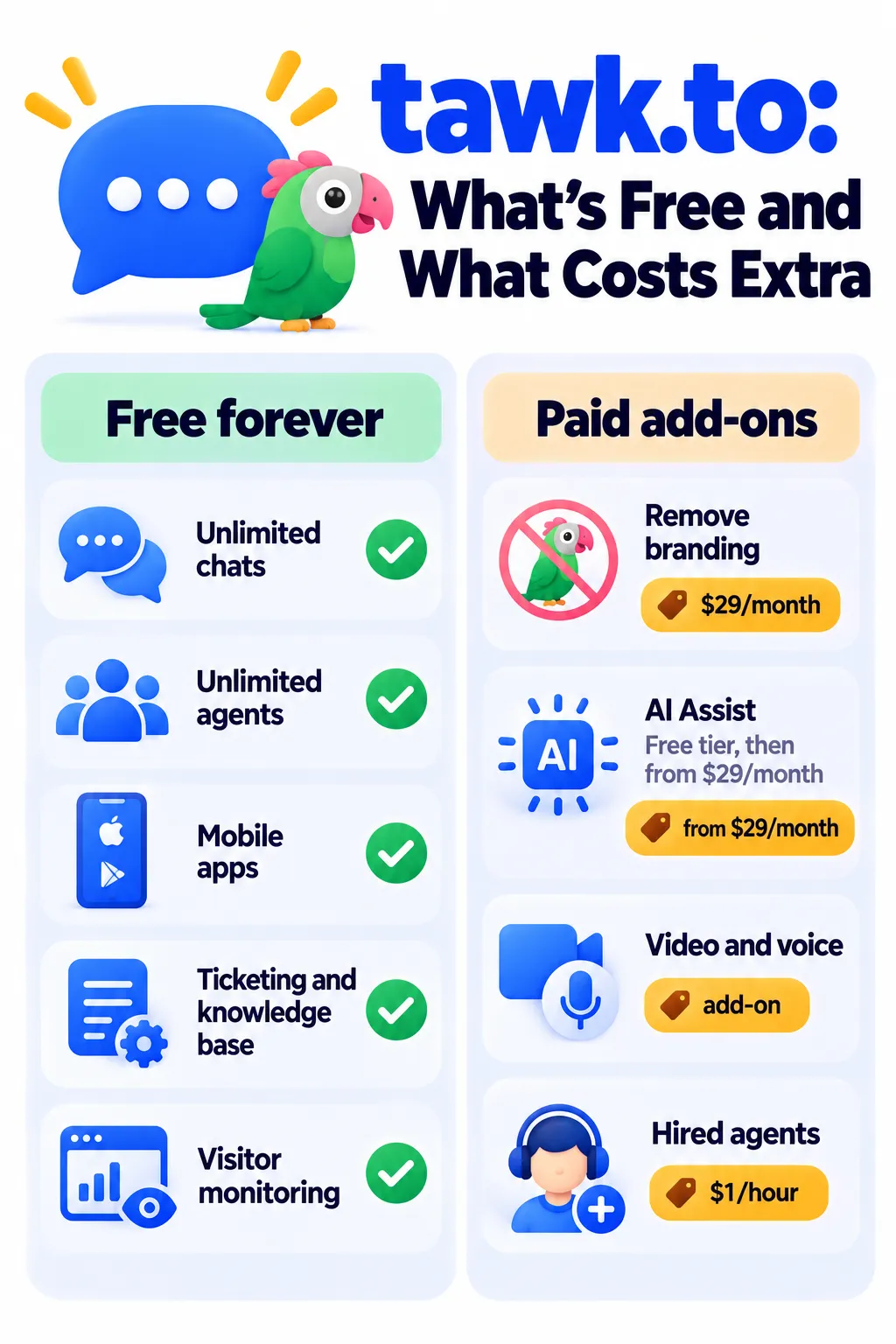
What’s Included Free
- Unlimited live chat on unlimited websites
- Unlimited agents and unlimited chat history
- Visitor monitoring: See who’s on your site, which page they’re viewing and where they’re from
- Mobile and desktop apps so you can reply anywhere
- Shortcuts (saved replies) for common answers
- Triggers: Automatic messages based on time on page, URL or visitor behavior
- Ticketing for offline messages and email-style support
- Knowledge base for help articles
- Basic CRM to keep track of contacts
- Chat page: A free hosted page with your chat, useful if you don’t have a website
- Integrations with WordPress, Shopify, Wix and more
tawk.to Pricing and Add-ons (2026)
tawk.to has no subscription plans for the core product. It makes money from optional add-ons, which are billed per website (property). Prices as of October 2026:
| Item | Price | What it does |
|---|---|---|
| Live chat platform | Free | Everything listed above, with “Powered by tawk.to” branding |
| Remove Branding | $29/month yearly ($39 monthly) | Removes tawk.to branding from your widget |
| AI Assist (Hobby) | Free | About 100 AI messages a month for low-traffic sites |
| AI Assist (paid tiers) | From $29/month | Around 1,000 AI messages at $29, 5,000 at $99, 20,000 at $399 |
| Video and voice | Paid add-on | Video calls, voice calls and screen sharing |
| Hired chat agents | From $1/hour | tawk.to provides trained agents to answer chats for you |
Check tawk.to’s add-ons page for current prices before you buy.
What Is AI Assist?
AI Assist (previously called Apollo) is tawk.to’s AI chatbot. It uses your knowledge base and saved FAQs to answer visitors automatically, around the clock, and can hand chats to your team when needed. The free Hobby tier is fine for testing or very small sites; busier sites will need a paid tier.
Tip: The AI is only as good as your knowledge base. Write clear articles for your top questions before turning it on.
How to Set Up tawk.to (Step by Step)
- Sign up free at tawk.to and add your website as a “property.”
- Customize the widget: Colors, position, greeting message and your logo.
- Install it: Use the WordPress plugin, the Shopify app, or paste the JavaScript code before the closing
</body>tag of your site. - Download the mobile app so you get notifications on your phone.
- Add shortcuts for your most common answers.
- Set your business hours and offline form so visitors can leave a message when you’re away.
- Create a few triggers, like a greeting after 30 seconds on your pricing page.
- Optional: Build a knowledge base and try the free AI Assist tier.
Smart Ways to Use tawk.to
- Pricing page help: Trigger a message like “Questions about plans? We’re here.”
- Lead capture: Use a pre-chat form to collect name and email before chatting.
- Offline leads: Turn missed chats into tickets you answer by email.
- Proactive support on checkout or booking pages.
- Team chat coverage: Add every team member free and share the workload.
Pros and Cons
Pros
- Core live chat is genuinely free, with unlimited agents
- Includes ticketing, knowledge base and basic CRM
- Good mobile apps
- Easy installation on almost any website
- Option to hire agents if you can’t cover chats yourself
Cons
- Free widget shows tawk.to branding
- Meaningful AI automation costs extra
- Add-ons are charged per website, which adds up
- Interface and AI feel less modern than newer AI-first tools
- Limited advanced reporting compared to paid platforms
tawk.to vs Tidio vs Crisp
- tawk.to: Best if you want free human live chat with unlimited agents.
- Tidio: Better for online stores that want live chat plus a stronger AI agent.
- Crisp: Better for a polished all-in-one inbox with flat workspace pricing.
Want a bot trained on your whole website instead? See our overview of website chat automation tools.
Privacy Tips
- Mention tawk.to in your website’s privacy policy.
- If you have EU or UK visitors, make sure your cookie consent setup covers the chat widget.
- Don’t ask visitors to share passwords or card details in chat.
Note: Features and policies may vary by plan, region and app version, and can change at any time. Check the official help center for the latest information.
Frequently Asked Questions
Is tawk.to really free?
Yes. Live chat, unlimited agents, ticketing and the knowledge base are free forever. You pay only for optional add-ons like branding removal and AI Assist.
How much does it cost to remove tawk.to branding?
About $29 a month on yearly billing, or $39 month to month, per website.
Does tawk.to have an AI chatbot?
Yes. AI Assist answers visitors using your knowledge base. There’s a small free tier, and paid tiers start around $29 a month.
Can I use tawk.to on WordPress and Shopify?
Yes. tawk.to has a WordPress plugin and integrations for Shopify, Wix and many other platforms.
Why is tawk.to free?
tawk.to earns money from optional add-ons and services, such as branding removal, AI Assist and hired agents, instead of charging for the core software.
Will tawk.to slow down my website?
The widget loads separately and is fairly light, but any chat widget adds some extra code. Test your site speed after installing.
The Bottom Line
tawk.to is the easiest way to add free live chat to your website, especially if real people will answer. Start free, add shortcuts and an offline form, and pay for branding removal or AI Assist only when your business needs them. Explore more tools in our AI tools directory.
Related Guides
- Chatbase Review 2026: Build an AI Chatbot Trained on Your Website, Pricing and Tips
- Intercom Fin Review 2026: AI Customer Support Agent, Pricing and Is It Worth It?
- WhatsApp Automation for Business: Best Tools, Free Features and 2026 Pricing
- 10 Small Business Tasks You Can Automate Today (With the Best Tools)
Explore more in our Automation and Chatbot Tools hub.
Disclaimer: This article is for general information only and is based on details available at the time of writing. Prices, plans, features, release dates, policies and availability can change at any time and may vary by country. Please verify the latest information on the official website of the company or product mentioned before making any decision or purchase. Next DigiTech is an independent website and is not affiliated with or endorsed by the companies mentioned; all trademarks belong to their respective owners. We are not responsible for any loss or decisions made based on this content.

