

Suno is an AI music generator that creates complete songs, with vocals, lyrics and instruments, from a simple text description. Type something like “an upbeat pop song about a road trip with friends,” and Suno produces a full track in under a minute.
Here’s how Suno works, what’s free, and the important rules about who owns your songs.
Quick Verdict
- Best for: Fun songs, birthday tracks, background music ideas, and creators experimenting with music.
- Skip the free plan if: You want to use songs in monetized videos or sell them. Free songs are for non-commercial use only.
- Is the free plan enough? For personal fun, yes. You get daily credits for about 10 songs a day.
What Is Suno?
Suno is an AI tool that writes and performs music. It can create lyrics for you or use lyrics you write, in almost any genre, from pop and rock to country, hip-hop and lo-fi. It works in your browser at suno.com and in apps for iPhone and Android.
What You Can Do With Suno
- Create songs from a description: Just describe the mood, genre and topic.
- Use your own lyrics: Paste lyrics and choose a style.
- Instrumental tracks: Background music without vocals.
- Extend and edit songs: Make a song longer or change parts (paid plans add more editing).
- Stems: Separate vocals and instruments (paid plans).
How to Make a Song With Suno (Step by Step)
- Go to suno.com and sign up free.
- Click Create.
- Type a description of your song, including genre, mood and topic.
- Or switch to Custom mode to add your own lyrics and style.
- Click Create. Suno usually generates two versions.
- Listen, pick your favorite, and download or share it.
Prompt Ideas
- “Upbeat acoustic birthday song for my sister Maya, who loves dogs and pizza”
- “Calm lo-fi instrumental for studying, soft piano and rain sounds”
- “Country song about a long drive home after work, warm and nostalgic”
- “Energetic pop anthem about finishing a marathon”
- “Funny jingle for a lemonade stand, cheerful kids’ song style”
Suno Pricing (2026)
US prices as of October 2026:
| Plan | Price | What you get |
|---|---|---|
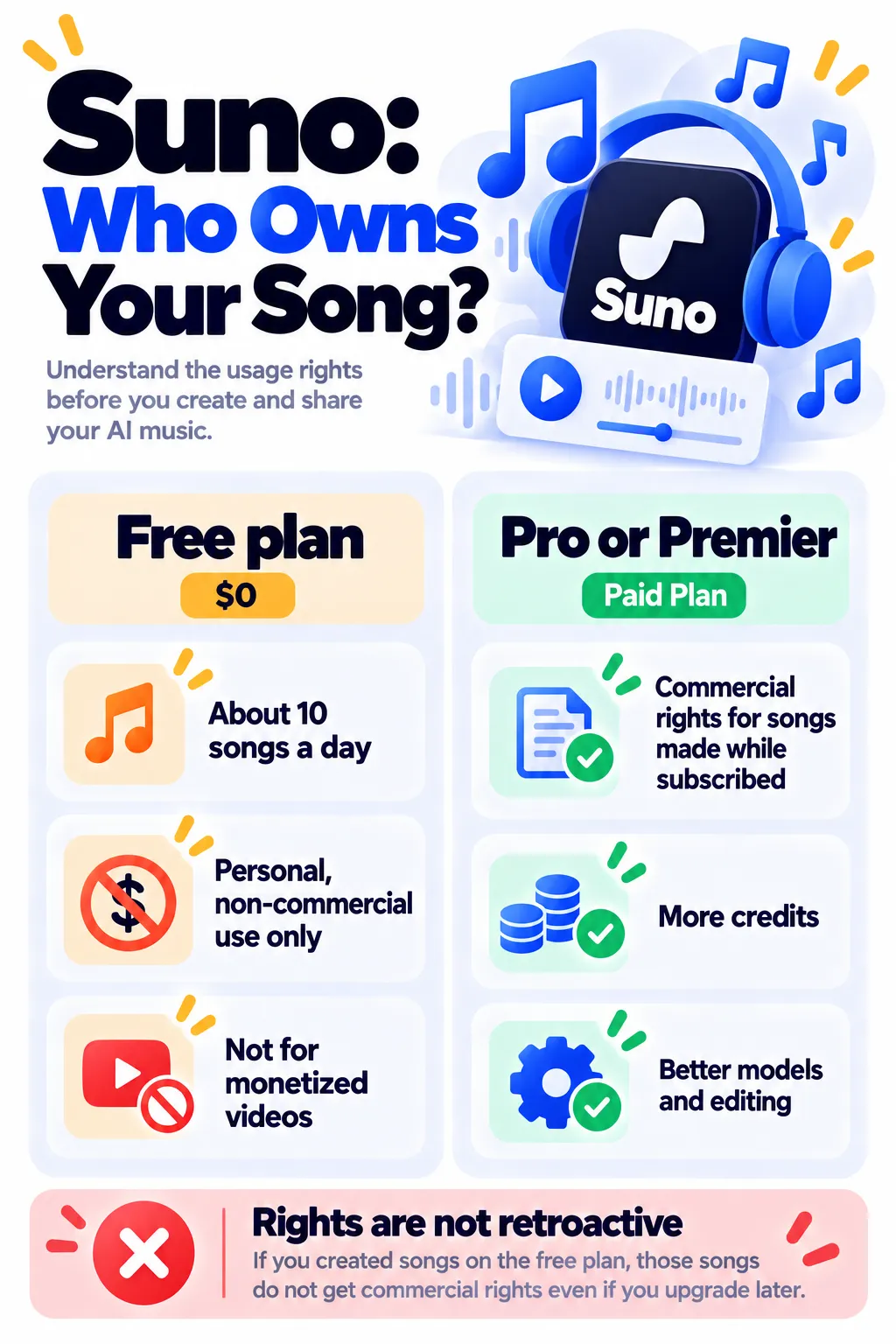
| Free | $0 | 50 credits a day (about 10 songs), non-commercial use only |
| Pro | $10/month ($8 yearly) | 2,500 credits a month, commercial rights, better models, editing and stems |
| Premier | $30/month ($24 yearly) | 10,000 credits a month, commercial rights, Suno Studio |
Since a September 2026 terms update, commercial use on paid plans is tied to a monthly download allowance (about 20 songs on Pro and 60 on Premier). Check Suno’s current terms before relying on this.
Who Owns Suno Songs? (Important)
- Free plan: Songs are for personal, non-commercial use. Don’t use them in monetized YouTube videos, ads or client work.
- Paid plans: Songs made while you’re subscribed to Pro or Premier come with commercial-use rights.
- Not retroactive: Upgrading later doesn’t give commercial rights to songs you made on the free plan.
- Be careful with copying: Don’t try to imitate a specific real artist’s voice or recreate copyrighted songs.
Note: Features and policies may vary by plan, region and app version, and can change at any time. Check the official help center for the latest information.
Suno for Creators
Suno pairs well with video tools. Make background music in Suno, add a voiceover with ElevenLabs, and edit everything together in CapCut. Just make sure you’re on a paid plan before using music in monetized content.
Frequently Asked Questions
Is Suno free?
Yes. The free plan gives 50 credits a day, enough for about 10 songs, for non-commercial use.
Can I use Suno songs on YouTube?
For monetized videos, use songs made while subscribed to a paid plan. Free-plan songs are for non-commercial use only.
Can I write my own lyrics?
Yes. Use Custom mode to paste your lyrics and choose a style.
Do I keep commercial rights if I cancel?
Suno grants commercial rights for songs made during your paid subscription. Check Suno’s current terms for details on downloads and rights after canceling.
Why does my song sound different from what I described?
Be specific about genre, tempo, instruments and mood, and try generating a few versions.
The Bottom Line
Suno makes creating a full song as easy as writing a sentence. Use the free plan for personal fun, and upgrade to Pro before you use any songs in monetized content or client work. Explore more tools in our AI tools directory.
Related Guides
- Murf AI Review 2026: AI Voiceovers, Pricing and Murf vs ElevenLabs
- How to Make YouTube Shorts With AI: A Simple 6-Step Workflow
- Podcastle (Now Async) Review 2026: Record and Edit Podcasts With AI, Pricing
- Auphonic Review 2026: Automatic Audio Leveling for Podcasts, Free Hours and Pricing
Explore more in our AI Video and Audio Tools hub.
Disclaimer: This article is for general information only and is based on details available at the time of writing. Prices, plans, features, release dates, policies and availability can change at any time and may vary by country. Please verify the latest information on the official website of the company or product mentioned before making any decision or purchase. Next DigiTech is an independent website and is not affiliated with or endorsed by the companies mentioned; all trademarks belong to their respective owners. We are not responsible for any loss or decisions made based on this content.

