

Otter.ai is an AI meeting assistant that records conversations, writes a live transcript and creates a summary with action items. It works with Zoom, Google Meet and Microsoft Teams, and you can also use the app to record in-person meetings, lectures and interviews.
Here’s what Otter does, what’s free, and how to use it responsibly.
Quick Verdict
- Best for: Students, journalists and professionals who want searchable transcripts of meetings and lectures.
- Skip it if: You mostly have long meetings and don’t want to pay. The free plan stops transcribing after 30 minutes per conversation.
- Is the free plan enough? For a few short meetings a month, yes. Regular users usually need Pro.
What Is Otter.ai?
Otter.ai is an AI note-taker. Its assistant can join your online meetings automatically, transcribe what everyone says in real time, and then create a summary, key points and action items. You can search past meetings, highlight important moments and share notes with your team.
It works on the web, on Windows and Mac through your browser, and in apps for iPhone and Android.
Main Features
- Live transcription with speaker labels.
- Automatic meeting join for Zoom, Google Meet and Microsoft Teams.
- AI summaries and action items after each meeting.
- AI chat: Ask questions about a meeting, like “What did we decide about the budget?”
- In-person recording with the mobile app.
- Import audio files to transcribe recordings.
How to Use Otter.ai (Step by Step)
- Go to otter.ai and sign up free with Google or Microsoft.
- Connect your Google or Microsoft calendar so Otter can see upcoming meetings.
- Choose whether Otter’s assistant joins meetings automatically or only when you invite it.
- For in-person conversations, open the Otter app and tap Record.
- After the meeting, open the summary, review the action items and fix any wrong names.
- Share the notes or export the transcript.
Otter.ai Pricing (2026)
US prices as of October 2026:
| Plan | Price | What you get |
|---|---|---|
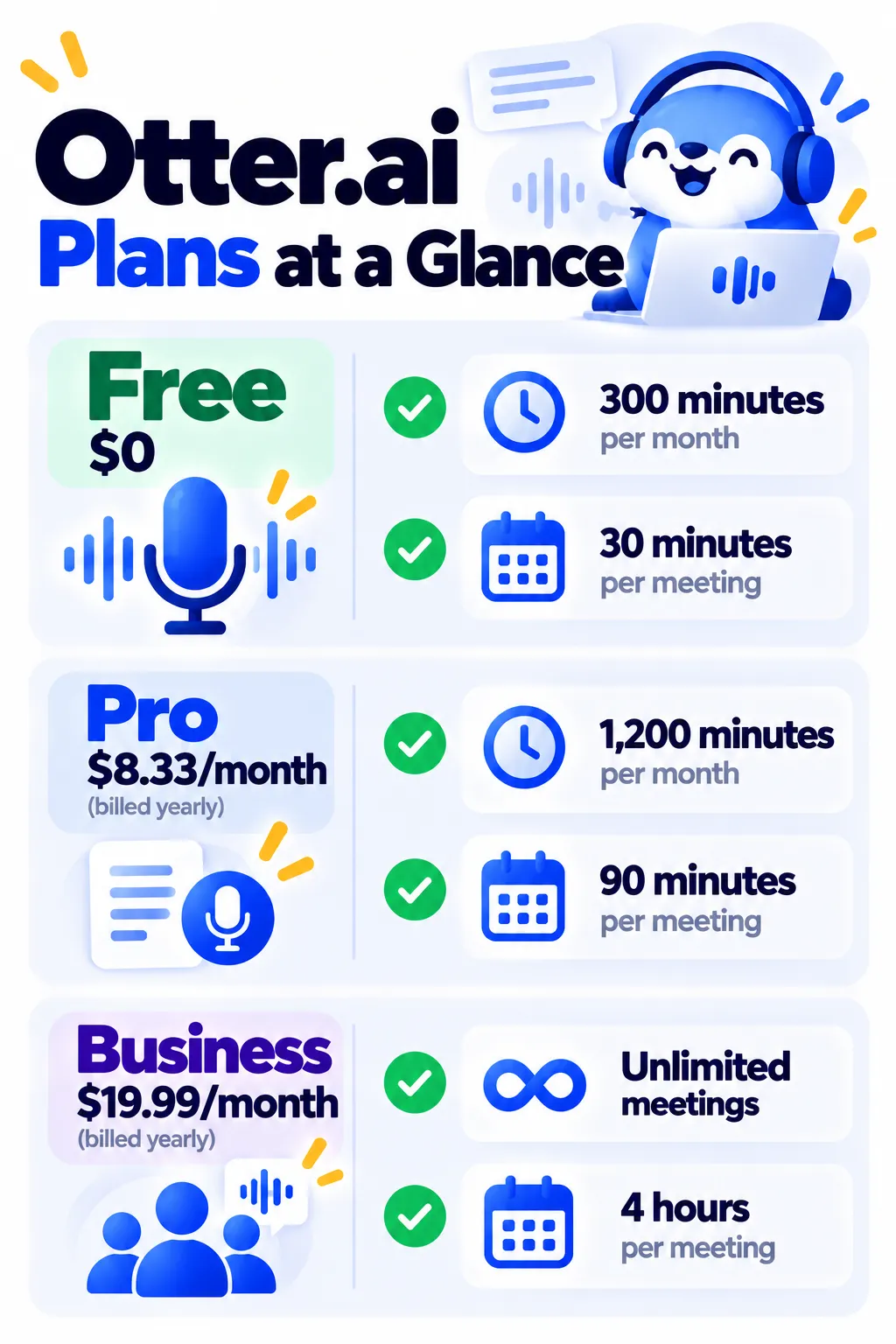
| Basic (Free) | $0 | 300 minutes a month, 30 minutes per conversation, 3 lifetime file imports |
| Pro | $8.33/month yearly ($16.99 monthly) | 1,200 minutes a month, 90 minutes per conversation, 10 file imports a month |
| Business | $19.99/user/month yearly ($30 monthly) | Unlimited meeting minutes, 4-hour conversations, team admin tools |
Prices change often, so check Otter’s pricing page before subscribing.
Use AI Note-Takers Responsibly
- Tell people you’re recording. Recording laws vary by state and country, and some require everyone’s consent.
- Check your company’s rules before recording work calls.
- Turn off auto-join for sensitive meetings like HR, legal or medical conversations.
- Review before sharing: AI summaries can miss context or get names wrong.
Otter vs Other Meeting Note-Takers
If you mostly need unlimited free recordings of online meetings, Fathom has a more generous free plan. Otter is strong for live transcription and in-person recording. Compare more options in our best AI meeting note takers guide.
Frequently Asked Questions
Is Otter.ai free?
Yes. The free Basic plan includes 300 minutes a month, with a 30-minute limit per conversation.
Does Otter work with Zoom, Google Meet and Teams?
Yes. Otter’s assistant can join all three and transcribe automatically.
Can Otter record in-person meetings?
Yes. Use the Otter app on your phone to record and transcribe lectures, interviews and in-person meetings.
Why did Otter join a meeting I didn’t invite it to?
Auto-join is probably on. Change it in Otter’s settings so the assistant only joins meetings you choose.
How accurate is Otter?
It’s accurate for clear audio. Background noise, crosstalk and accents can lower accuracy, so use a good microphone and review names.
The Bottom Line
Otter.ai turns meetings and lectures into searchable notes with summaries and action items. Start free, upgrade to Pro if you regularly hit the 30-minute limit, and always tell people when you’re recording. Explore more tools in our AI tools directory.
Related Guides
- Fireflies.ai Review 2026: AI Meeting Notes, AskFred, Pricing and Is It Worth It?
- What Is Notion AI? Features, Pricing and Is It Worth It? (2026)
- How to Use AI to Summarize Long Documents (Without Missing Key Details)
- What Is NotebookLM? How to Use Google’s Free AI Notebook (2026)
Explore more in our AI Productivity Tools hub.
Disclaimer: This article is for general information only and is based on details available at the time of writing. Prices, plans, features, release dates, policies and availability can change at any time and may vary by country. Please verify the latest information on the official website of the company or product mentioned before making any decision or purchase. Next DigiTech is an independent website and is not affiliated with or endorsed by the companies mentioned; all trademarks belong to their respective owners. We are not responsible for any loss or decisions made based on this content.

