You open the mail or your inbox and find a notice saying your personal information was exposed in a data breach. It looks official, and it includes a QR code to “check if you are affected.” Before you scan it, stop. Scammers are using breach fears to steal the very data you are worried about.
Quick Summary
- Fake breach notices copy the look of real letters and emails from companies that were genuinely breached.
- A QR code in a breach notice is a warning sign. It can send you to a look-alike form that collects sensitive details.
- Do not scan or click. Contact the company using a phone number or website you find yourself.
- If you shared anything, act quickly: change passwords, call your bank and consider a credit freeze.
What Is Happening?
A September 10, 2026 consumer report from NBC 10 (WJAR) in Rhode Island quoted Bentley University professor and scam expert Steve Weisman, who said scammers are sending notices that appear to come from a company that has had a data breach. The report noted that more than 3,300 data breaches occurred in the US last year, which gives scammers plenty of real events to imitate.
According to Weisman, the QR code is the red flag: it leads to a counterfeit form that looks legitimate and asks for sensitive information such as a Social Security number, which can lead to identity theft. He also said email screening software can catch some scams but may miss ones hidden inside a QR code, because the destination is an image rather than a visible link. The US Federal Trade Commission has also warned consumers about QR code scams more generally.
Note: These details come from the company’s own announcements and published reports, and have not been independently verified by Next DigiTech.
Real vs Fake Breach Notice: Quick Comparison
| Sign | Often real | Often fake |
|---|---|---|
| Where it points you | Tells you what happened and lists a phone number and website you can look up yourself | Pushes a QR code or button to “verify” or “check” your data |
| What it asks for | Offers help, such as free credit monitoring you sign up for on a site you verify | Asks for your Social Security number, card number, password or bank details |
| Tone | Calm and specific about what was exposed | Urgent: “act within 24 hours” or “your account will be closed” |
| Sender | A company you actually do business with | A company you have never used, or a mismatched sender address |
| Greeting | Often addressed to you by name | Generic (“Dear customer”) |
Real notices exist and many companies are legally required to send them, so do not assume every letter is a scam. The safest method is to verify it independently.
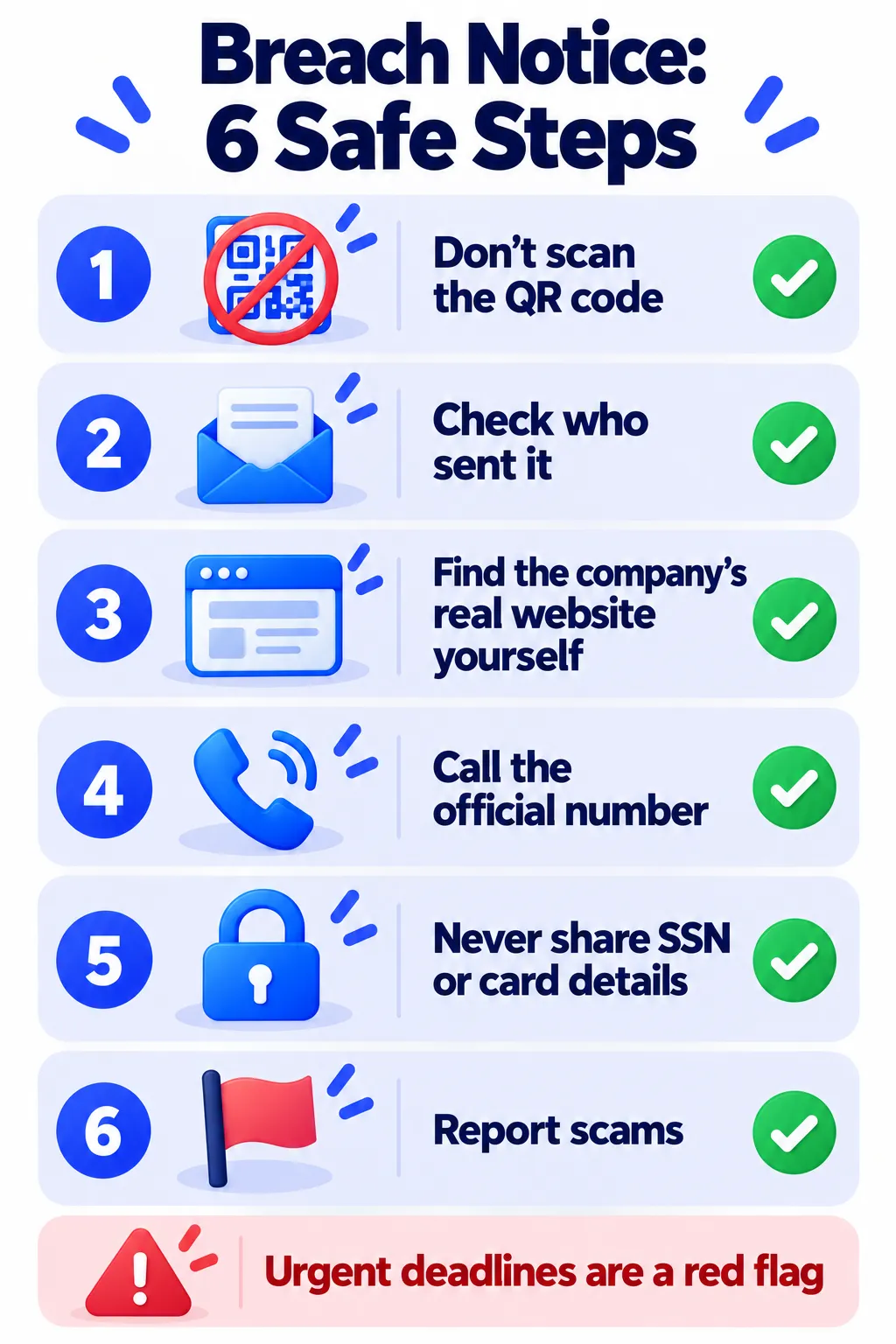
How to Check a Breach Notice: 6 Safe Steps
- Do not scan the QR code or click any link. Treat it as a warning sign, not a shortcut.
- Look at who sent it. Do you have an account with that company? Check the sender address and the return address on the envelope.
- Find the company yourself. Type its official website into your browser or use its official app, then look for a breach notice or security page.
- Call the number on your card or the company’s official site, not the number in the notice.
- Never give your Social Security number, card details or passwords to confirm “your identity” through a notice you did not expect.
- Report it. In the US, report scams at ReportFraud.ftc.gov. In the UK, use Report Fraud, and forward scam emails to report@phishing.gov.uk and texts to 7726.
Note: Reporting services, websites and phone numbers can change. Please confirm the latest details on the official government or police website for your country.
Safer Ways to Scan QR Codes in General
- Preview the web address your phone shows before you open it. If it looks odd or shortened, do not open it.
- Be suspicious of QR codes on stickers placed over other codes, such as on parking meters or posters.
- Do not scan codes from unexpected letters, emails, texts or parcels.
- Keep your phone updated and use a trusted security app.
What to Do If You Scanned the Code or Entered Details
- Stop and disconnect. Close the page and do not enter anything else.
- Change passwords for any account you typed, starting with your email. Turn on two-factor authentication. Here is how to turn on 2FA.
- Call your bank or card issuer if you shared payment details.
- Consider a credit freeze or fraud alert if you shared a Social Security number or national ID. Contact the credit bureaus in your country.
- Watch your statements and credit reports for unfamiliar activity.
- Scan your phone if you downloaded anything. See 10 warning signs your phone is hacked.
If your email address was truly exposed in a breach, follow our step-by-step data breach checklist.
Note: Credit freeze and fraud alert options differ by country and provider, and can change at any time. Check the official website of the credit bureaus or your government’s consumer agency for the latest information.
Frequently Asked Questions
Are all data breach notices scams?
No. Real notices are common. The safest approach is to verify the notice through the company’s official website or phone number, not through the notice itself.
Can scanning a QR code hack my phone?
Scanning alone usually just opens a web address. The danger is what happens next: a fake form, a malicious download or a login page that steals your details.
Why do scammers use QR codes?
According to scam expert Steve Weisman, email filters can miss the destination because it is hidden in an image.
What if I already entered my Social Security number?
Contact your bank, consider a fraud alert or credit freeze, and report it to the official reporting service in your country.
How can I check if my email was in a breach?
Use a well-known breach checker you type in yourself, then follow our data breach guide for next steps.
The Bottom Line
A breach notice with a QR code and a deadline should make you pause, not scan. Go to the company yourself, use official contact details and never hand over sensitive data because a letter asked you to.
Related Guides
- Your Email Was in a Data Breach: What to Do Next (Step by Step)
- How to Turn On Two-Factor Authentication (2FA) for Your Most Important Accounts
- Is My Phone Hacked? 10 Warning Signs and What to Do Next
- How to Stop Spam Calls on iPhone and Android (2026 Guide)
Explore more in our Online Safety and Privacy hub.
Disclaimer: This article is for general information only and is based on details available at the time of writing. Prices, plans, features, release dates, policies and availability can change at any time and may vary by country. Please verify the latest information on the official website of the company or product mentioned before making any decision or purchase. This is not legal, financial or security advice; if you think you have been scammed, contact your bank and the official reporting services. Next DigiTech is an independent website and is not affiliated with or endorsed by the companies mentioned; all trademarks belong to their respective owners. We are not responsible for any loss or decisions made based on this content.