
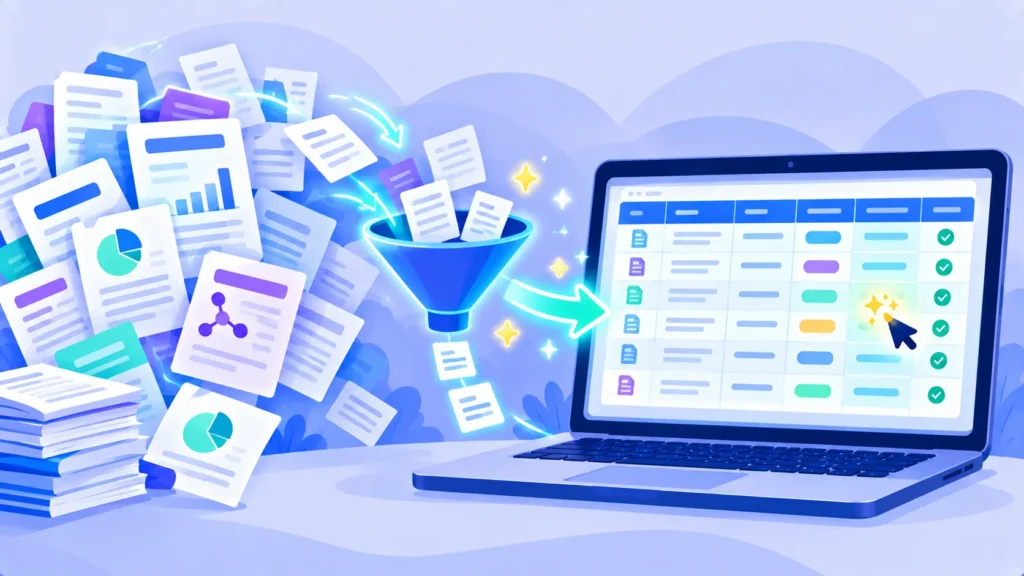
Elicit is an AI research assistant built for literature reviews. It searches over 138 million academic papers, summarizes findings and, most importantly, extracts data from many papers into a table, such as sample sizes, methods and results. It’s popular with graduate students, academics and professional researchers.
Note: These details come from the company’s own announcements and have not been independently verified by Next DigiTech.
Here’s what Elicit does, what the free plan includes, and whether the paid plans are worth it in 2026.
Quick Verdict
- Best for: Literature reviews, systematic reviews and comparing many studies in detail.
- Not ideal if: You just want quick yes-or-no answers (try Consensus) or general web research (try Perplexity).
- Is the free plan enough? For light use, yes. Serious review work needs a paid plan.
What Is Elicit?
Elicit is a web-based AI tool at elicit.com. You ask a research question, and Elicit finds relevant papers using semantic search, which understands meaning rather than just keywords. You can then add columns to a table, like “Population” or “Main finding,” and Elicit fills them in for each paper.
Key Features
- Semantic search across 138M+ papers.
- Data extraction tables: Pull specific details from each paper into columns.
- Research reports: Automated summaries of a topic with citations.
- Systematic review workflow: Screen thousands of papers against your criteria (paid plans).
- Upload your own PDFs to extract data from them.
- Export tables and citations.
Elicit Pricing (2026)
Prices as of October 2026 (paid plans billed yearly):
| Plan | Price | What you get |
|---|---|---|
| Basic | Free | Unlimited search, 2 research reports a month, 2 extraction columns per table |
| Pro | $49/user/month (billed yearly) | More reports, more extraction, systematic review tools, larger screening |
| Scale | $169/user/month (billed yearly) | High-volume research for teams |
| Enterprise | Custom | Organizations with security needs |
Elicit’s plans have changed over time, and some older guides mention a cheaper Plus plan. Check elicit.com/pricing for current options and any academic discounts.
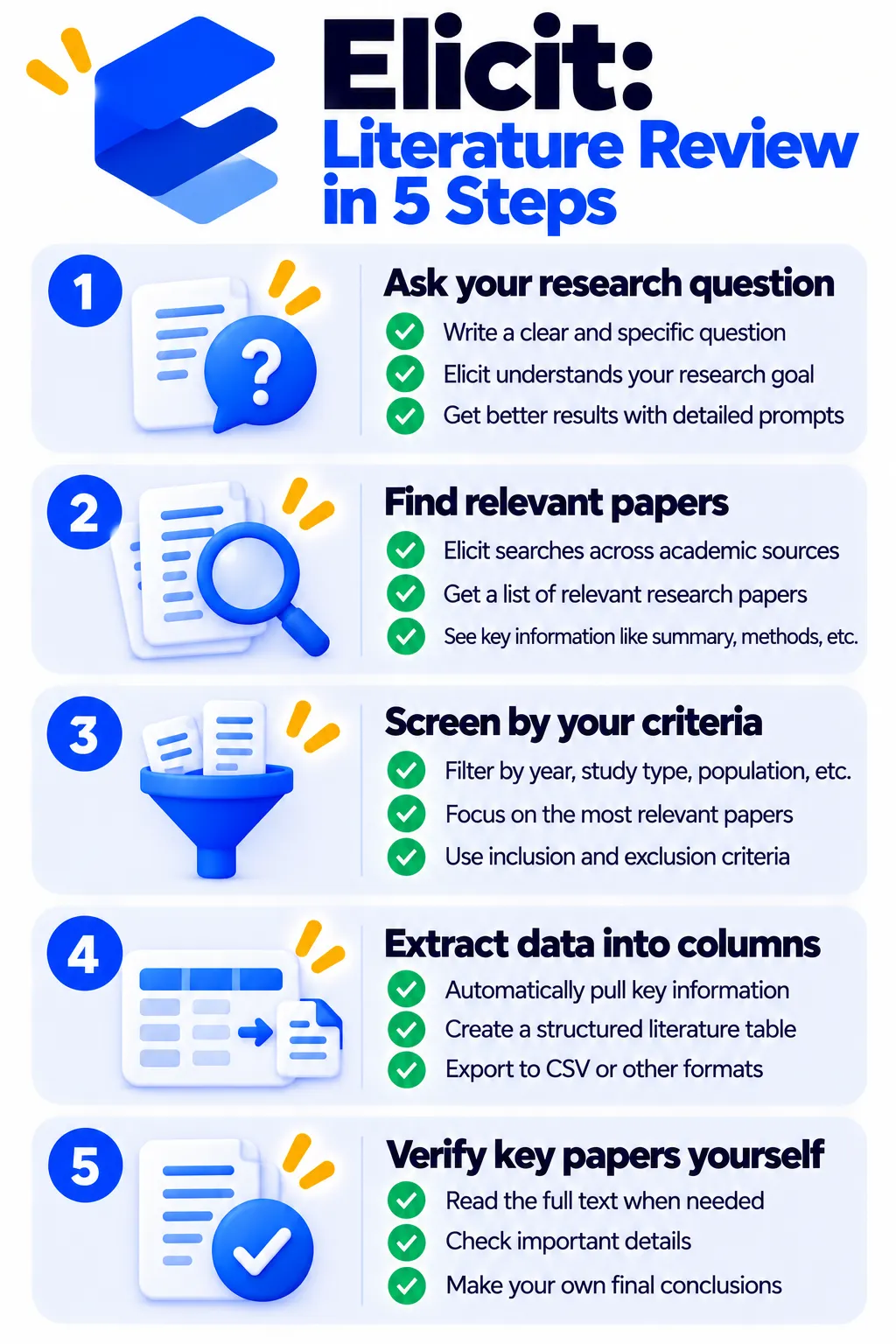
How to Use Elicit (Step by Step)
- Go to elicit.com and sign up free.
- Type your research question in plain English.
- Review the list of papers and their short summaries.
- Add columns, like “Sample size,” “Intervention” or “Outcome.”
- Check a few extracted values against the original papers.
- Export your table and citations.
Pros and Cons
Pros
- Huge time saver for literature reviews
- Data extraction tables are unique and powerful
- Semantic search finds relevant papers keywords miss
- Free plan for trying it out
Cons
- Paid plans are expensive for individuals
- Free plan is limited for real projects
- AI extraction can contain errors
- Mostly useful for academic and scientific work
Use Elicit Responsibly
Always verify extracted data and key findings against the original paper, especially for anything you’ll publish or submit. Follow your university’s rules on AI tools, and cite original studies, not AI summaries.
Elicit vs Consensus vs NotebookLM
- Elicit: Best for structured literature reviews and comparing many studies.
- Consensus: Best for quick evidence-based answers, with a cheaper Pro plan.
- NotebookLM: Best for studying papers you already have, for free.
Compare more options in our guide to the best AI tools for research.
Frequently Asked Questions
Is Elicit free?
Yes. The Basic plan is free with unlimited search and limited reports and extraction.
How much does Elicit Pro cost?
Elicit Pro is $49 per user per month billed yearly as of late 2026.
What is Elicit best for?
Literature reviews where you need to compare details across many studies.
Is Elicit accurate?
It’s helpful but not perfect. Check extracted data against the original papers.
Can Elicit read my own PDFs?
Yes. You can upload papers and extract data from them.
The Bottom Line
Elicit is one of the most powerful AI tools for serious literature reviews. Try the free Basic plan on a real question, and upgrade only if you regularly compare many studies. Explore more tools in our AI tools directory.
Related Guides
- What Is Perplexity AI? How It Works, Pricing and How to Use It (2026)
- How to Use AI to Summarize Long Documents (Without Missing Key Details)
- Quizlet Review 2026: Is Quizlet Plus Worth It? Free vs Paid Explained
- How to Use ChatGPT for Studying: 10 Smart Prompts (Without Cheating)
Explore more in our AI Tools for Students and Teachers hub.
Disclaimer: This article is for general information only and is based on details available at the time of writing. Prices, plans, features, release dates, policies and availability can change at any time and may vary by country. Please verify the latest information on the official website of the company or product mentioned before making any decision or purchase. Next DigiTech is an independent website and is not affiliated with or endorsed by the companies mentioned; all trademarks belong to their respective owners. We are not responsible for any loss or decisions made based on this content.

