Black Friday 2026 is on Friday, November 27, and Cyber Monday is November 30. Real bargains are out there, but so are fake shops, fake “deals” and scam texts designed to steal your money and card details. Scammers are also using AI to build convincing fake stores and product photos faster than ever.
Here’s how to spot the fakes, check any website for free, and what to do if you get caught out.
How Big Is the Problem?
- In the US, people reported $2.1 billion in losses to scams that started on social media in 2025, and online shopping scams were the most reported type. Many victims ordered from an ad and the item never arrived (FTC).
- Norton’s parent company, Gen, blocked about 260,000 fake shop websites worldwide in October and November 2025, roughly four times more than the year before (Gen).
- Even real deals can be misleading: UK consumer group Which? found that none of 175 Black Friday deals it tracked was at its lowest price of the year on the day (Which?).
Note: These figures come from the organizations named and have not been independently verified by Next DigiTech. Actual numbers may differ.
9 Red Flags of a Scam Shopping Site
- Prices that are too good to be true. 70–90% off popular items, or “bargains” on products that are sold out everywhere else.
- A strange web address. Misspelled brand names (like “amaz0n-deals”), extra words or unusual endings.
- A brand-new website. Scam shops often claim “10 years in business” but were created a few weeks ago.
- Sob stories and pressure. “Closing down sale,” “family business retiring,” countdown timers and “only 2 left.”
- Too-perfect photos. AI-generated product images that look glossy and slightly unreal, or photos stolen from other stores.
- Fake trust signals. Review badges that don’t link anywhere, and only perfect five-star reviews. A padlock icon only means the connection is encrypted, not that the shop is honest.
- No real contact details. No physical address, no returns address, only a contact form.
- Odd payment requests. Asking you to pay by bank transfer, gift card or crypto.
- It came from a social media ad. Many fake shops find victims through paid Facebook, Instagram and TikTok ads.
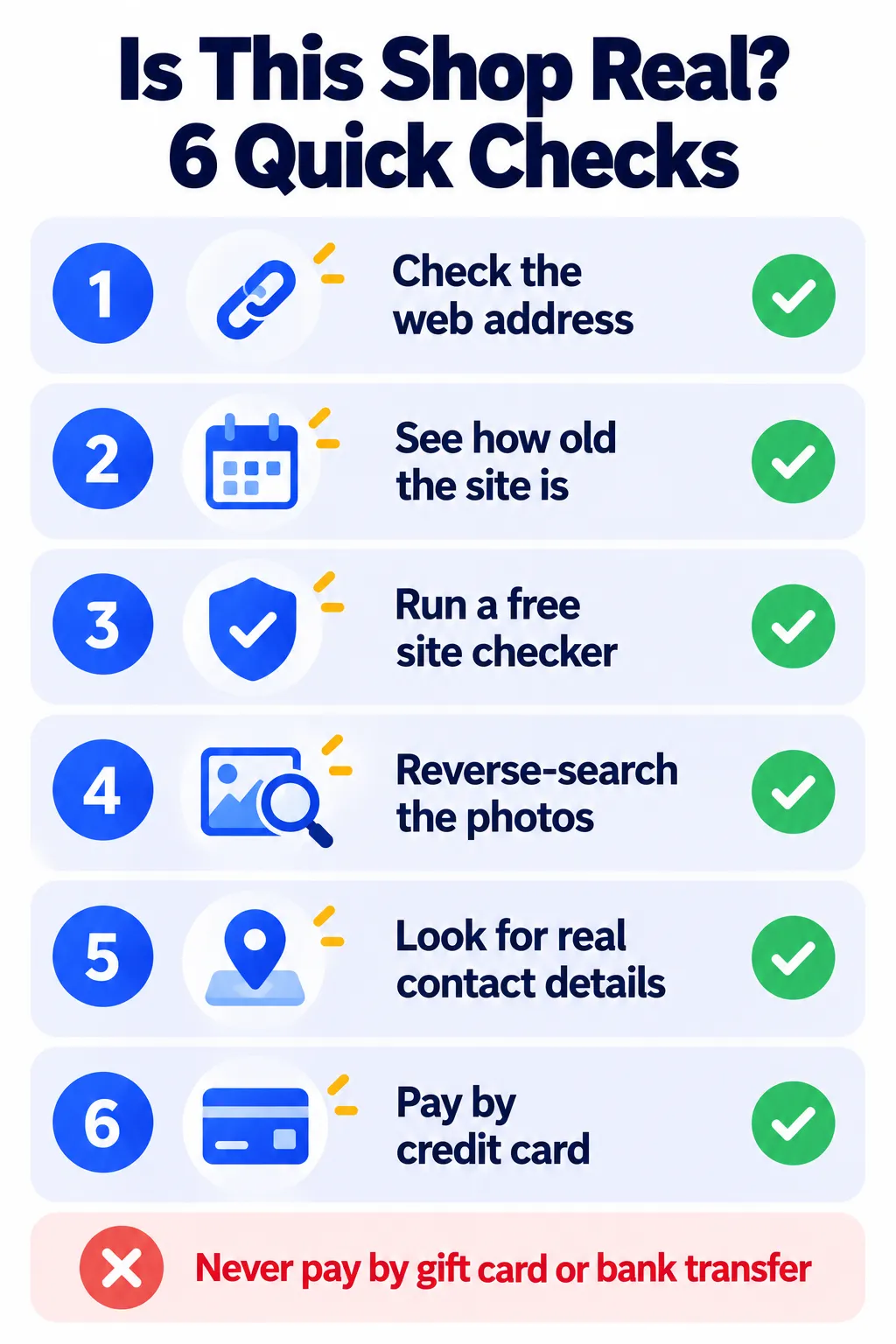
Free Tools to Check a Website Before You Buy
- Get Safe Online “Check a website”: Gives a trust score using dozens of data sources. Free, and works for any site.
- ScamAdviser: Paste a web address to see a trust score and warning signs.
- who.is: Shows when a website was created. A “long-established” shop registered last month is a big red flag.
- Google Transparency Report (Safe Browsing site status): Checks whether Google has flagged a site as unsafe.
- Reverse image search: Use Google Lens to see if product photos were copied from another store.
Note: These tools are run by third parties, and their features and availability can change at any time. A good score is not a guarantee that a site is safe, so always combine these checks with your own judgment.
How to Spot a Fake “Deal” on Real Websites
Not every bad deal is a scam. Sometimes the “was” price was inflated to make the discount look bigger. Before you buy:
- Check the price history. Keepa and CamelCamelCamel show Amazon price history and send price-drop alerts. In the US, Chrome also shows price tracking and price history on many products.
- Compare across stores. Use Google Shopping, or let AI build a quick comparison. See how to use AI to compare products.
- Ignore the “was” price. Focus on whether today’s price is genuinely the lowest you’ve seen.
- Buying a laptop? Read our Black Friday laptop buying guide for specs that matter.
Watch Out for These Black Friday Scams Too
- Fake delivery texts: “Your package couldn’t be delivered, pay a small fee.” These were the most-reported text scam in the US. Never click; check the order in the retailer’s app instead. Learn how to block spam calls and texts.
- Phishing emails: Fake order confirmations or “problem with your payment” emails. Log in through the official app or website, never the link.
- Fake gift card offers and giveaways on social media that ask for your details.
- AI voice scams: Calls pretending to be your bank or a family member. Read about AI voice cloning scams.
Safe Shopping Habits
- Pay by credit card or a trusted service like PayPal, Apple Pay or Google Pay. They offer better protection than debit cards or bank transfers.
- Type the store’s address yourself or use its official app instead of clicking ads.
- Use strong, unique passwords and a password manager.
- Turn on two-factor authentication for shopping and email accounts. Here’s how to turn on 2FA.
- Check new apps before installing them. Use our “Is this app safe?” checklist.
Note: Buyer protection and chargeback rules vary by card issuer, payment service and country, and can change at any time. Check your bank’s or payment provider’s official help center for the latest information.
What to Do If You’ve Been Scammed
- Call your bank or card company immediately. Ask them to block the card and dispute the charge.
- Change your passwords if you entered them on the fake site, starting with your email.
- Report it:
- US: ReportFraud.ftc.gov and ic3.gov (FBI). Forward scam texts to 7726.
- UK: Report Fraud (which replaced Action Fraud in December 2025) at reportfraud.police.uk or 0300 123 2040. Forward scam emails to report@phishing.gov.uk and scam texts to 7726. In Scotland, call Police Scotland on 101.
- Watch your accounts for unusual activity. If your email was exposed, follow our data breach checklist.
Note: Reporting services, websites and phone numbers can change. Please confirm the latest details on the official government or police website for your country.
Frequently Asked Questions
When is Black Friday 2026?
Friday, November 27, 2026, with Cyber Monday on November 30. Many stores start sales earlier in November.
How can I tell if a website is fake?
Check the web address, how old the site is (using who.is), run it through a free checker like ScamAdviser or Get Safe Online, and look for real contact details.
Is the padlock icon a sign a site is safe?
No. It only means the connection is encrypted. Scam sites can have a padlock too.
Are Black Friday deals really cheaper?
Not always. Check price history with tools like Keepa before buying.
What’s the safest way to pay online?
A credit card or a trusted payment service like PayPal. Avoid bank transfers, gift cards and crypto.
The Bottom Line
Most Black Friday scams rely on urgency and deals that seem too good to be true. Slow down, check the website, compare prices, pay by credit card and report anything suspicious. A two-minute check can save you a lot of money and stress.
Related Guides
- Black Friday 2026 Laptop Buying Guide: Specs That Matter and Deals to Avoid
- How to Use AI to Compare Products Before You Buy
- AI Voice Cloning Scams: How They Work and How to Protect Your Family
- Your Email Was in a Data Breach: What to Do Next (Step by Step)
Explore more in our Online Safety and Privacy hub.
Disclaimer: This article is for general information only and is based on details available at the time of writing. Prices, plans, features, release dates, policies and availability can change at any time and may vary by country. Please verify the latest information on the official website of the company or product mentioned before making any decision or purchase. This is not legal, financial or security advice; if you think you have been scammed, contact your bank and the official reporting services. Next DigiTech is an independent website and is not affiliated with or endorsed by the companies mentioned; all trademarks belong to their respective owners. We are not responsible for any loss or decisions made based on this content.