
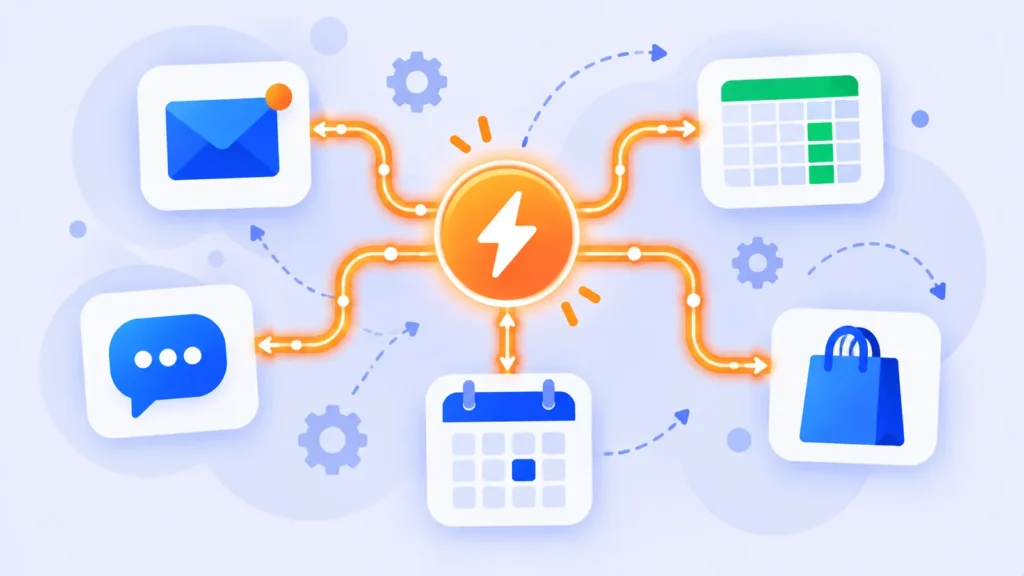
How much of your day goes into copying information from one app to another? Saving email attachments, adding new leads to a spreadsheet, posting the same update in three places. Zapier is a tool that does those repetitive jobs for you, automatically, without writing a single line of code.
Here’s what Zapier is, how it works, easy automations you can set up today, and what it costs in 2026.
Quick Verdict
- Best for: Small business owners, freelancers, marketers and anyone who repeats the same app tasks every day.
- Skip it if: You run thousands of automations a month on a tight budget. Cheaper tools like Make or n8n may fit better.
- Is the free plan enough? For one or two simple automations, yes. Real business workflows usually need Professional.
What Is Zapier?
Zapier is an online automation platform that connects thousands of apps, including Gmail, Google Sheets, Slack, Shopify, Facebook Lead Ads, Calendly and HubSpot. You tell Zapier “when this happens in one app, do that in another app,” and it runs that workflow in the background every time.
These automated workflows are called Zaps. You build them with a simple point-and-click editor at zapier.com.
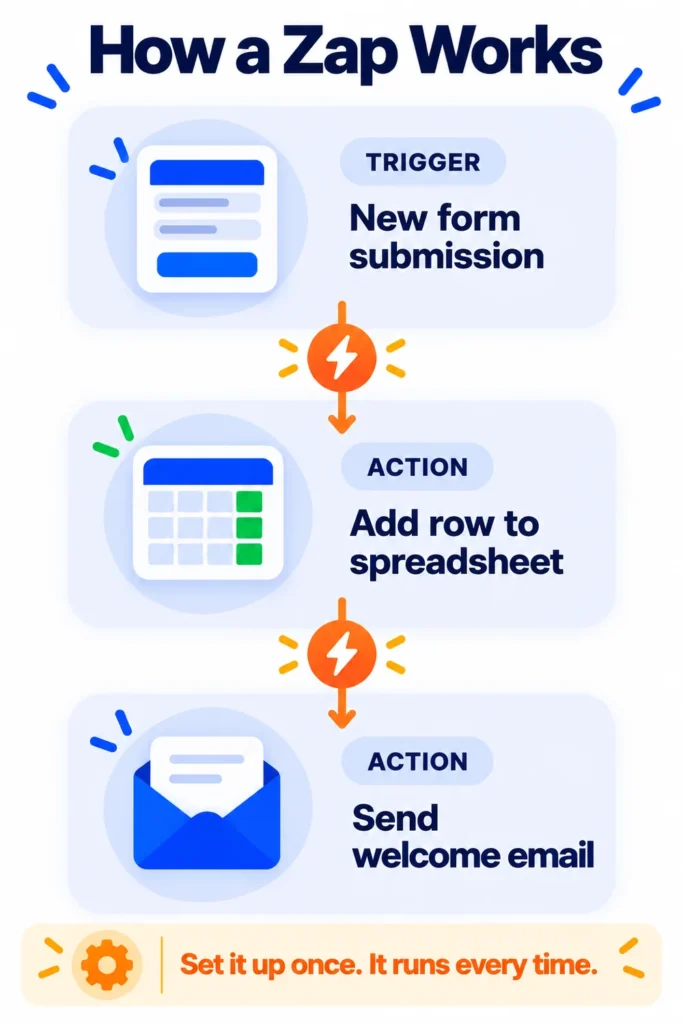
How Zapier Works: Triggers and Actions
Every Zap has two parts:
- Trigger: The event that starts the Zap. Example: “A new email arrives in Gmail with an attachment.”
- Action: What Zapier does next. Example: “Save the attachment to Google Drive.”
Paid plans let you add more steps, so one trigger can start a whole chain: save the file, add a row to a spreadsheet, and send a Slack message. You can also add filters (only run if a condition is true) and paths (do different things in different situations).
AI inside Zapier
- Copilot: Describe what you want in plain English, and Zapier helps build the Zap for you.
- AI steps: Add AI to a workflow, for example to summarize an email, sort a lead, or draft a reply.
- Zapier Agents: AI assistants that can carry out tasks across your apps. They’re billed separately from regular Zaps. Learn the basics in what are AI agents?
10 Easy Zapier Automations for Beginners
These are popular, practical Zaps you can build in a few minutes:
- Save Gmail attachments to Google Drive automatically.
- Add new form responses to Google Sheets (Google Forms, Typeform or Zapier Forms).
- Send new Facebook or Instagram leads to your CRM or a spreadsheet the moment they come in.
- Get a Slack or email alert when a new order arrives in Shopify.
- Add new Calendly bookings to your CRM and send a confirmation email.
- Turn starred emails into tasks in Trello, Asana or Todoist.
- Welcome new email subscribers by adding them to Mailchimp and sending a thank-you message.
- Share new blog posts to your social accounts automatically.
- Save meeting summaries from your AI note-taker into Notion or Google Docs. (See our guide to Fathom.)
- Use AI to sort incoming emails into categories like “sales,” “support” or “spam,” and route them to the right person.
How to Create Your First Zap (Step by Step)
- Go to zapier.com and sign up free with Google or Microsoft.
- Click Create > Zaps, or describe your automation to Copilot in plain English.
- Choose your trigger app and event (for example, Gmail > New Attachment).
- Connect your account and click Test trigger to pull in sample data.
- Choose your action app and event (for example, Google Drive > Upload File).
- Map the fields, like the file name and folder, then test the action.
- Click Publish. Your Zap now runs automatically.
Tip: Start with one small, annoying task you do every day. Once it works, add more steps or new Zaps.
Zapier Pricing (2026)
US prices as of October 2026:
| Plan | Price | What you get |
|---|---|---|
| Free | $0 | 100 tasks a month, two-step Zaps (one trigger, one action), Tables, Forms, limited Copilot |
| Professional | From $19.99/month yearly ($29.99 monthly) | 750 tasks a month and up, multi-step Zaps, premium apps, webhooks, AI steps, faster checking |
| Team | From $69/month yearly ($103.50 monthly) | 2,000 tasks a month and up, multiple users, shared workspaces |
| Enterprise | Custom | Advanced security and admin controls |
New accounts usually get a free 14-day trial of Professional. Zapier Agents and Chatbots have separate allowances. Check zapier.com/pricing for the latest details.
What counts as a “task”?
This is where many people get surprised. A task is each action step that successfully runs, not each Zap. A Zap with one trigger and three actions uses three tasks every time it runs. Triggers and filters don’t count as tasks. Before you upgrade, estimate how many times each Zap will run per month and multiply by its action steps.
Tips to Avoid Problems
- Use filters so Zaps only run when needed. This saves tasks and money.
- Test with sample data before turning a Zap on.
- Turn on error alerts so you know if a Zap stops working, for example when a password changes.
- Name your Zaps clearly, like “Website form to Sheets plus welcome email,” so you can manage them later.
- Be careful with customer data. Only connect the accounts you need, and follow privacy rules for personal information.
Zapier vs Make vs n8n
Zapier is the easiest to learn and supports the most apps. Make offers a visual builder and is often cheaper for complex workflows. n8n is popular with technical users because it can be self-hosted and is great for AI agents. If you’re new to automation, Zapier is usually the best place to start. See our full comparison: Zapier vs Make vs n8n. Using Microsoft 365? Look at Power Automate, and for smart home routines, try IFTTT. For more time-saving ideas, see AI tools for small business owners.
Frequently Asked Questions
Is Zapier free?
Yes. The free plan includes 100 tasks a month and two-step Zaps. Multi-step Zaps and premium apps need a paid plan.
Do I need to know how to code to use Zapier?
No. Zapier is built for non-technical users. You choose apps and fields from menus, and Copilot can help build Zaps from a plain-English description.
How many apps does Zapier work with?
Thousands, including Gmail, Google Sheets, Slack, Shopify, HubSpot, Notion, Facebook Lead Ads and Calendly.
Why did my Zap stop working?
Common reasons include an expired app connection, a changed field or form, or running out of tasks. Check your Zap history for the error and reconnect the account if needed.
What is a multi-step Zap?
A Zap with more than one action, such as adding a lead to a spreadsheet, then sending an email, then posting a Slack alert. Multi-step Zaps require a paid plan.
The Bottom Line
Zapier is the easiest way to make your apps work together and stop doing the same tasks by hand. Start free with one simple Zap, learn how tasks are counted, and upgrade to Professional when you need multi-step workflows. Explore more tools in our AI tools directory.
Related Guides
- 10 Small Business Tasks You Can Automate Today (With the Best Tools)
- Google Apps Script: 25 Things You Can Automate for Free (Beginner’s Guide 2026)
- How to Use Gmail Filters to Automate Your Inbox (With 7 Ready Examples)
- WhatsApp Automation for Business: Best Tools, Free Features and 2026 Pricing
Explore more in our Automation and Chatbot Tools hub.
Disclaimer: This article is for general information only and is based on details available at the time of writing. Prices, plans, features, release dates, policies and availability can change at any time and may vary by country. Please verify the latest information on the official website of the company or product mentioned before making any decision or purchase. Next DigiTech is an independent website and is not affiliated with or endorsed by the companies mentioned; all trademarks belong to their respective owners. We are not responsible for any loss or decisions made based on this content.

